Dealer sales and quotes

Every dealer promise. Still in view.

Keep the enquiry, dealer account, product context, quote review and next follow-up together—while inventory remains authoritative in your ERP.

Start free trialBook an industry demo

For distributor sales, inside-sales and customer-operations teams coordinating dealer relationships across email and WhatsApp.

Synthetic editorial scene of an Indian wholesale distribution team reviewing a dealer price sheet and product sample.
Illustrative customer record
Mehta Market HouseDealer enquiry · Ahmedabad territory
Current state
Quote review
Owned next step
Commercial approval due today

Where dealer work breaks

A dealer asks. The clock starts.

The request may begin in WhatsApp, become a pricing discussion over email and wait on an internal decision before anyone can answer with confidence.

01

Conversations fragment

Dealer requests, attachments and clarifications sit across personal inboxes and channels.

02

Approvals go quiet

Revised pricing can wait without an explicit reviewer, due date or visible decision.

03

Reorders lose context

The next response starts from scratch instead of the company, quote and prior commitment.

One dealer account

Commercial context. Before commitment.

Follow the request from its first message to a reviewed quote and the next dealer action.

  1. 01 · Capture

    Receive the dealer enquiry

    Route the conversation into a shared inbox with the right sales team and a visible owner.Explore Inbox
  2. 02 · Understand

    Open the complete account context

    See the dealer, company, prior conversations and open commercial work before replying.Explore Customer context
  3. 03 · Progress

    Move the opportunity through its stages

    Track qualification, pricing and approval in a pipeline designed around the distributor’s process.Explore Pipelines
  4. 04 · Approve

    Prepare and review the quote

    Keep line items, revisions and the approval state attached to the same customer journey.Explore Quotes
  5. 05 · Follow through

    Own the next dealer action

    Turn the promised response or replenishment check-in into assigned, dated work.Explore Tasks

Inside the product

The enquiry. The decision. The next order.

Three product views show the conversation, commercial decision and follow-through without turning the page into a feature tour.

Proof 01

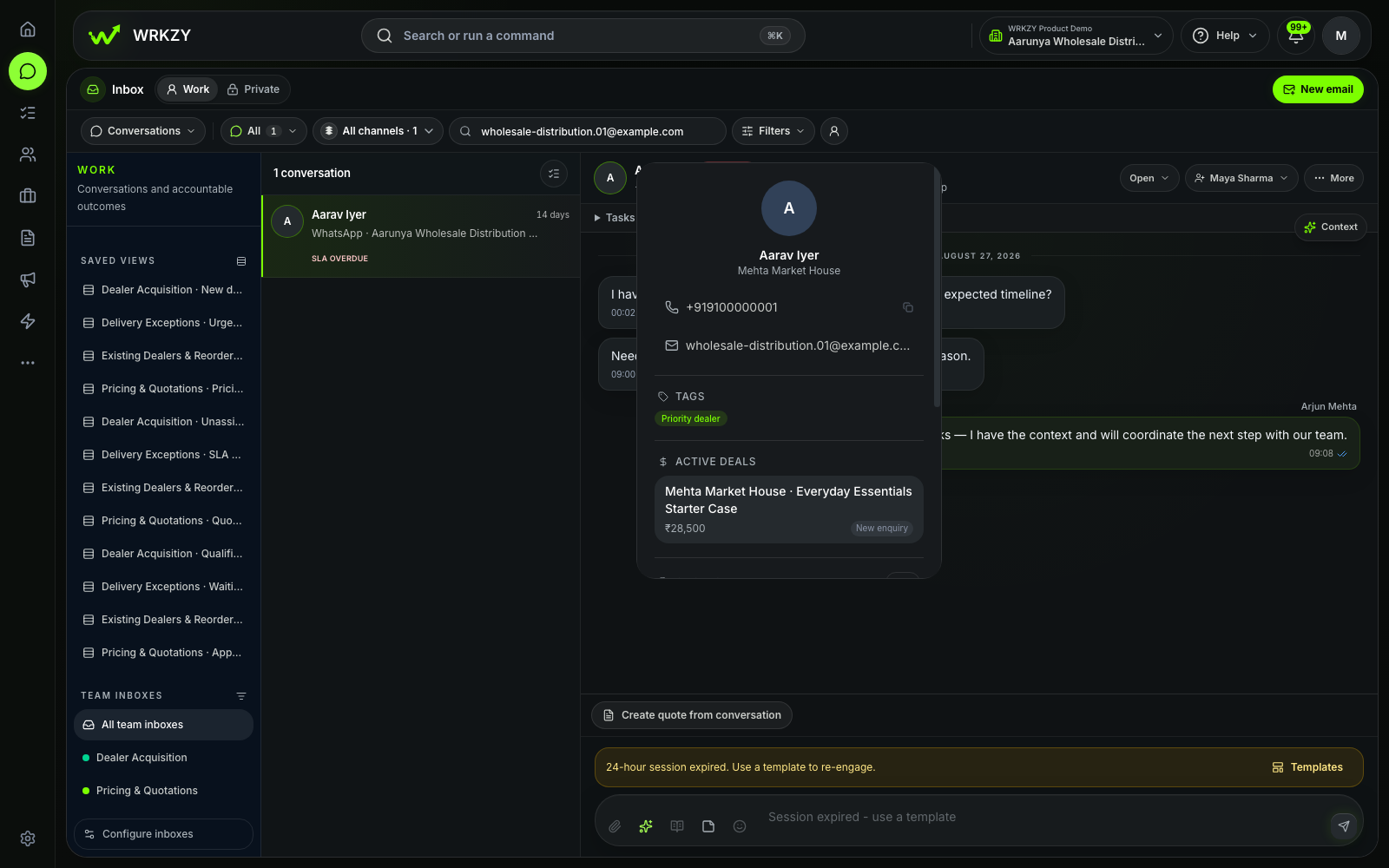
01 · Shared enquiry

Mehta’s enquiry has an owner.

The team can read the enquiry, see the account and coordinate a response from the same shared conversation.
  • Shared conversation
  • Named owner
  • Account context
Explore Inbox
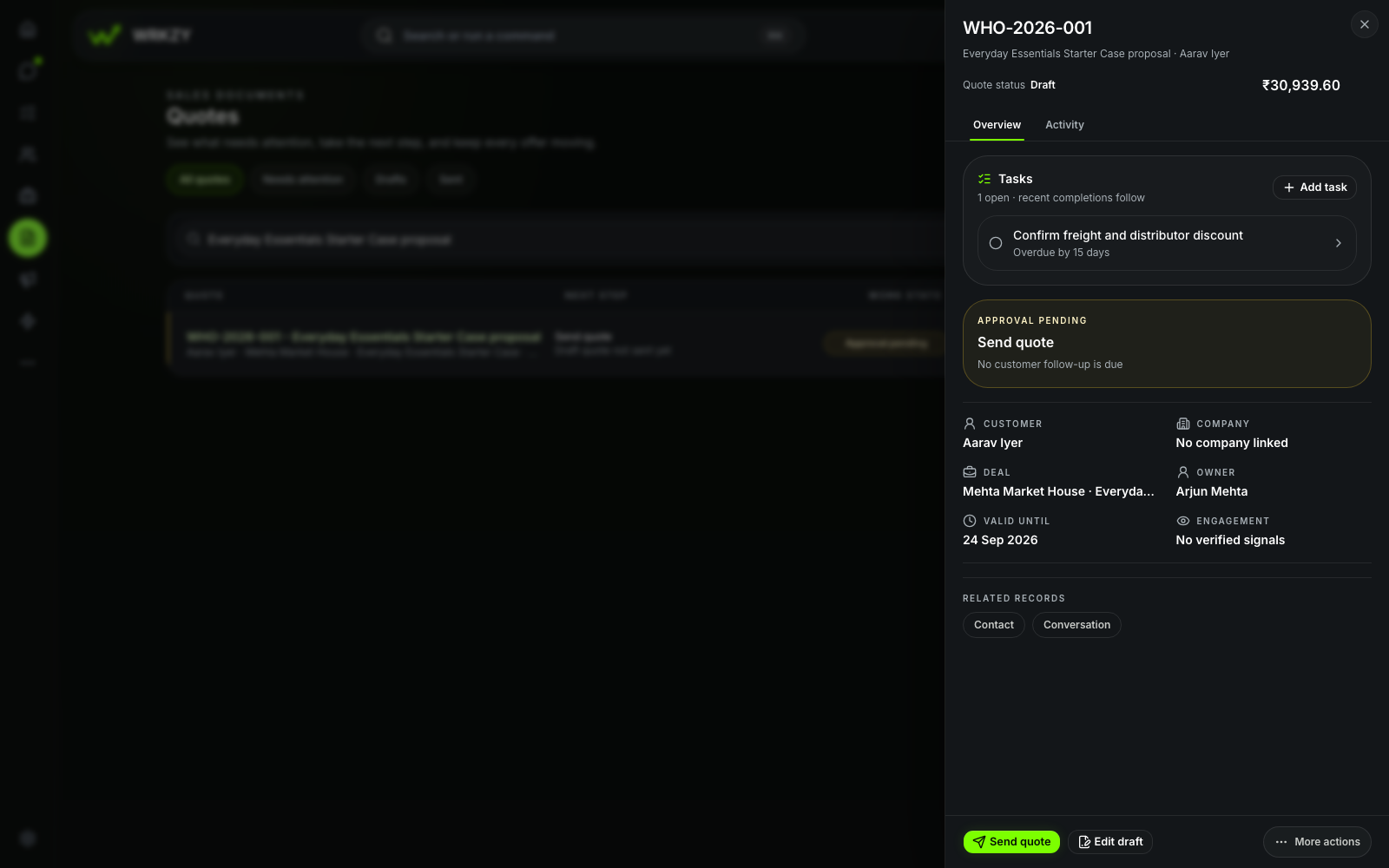
Sanitized Wholesale Distribution demo showing the Mehta dealer enquiry in a shared inbox.
Sanitized synthetic demo workspaceMehta dealer enquiry in the Wholesale Distribution demo workspace.Open full-size capture
Proof 02

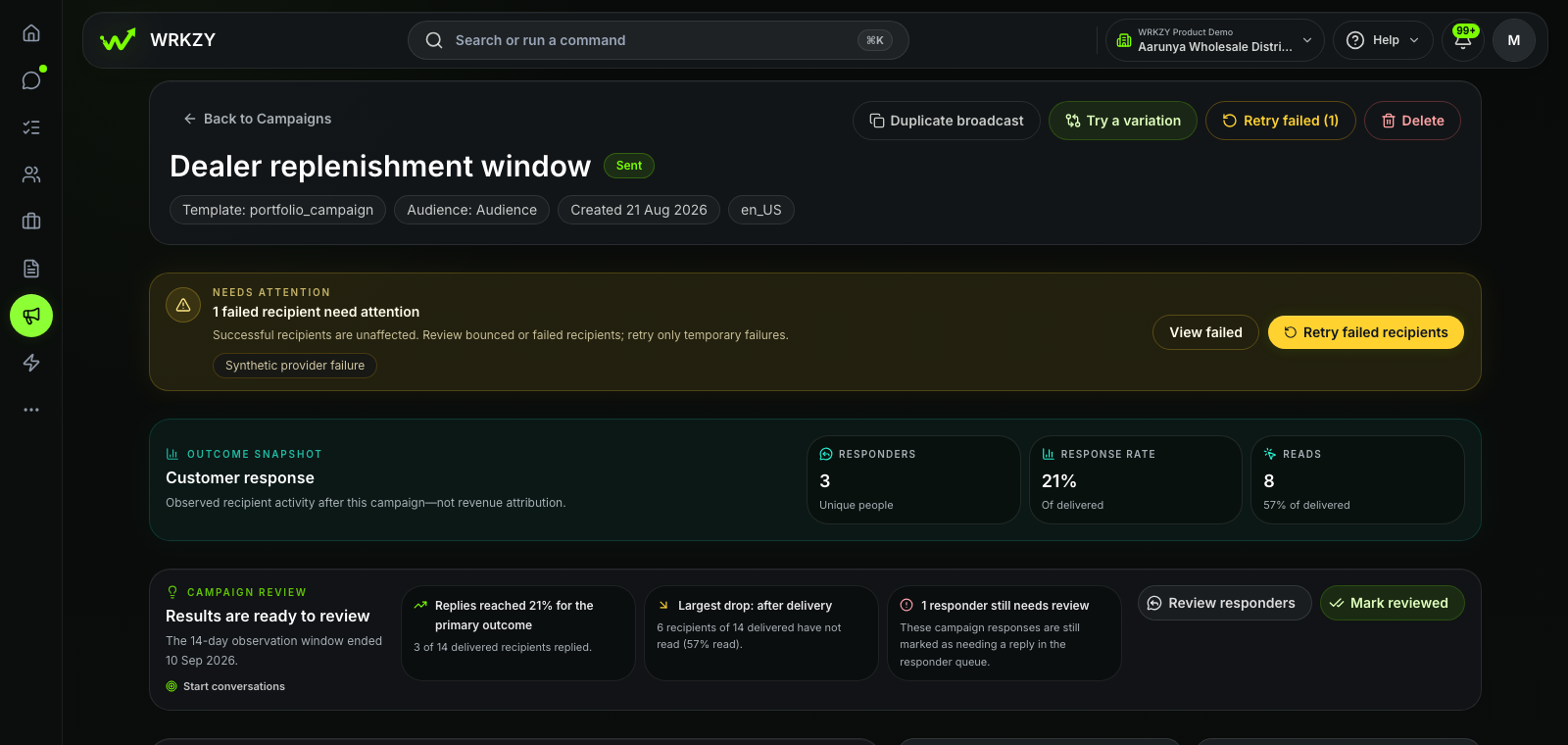
02 · Commercial control

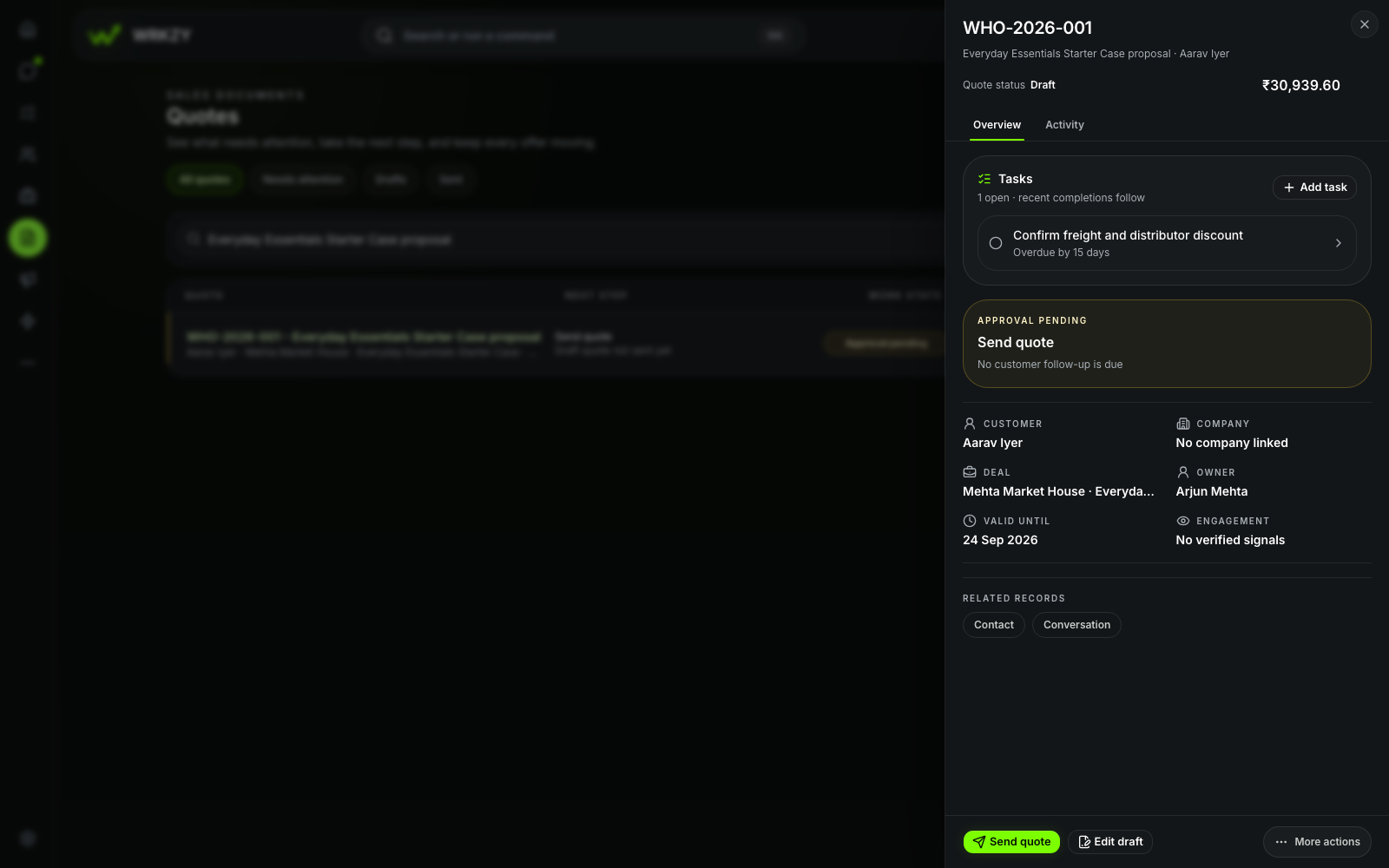
The quote shows what still needs approval.

A visible stage and review state give sales and approvers one shared account of commercial progress.
  • Deal stage
  • Quote revision
  • Approval state
Explore Quotes
Sanitized Wholesale Distribution demo showing a dealer deal and quote approval state.
Sanitized synthetic demo workspaceDeal and quote approval context in the Wholesale Distribution demo workspace.Open full-size capture
Proof 03

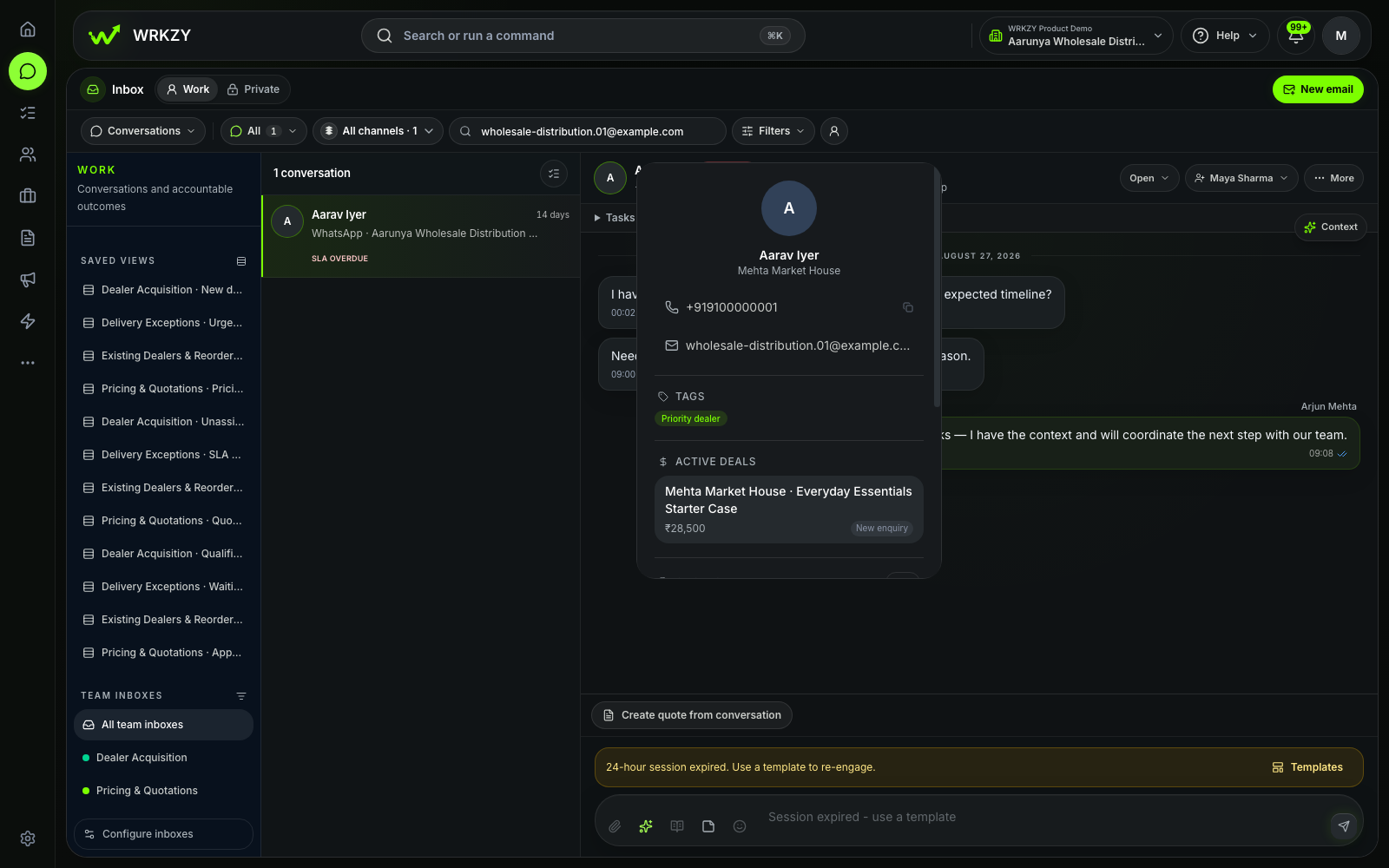
03 · Follow-through

Replenishment waits where the team can see it.

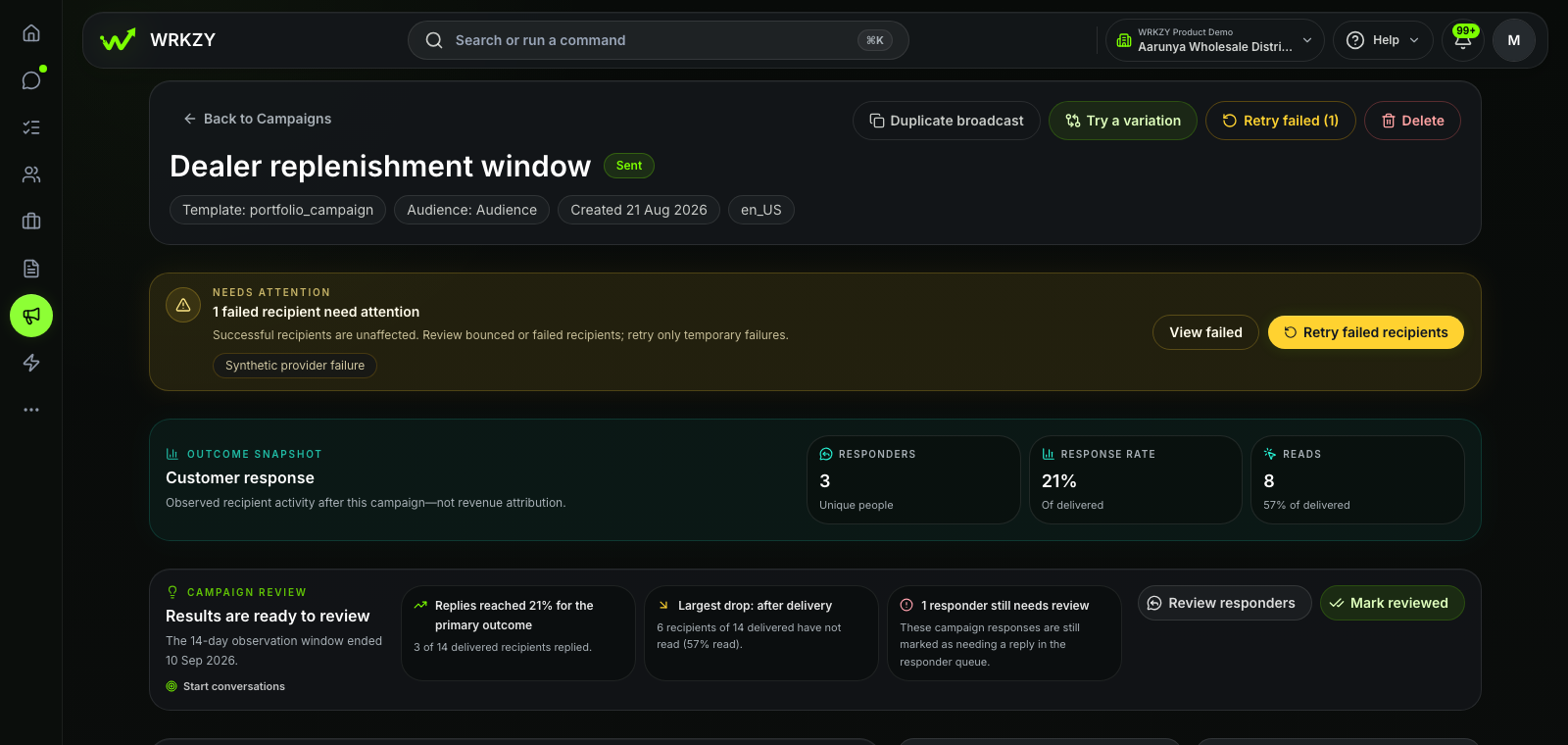
The campaign view separates observed replies from delivery activity and keeps the responder review visible for the team’s next action.
  • Responder count
  • Response rate
  • Review queue
Explore Campaigns
Sanitized Wholesale Distribution demo showing replenishment campaign response and responder review.
Sanitized synthetic demo workspaceReplenishment campaign response view in the Wholesale Distribution demo workspace.Open full-size capture

What powers the journey

Everything behind a dealer promise.

The sales team sees the enquiry, dealer account, products, current quote and next action in one working view. Approvals, tasks, campaigns and reporting stay close without crowding the deal.

  1. 01

    Shared Inbox

    Own every dealer enquiry

    Bring WhatsApp and email into a shared sales view with a visible owner and response timing.
  2. 02

    Customer Context

    See the complete dealer account

    Keep the company, people, prior conversations and open commercial work close to the reply.
  3. 03

    Catalog

    Bring the right products and prices into view

    Bring current product, unit, tax and price context into the commercial conversation.
  4. 04

    Pipelines

    Know where every opportunity stands

    Track qualification, pricing and approval in stages that match the distributor's route to sale.
  5. 05

    Quotes

    Keep the current quote clear

    Keep line items, revisions, buyer response and approval state attached to the dealer journey.

Configured around your operation

Your dealer route. A clear system boundary.

Use your own inboxes, stages, fields and decision points while ERP and inventory systems remain authoritative for stock and accounting.

Inside your WRKZY workspace

Built around your dealer route.

The inboxes, stages, fields and workflows below match the way this team sells.

01 · Shared inbox

Dealer enquiries · Orders & fulfilment

Put the first enquiry in a shared queue and make one person responsible for the reply.

Explore Inbox
02 · Pipeline

Dealer sales · Replenishment

Name the decision points, require the information they need and show what comes next.

Explore Pipelines
03 · Reviewed automation

Assignment · Review reminders · Follow-up

Use reviewed workflows for the handoffs your team repeats.

Explore Automations
Customer context

Territory · Product interest · Dealer tier

WRKZY

Workflow layer.

  • Dealer conversations and response ownership
  • Opportunities, quotes, approvals and next actions
  • Customer-facing follow-through
Specialist system

Not your ERP.

  • ERP finance, purchasing and order accounting
  • Inventory availability and warehouse movements
  • Authoritative fulfilment and inventory records

Keep the next step visible

Every dealer promise. Still in view.

Start with WRKZY, or bring your current dealer enquiry-to-quote route to a focused demo.