Know the customer.
Find contacts and companies. Review available customer activity, lists, notes and tags before the next conversation.
Explore customer context ↗WRKZY mobile app
Use your existing WRKZY workspace to reply to customers, manage tasks and log calls on iOS and Android.
Download links will be added shortly.
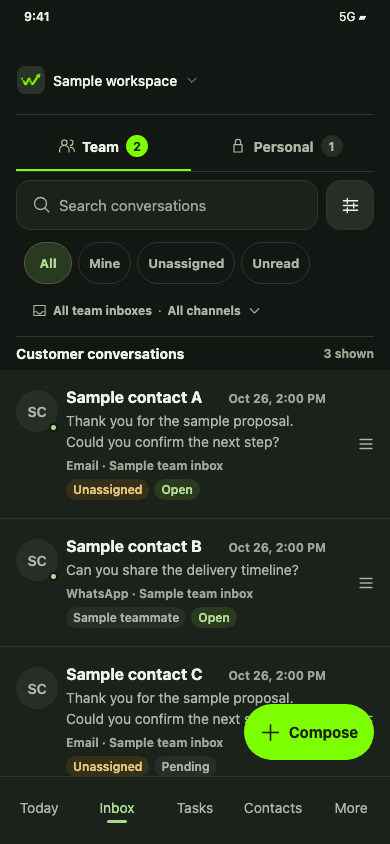
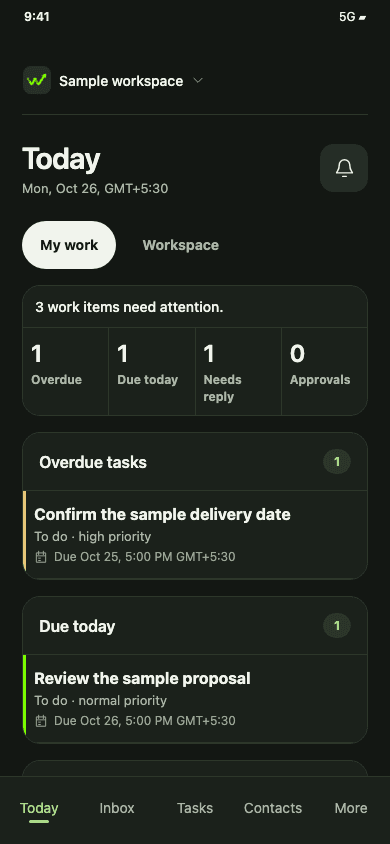
iOS & Android Your existing account Your workspace permissions
01 / Your daily work
Handle the work that needs you now. Keep the rest connected to your team.
02 / Customer calls
Keep the outcome, notes and next step with the customer's history, so the next person has the story.
Phone handoff depends on availability. Calls use your phone's cellular dialer.
03 / More of your workspace
Find contacts and companies. Review available customer activity, lists, notes and tags before the next conversation.
Explore customer context ↗Review deals, update stages, browse the catalog and work with quotes. Eligible quote approvals can be decided on mobile.
Explore quotes ↗Check tasks, campaign and automation activity, form submissions and in-app notifications. Use available summaries to choose the next step.
Explore the workspace ↗Before you get started
Yes. Sign in with your existing WRKZY account and select a workspace you belong to. Your workspace permissions determine what you can access. Complete your account's verification steps when prompted.
Mobile focuses on daily customer work. Advanced campaign, automation and form builders, account administration and some decisions continue in WRKZY on the web. Available features and actions depend on your workspace and role.
No. Calls use your phone's cellular dialer. WRKZY keeps customer call records, outcomes, notes and follow-ups; it does not record call audio or provide call transcription. Phone handoff depends on availability.
An internet connection is required for customer work and starting tracked calls. WRKZY mobile is not an offline CRM. Reconnect before changing records or preparing a new tracked call.
The in-app notification feed shows available workspace updates. Call-request notifications have separate availability and device settings. Do not depend on a push alert as your only way to review work.
Yes. Open More → Preferences → Appearance and choose System, Light or Dark. Your workspace access stays the same.
Try WRKZY mobile
Start with WRKZY. Keep customer work close.
Start free trialAlready using WRKZY? Use your existing account on mobile.