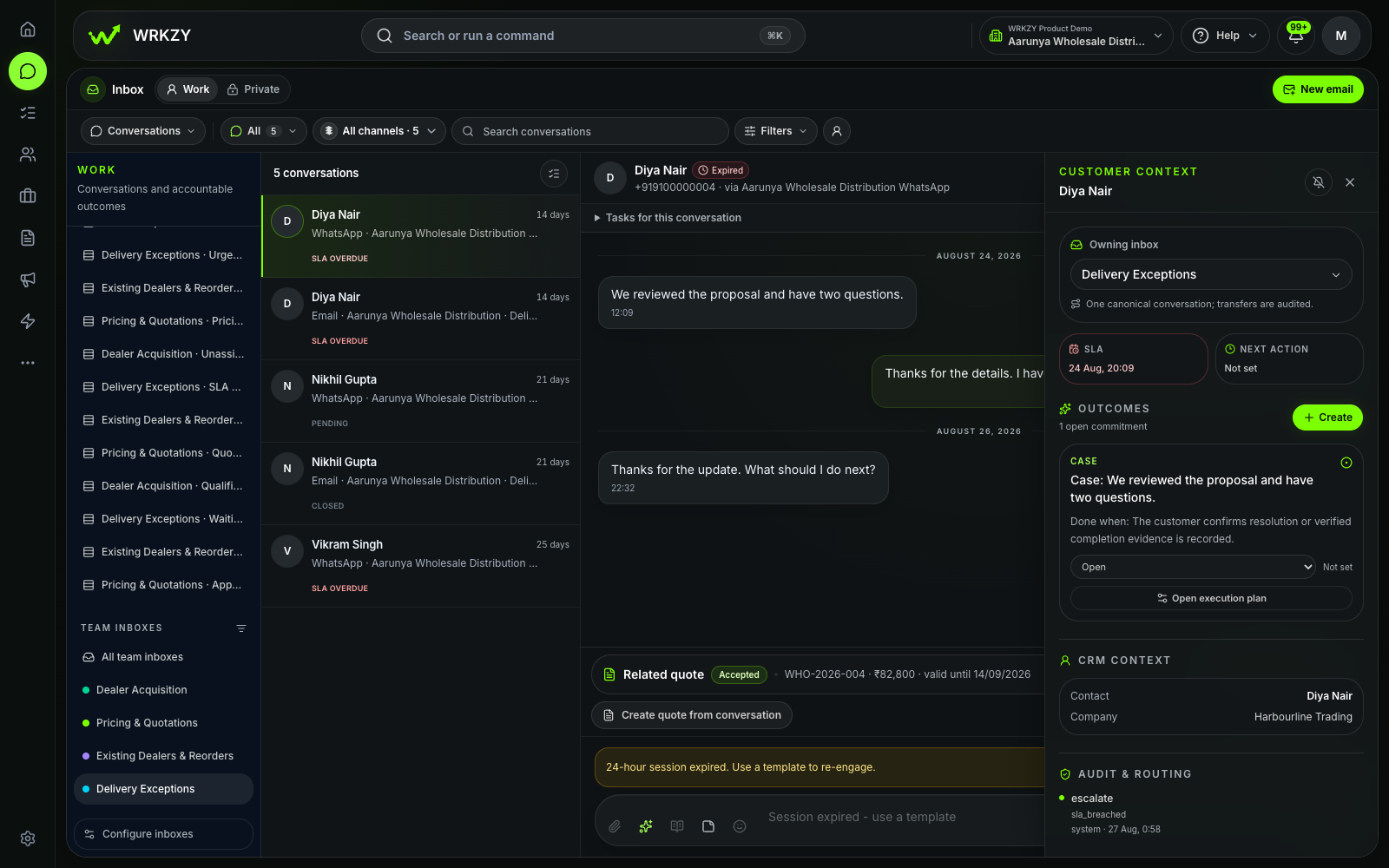
What has no owner?
Review Unassigned before the customer has to chase the team.
Team-inbox health and the Unassigned queueWRKZY for customer support
Bring WhatsApp and email into one shared support workflow. Route each request, see the customer and open commitments before replying, and keep the owner, response timing, next action, and resolution visible.

Team Inbox settings show the current destination, connected route, open workload, and requests that are still unassigned. This capture proves routing health—not a completed support resolution.
Where support work breaks
A customer emails about a promised replacement, then follows up on WhatsApp. The latest message is visible, but the previous commitment, current owner, and next response time are not. Support asks in chat, operations checks separately, and the customer repeats the story.
One request, one accountable path
Follow the same customer request through five decisions. Each step uses a visible WRKZY control rather than relying on a side-channel explanation.
Bring one WhatsApp or shared-email request into team-managed Work.
A workspace channel connection establishes transport; a configured team-inbox route chooses the responsible queue.
Support sees new work in the scope it is expected to monitor.
Verify the customer, company, recent conversation, and any relevant deal, quote, or open commitment.
The context rail and customer record keep authorized relationship and operating context close to the thread.
The teammate can decide from current evidence instead of reconstructing the story.
Assign one teammate, set priority from customer impact, and add an SLA when a response deadline exists.
Assignment, priority, SLA, and attention queues describe different parts of the request's operating state.
Unowned and time-sensitive work becomes visible before it is forgotten.
Send the reviewed response, or use Pending with a specific Next action and owner when work must continue later.
The composer, delivery state, conversation status, and Next control keep communication and follow-through distinct.
A customer commitment does not disappear simply because the team is waiting.
Verify delivery, select the resolution outcome, and add only the note or linked record another teammate needs.
Resolve and Outcomes record how the work ended while preserving relevant source context.
The next authorized teammate can understand completion without a separate explanation.
What the team can act on
Use each queue and workflow control to answer a specific operating question—not simply to make the inbox look tidy.
Review Unassigned before the customer has to chase the team.
Team-inbox health and the Unassigned queueWork SLA Risk and Needs reply according to customer impact and the team's response policy.
Priority, SLA cues, and attention queuesKeep the request Pending only with a visible owner and a specific Next action.
Pending state, Next time, and Follow-upsUse a truthful resolution outcome and the minimum relevant context to explain completion.
Resolve control, outcome, and linked source recordWhen support needs sales or operations
State what is complete and what remains, preserve the customer promise and due time, assign the accepted next owner, and link the record or accountable outcome that carries the decision.
Replacement eligibility confirmed. Operations owns dispatch confirmation today at 16:00. Support will reply after the linked outcome is complete.
Optional assistance
Optional—not required for the support workflowUse relevant conversation and customer context to prepare a summary, draft, rewrite, or next-step suggestion. A responsible teammate reviews, edits, accepts, or discards the output before an important customer action.
Review AI assistanceThe source conversation remains visible while the teammate reviews the proposed response. No customer message is presented as autonomously sent.
See the workflow in practice
Watch the inbox triage walkthrough, then use the written guide to repeat the same decisions with a representative request in your own workspace.
Choose the queue, verify the customer, claim responsibility, reply deliberately, and leave a truthful next state.
Follow the shared-inbox walkthroughStart with one support queue
Begin with a narrow workflow the team can observe from arrival through resolution before introducing more inboxes or rules.
Start with one current WhatsApp or shared-email path used for customer support.
Use the default inbox or create a purpose-built one only when responsibility, access, routing, or response policy genuinely differs.
Define owner acceptance, priority, SLA, Pending, Next, and truthful resolution for this request type.
Verify customer context, assign the owner, respond or wait explicitly, check delivery, and record the outcome.
Inspect Unassigned, Needs reply, SLA Risk, and Follow-ups, then adjust the workflow from visible evidence.
Start with one support outcome
Bring one recurring WhatsApp or email support workflow into WRKZY. Make its customer context, owner, response timing, next action, and resolution visible from the first test.
Start free trial