
Bring the request into view.
The WhatsApp or email message arrives with the customer and recent conversation attached.
The request is visible to the team that needs to act.Customer operations
Customer requests often pass between teams. WRKZY keeps the conversation, the person responsible and the next step together, so every promise makes it all the way to done.
Built for teams that share responsibility for the customer.
Kavya Rao · Northstar RetailWhatsApp · 10:14
“Can we move Monday’s onboarding and include the Mumbai team?”
Plan confirmed · Customer updated
One customer. Several people involved.
Sales may know the history. Operations may need to make the change. Support may own the reply. WRKZY keeps the request together while each person does their part.
Own the answer and keep the customer updated.
Confirm the people and revised plan.
Check the request and record what changed.
Customer updated · recorded resultUpdated onboarding confirmed for Monday · Mumbai included
One request, all the way through
Follow one customer request as it moves between teams, from the first message to the recorded result. Ownership, timing and the next action stay clear at every stage.
The WhatsApp or email message arrives with the customer and recent conversation attached.
The request is visible to the team that needs to act.Priya owns the customer update. The response time and next action stay visible to everyone involved.
The customer has one clearly responsible person.Enablement takes the supporting action while Priya remains responsible for updating the customer.
The handoff has an owner, a due time and the customer context attached.The plan is confirmed, the customer is updated, and the result stays with the customer record.
Anyone picking up the account can see how the request ended.Current product
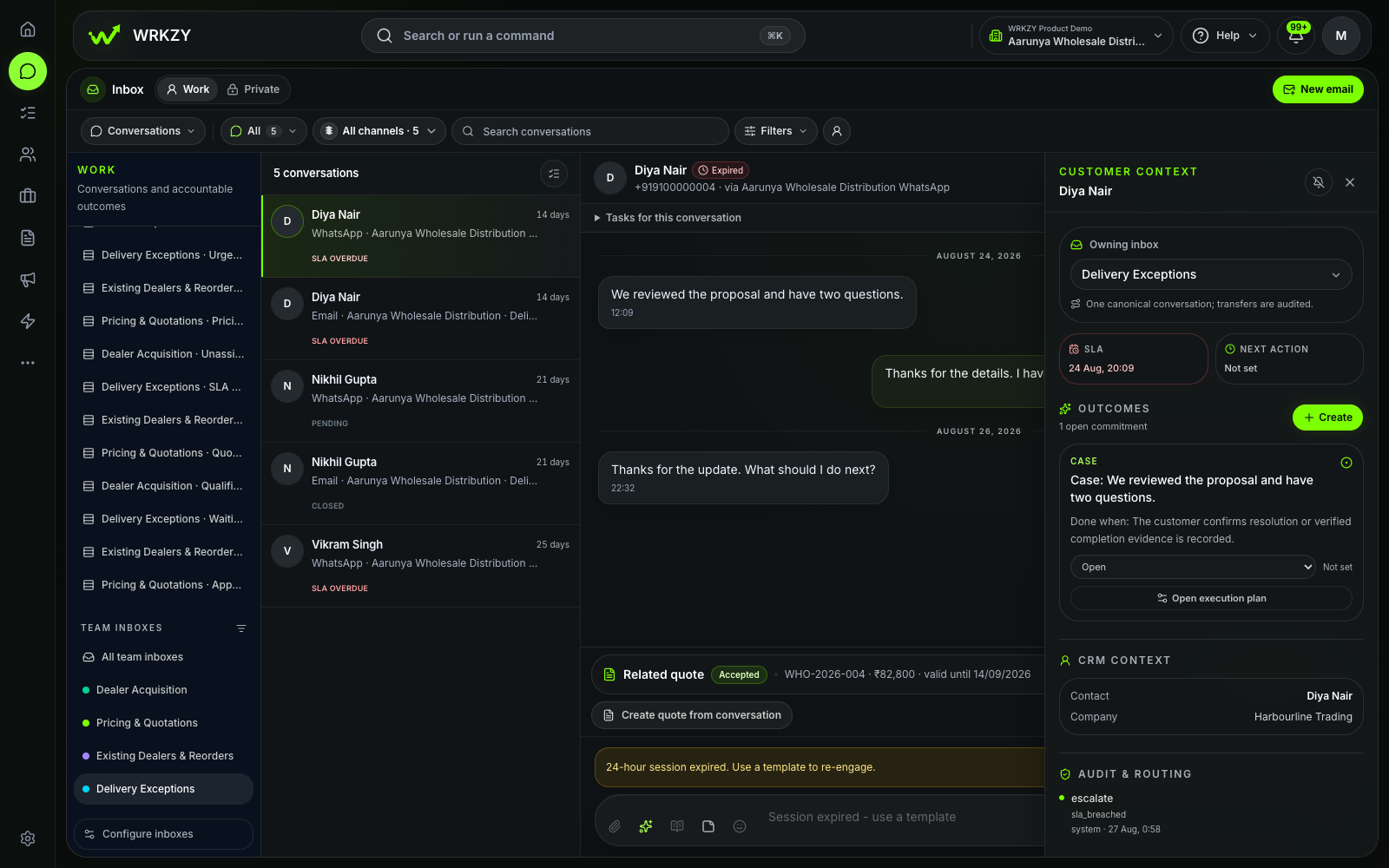
Open the customer conversation with its owner, due time, related work, and customer context already attached.
Know who owns the next move, what the customer is waiting for, and how earlier work ended—without searching another system.
For the work that repeats
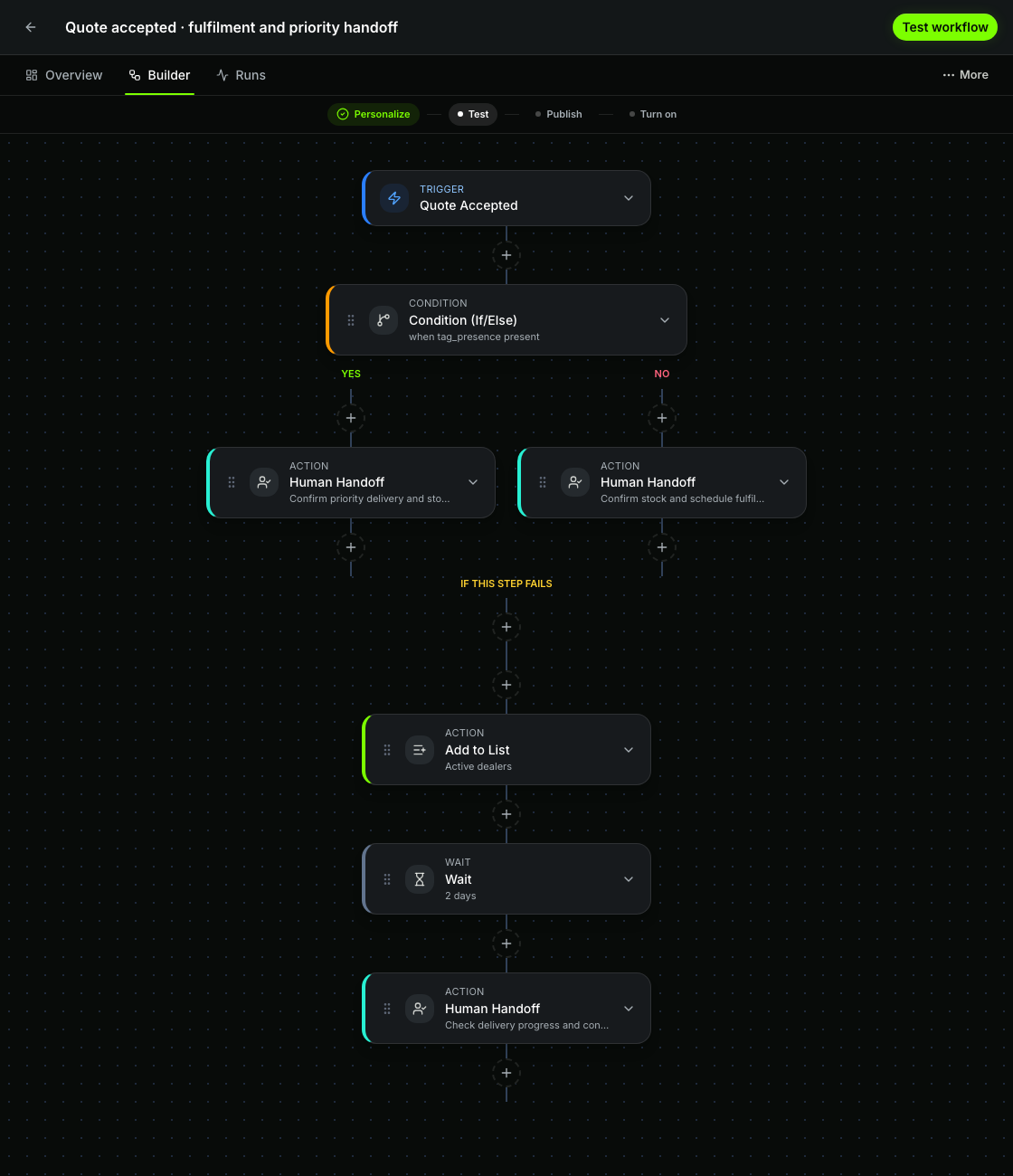
Choose what starts the workflow, set its conditions, owners, waits, and timeout path, then test it before it goes live. See which runs completed and which need attention.
When work needs a decision
Route quotes, deal changes, catalogue prices, identity rules, and automations to the right reviewer. They can open the source, see what changed, and decide with the full context in view.
Requested by Maya
Review request ↗Requested by Arjun
Review request ↗Requested by Leena
Review request ↗Requested by Priya
Review request ↗Requested by Rohan
Review request ↗Today’s customer work
Start with work that has no owner, is overdue, blocked, or waiting for a decision. Open the request and act with its context attached.
Catch new requests before the customer has to chase.
See what is late, what is blocked, and why.
Open the source, review the change, and give the work a clear answer.
Inspect the run, understand the failure, and choose what happens next.
Compare response times, workloads, outcomes, and automation health over time. Open the work behind any number that needs explaining.
When the work is done
Record what changed, why it changed, and when the customer was informed. The next teammate can understand how the request ended without reopening the full conversation.
Kavya Rao · Northstar Retail
Monday retained · Mumbai team added · Facilitator confirmed
Customer informed · Outcome recorded
Start with one real request
Choose a customer request your team handles every week. Bring it into WRKZY, give it an owner and a due time, and record the outcome beside the conversation.
14-day Growth trial · No card required