Admissions enquiries and follow-up

Every applicant moving. Every next step clear.

Carry programme questions, scholarship context, document review and the next admissions action in one journey applicants and teams can follow.

Start free trialBook an industry demo

For admissions, counselling and application teams coordinating prospective learners from first enquiry to enrolment handoff.

Synthetic editorial scene of an adult Indian applicant and admissions counsellor reviewing programme and document requirements.
Illustrative customer record
Aditi SharmaAnalytics programme · Scholarship guidance
Current state
Documents review
Owned next step
Confirm scholarship eligibility

Where admissions journeys stall

Interest is high. Clarity is uneven.

A programme enquiry can pass through counselling, documents, scholarship review and cohort planning. Each handoff risks another generic request.

01

Questions arrive everywhere

Programme, fee and career questions enter shared and personal channels without one owner.

02

Documents lose their reason

A checklist may show what is missing without preserving why it matters to the applicant.

03

Follow-up becomes generic

Cohort outreach misses the programme, decision and promise already discussed.

One applicant journey

From first question. To a clear decision.

Follow Aditi from programme interest through counselling, document review and the next cohort action.

  1. 01 · Signal

    Receive the programme enquiry

    Route the request to a shared admissions inbox with a visible counsellor.Explore Inbox
  2. 02 · Context

    Keep goals and eligibility together

    See programme interest, intake, scholarship need and conversation history around one applicant.Explore Customer context
  3. 03 · Progress

    Move the application deliberately

    Use recognisable stages for counselling, application, document review and offer.Explore Pipelines
  4. 04 · Owner

    Assign the next review

    Give transcript and eligibility work a named owner and due time.Explore Tasks
  5. 05 · Follow-through

    Continue from the applicant’s decision

    Coordinate eligible cohort outreach and review replies before the next conversation.Explore Campaigns

Inside the product

The question. The review. The cohort response.

Three product views show applicant context moving from enquiry into an owned application and relevant follow-up.

Proof 01

01 · Shared enquiry

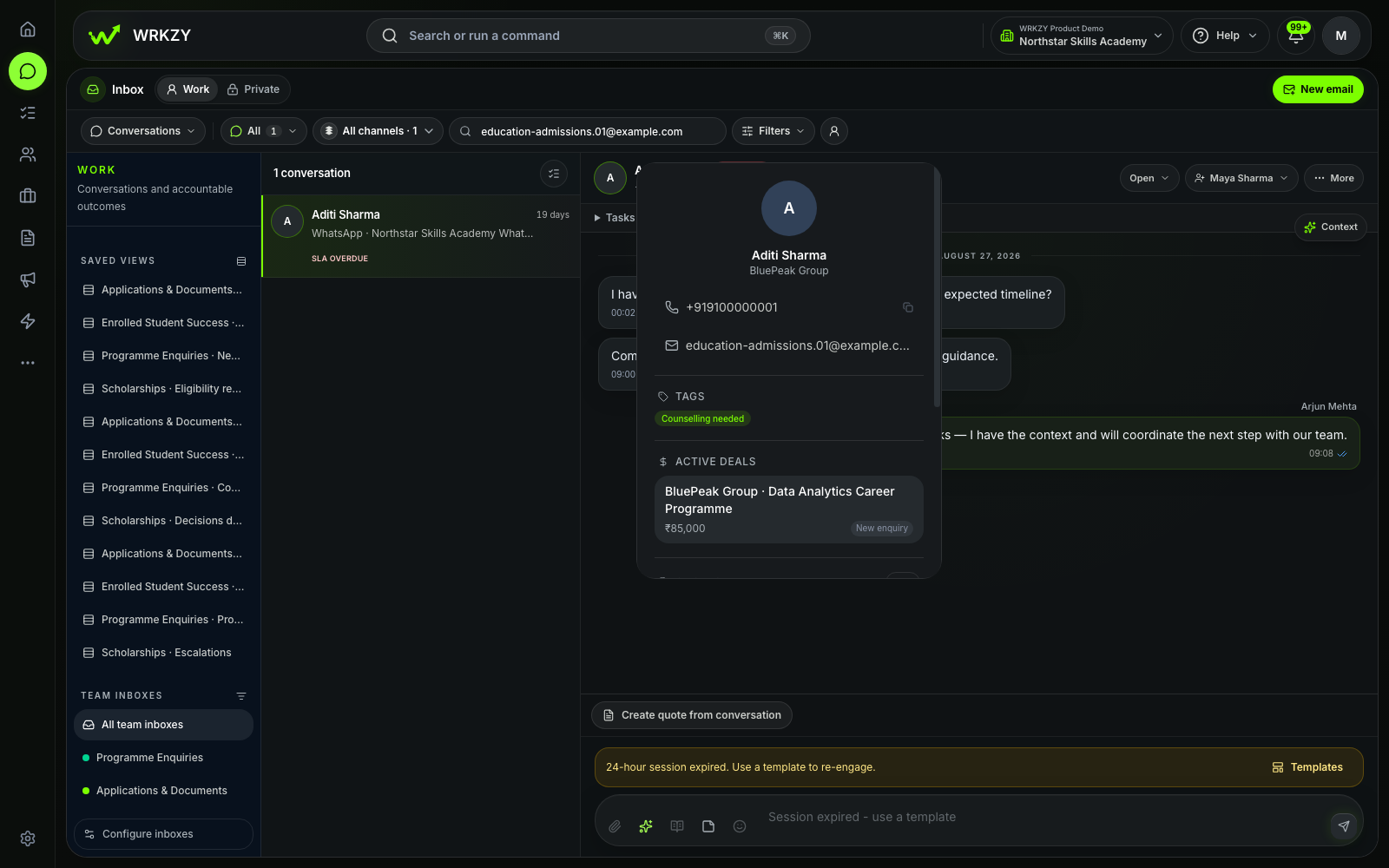
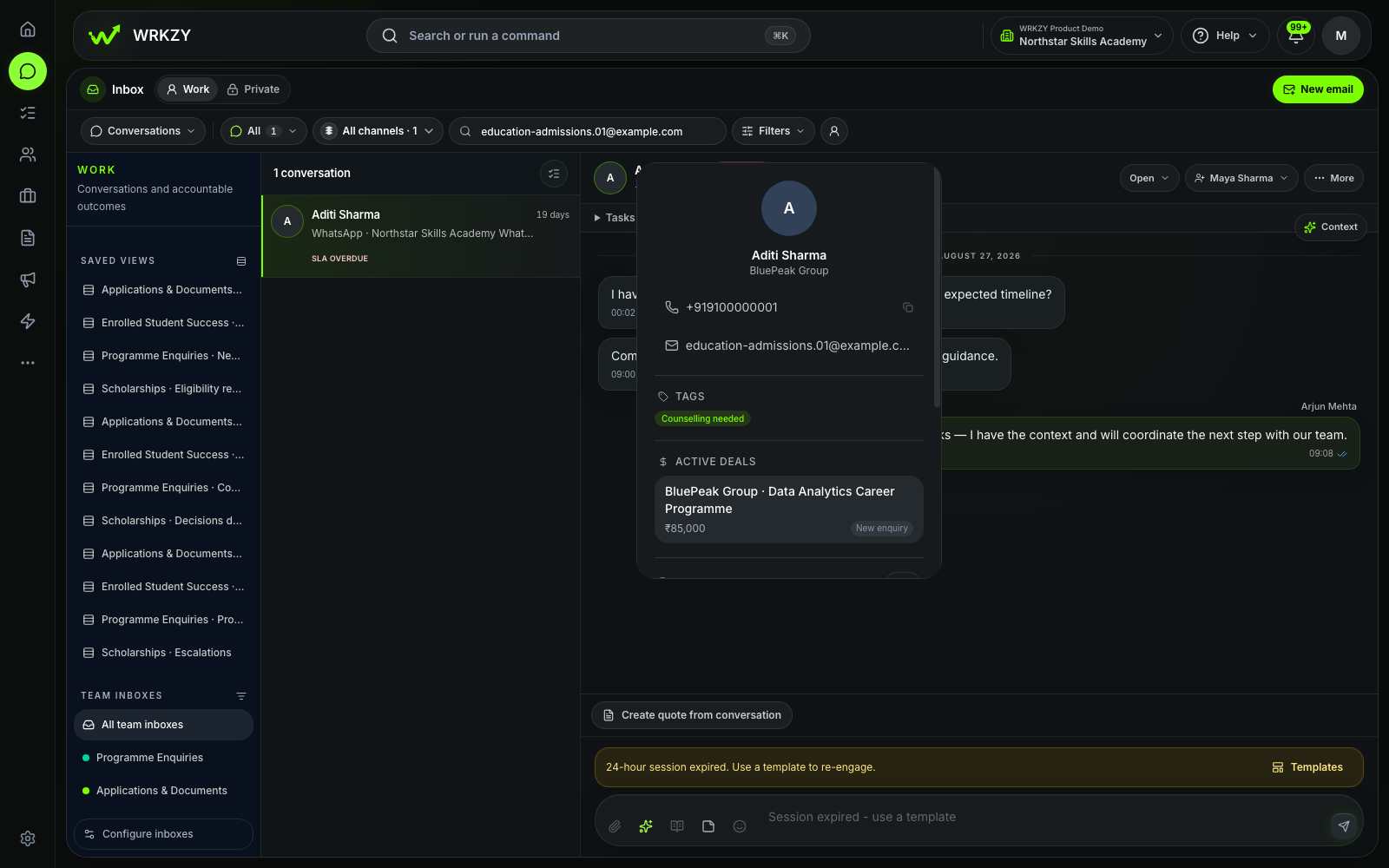
Aditi’s programme question has an owner.

The first conversation carries the programme and scholarship need into the admissions record.
  • Applicant message
  • Named counsellor
  • Programme context
Explore Inbox
Sanitized Education Admissions demo showing Aditi Sharma's programme enquiry in a shared inbox.
Sanitized synthetic demo workspaceAditi programme enquiry in the Education Admissions demo workspace.Open full-size capture
Proof 02

02 · Application progress

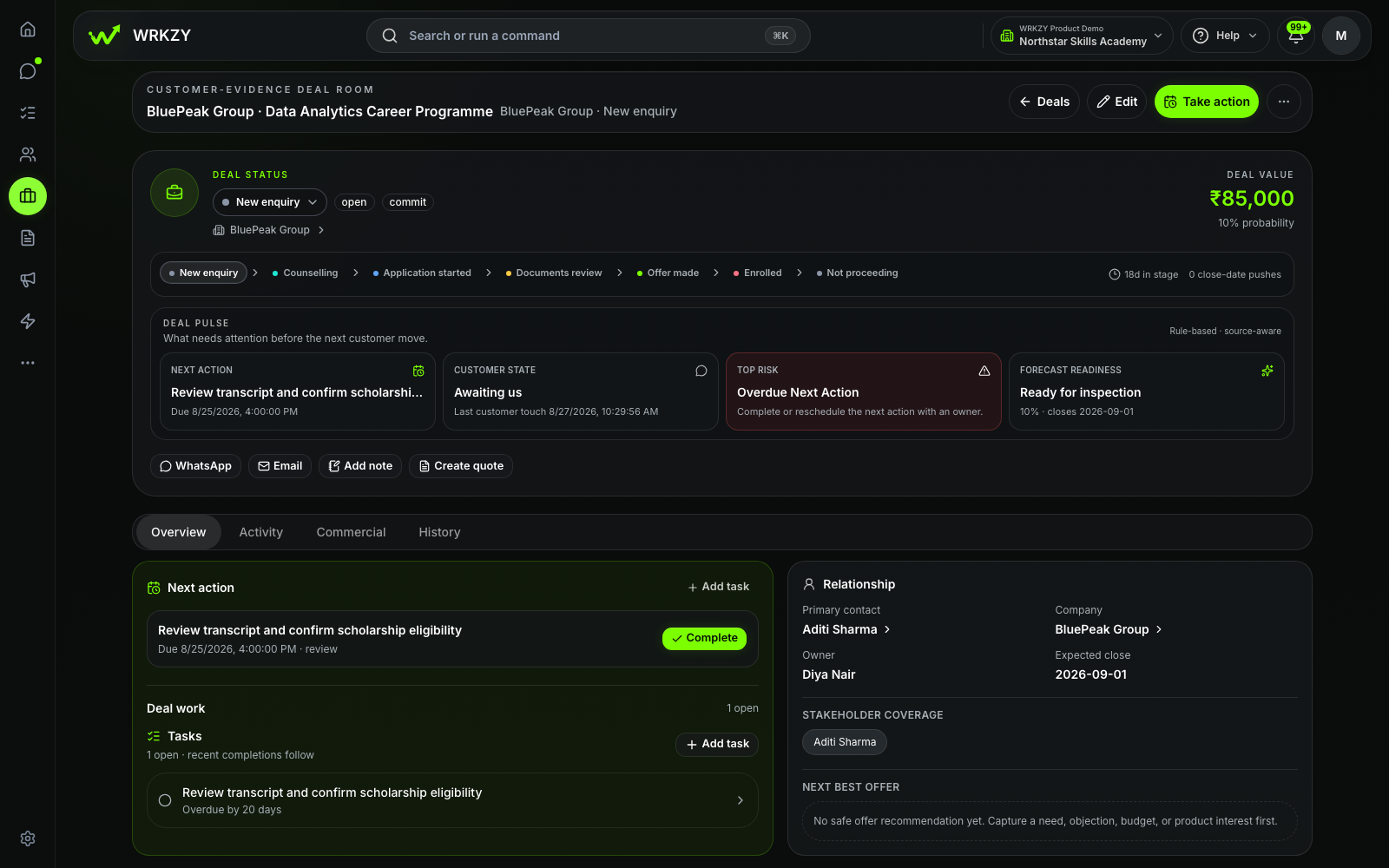
Review status and next action stay together.

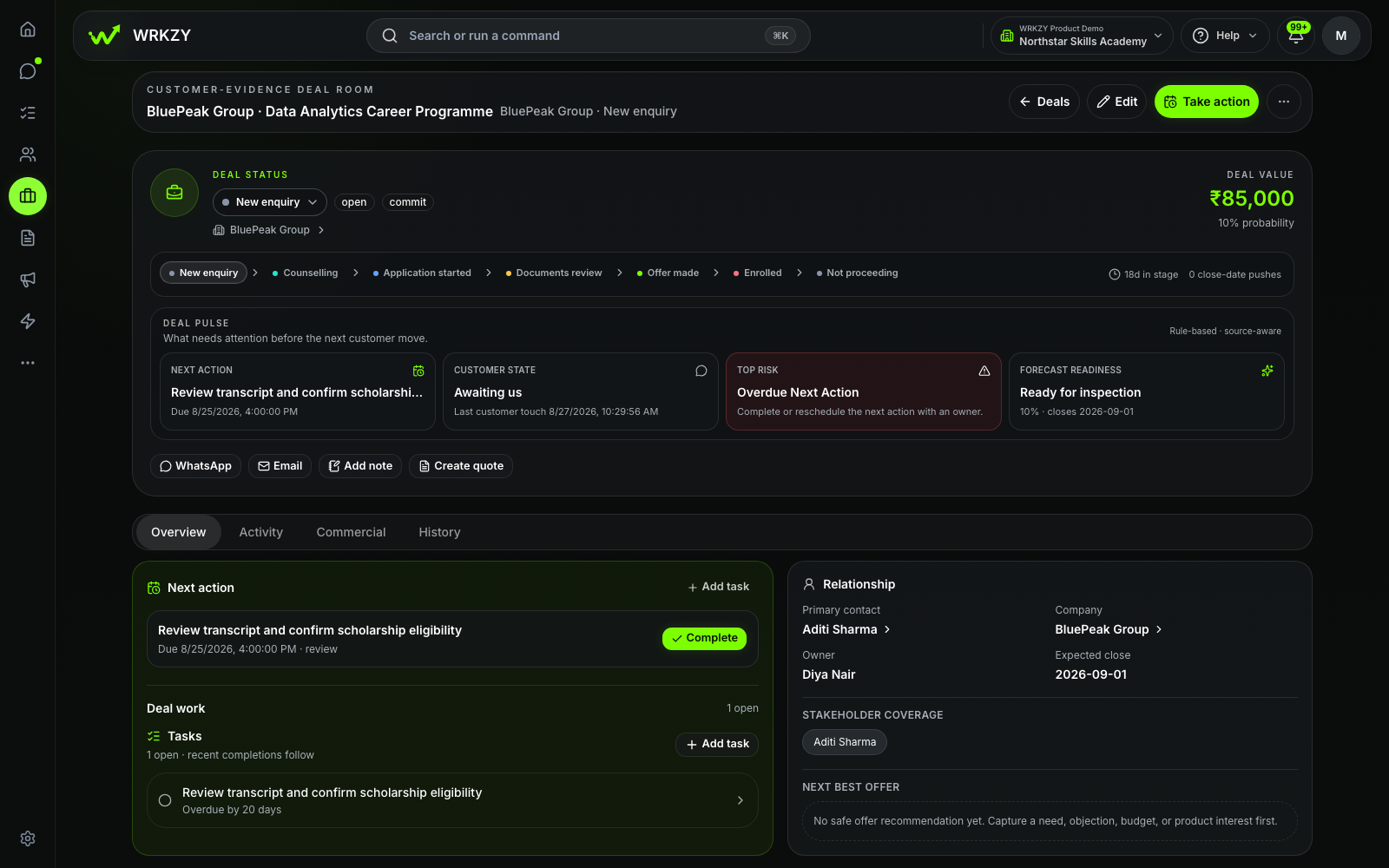
Counsellors can see the current application stage and the work still needed for a useful decision.
  • Application stage
  • Document context
  • Next review
Explore Pipelines
Sanitized Education Admissions demo showing Aditi Sharma's application and document-review state.
Sanitized synthetic demo workspaceAditi application review in the Education Admissions demo workspace.Open full-size capture
Proof 03

03 · Relevant follow-up

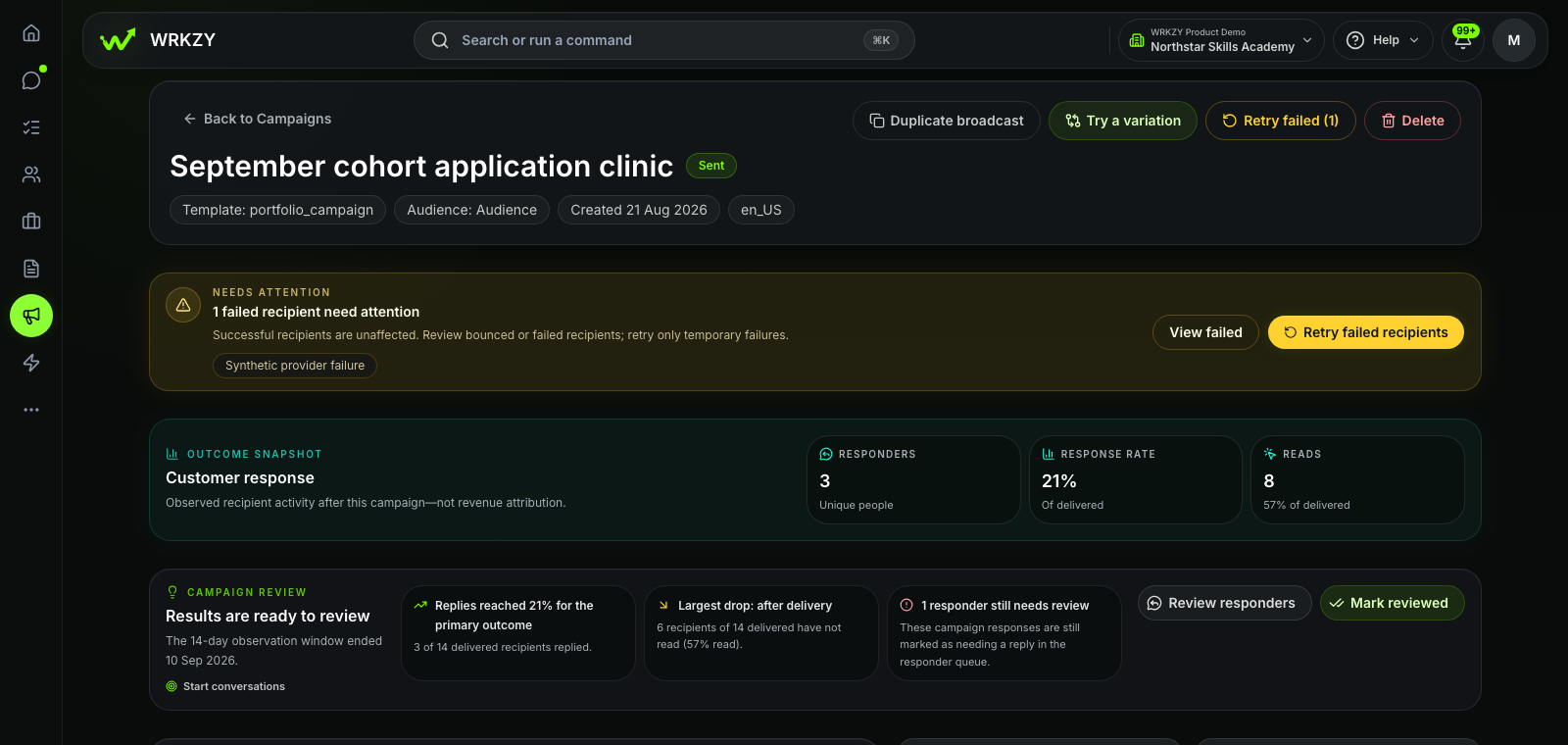
Cohort outreach keeps replies visible.

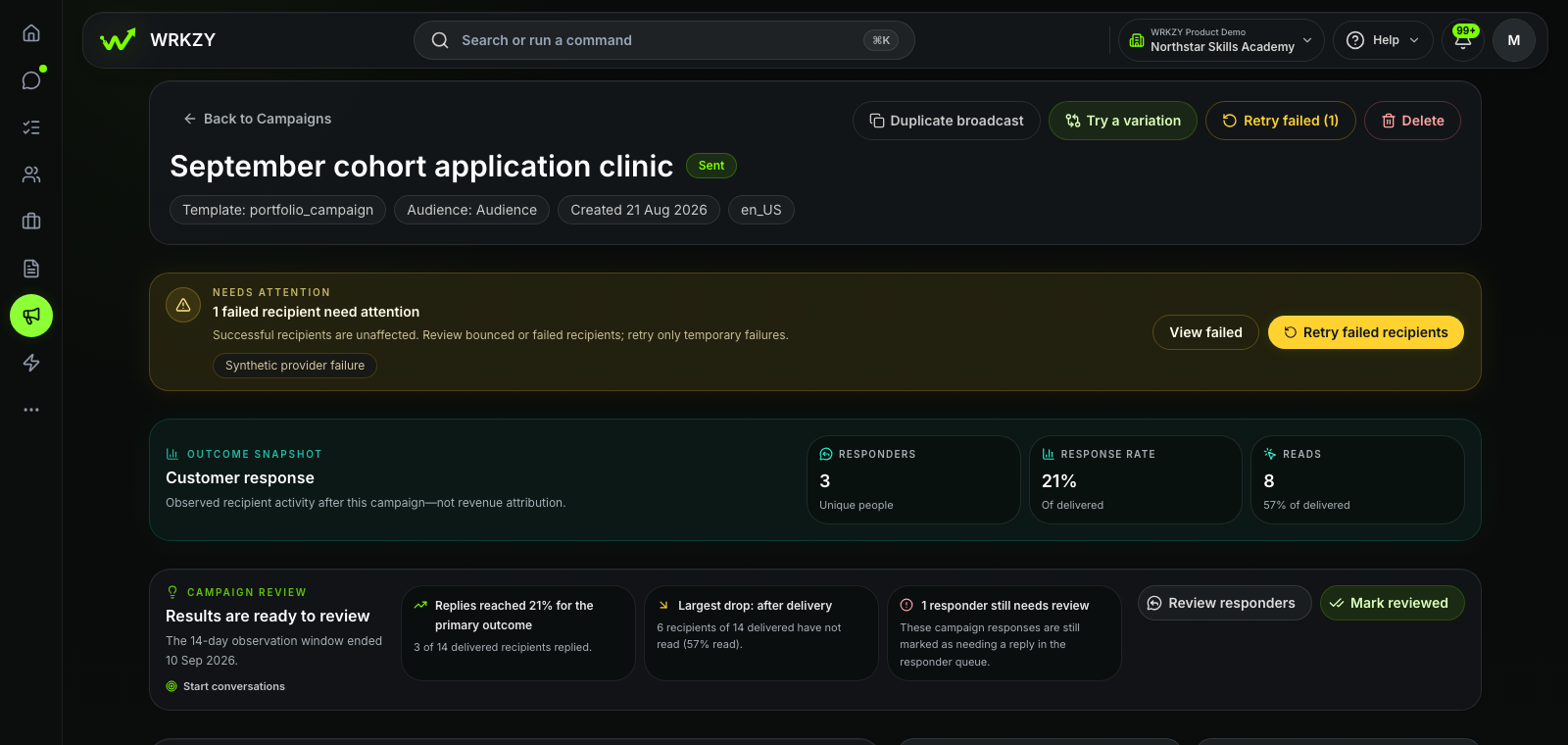
The team can distinguish delivery from observed replies and applicants still awaiting review.
  • Eligible audience
  • Observed replies
  • Review queue
Explore Campaigns
Sanitized Education Admissions demo showing September cohort campaign responses and review state.
Sanitized synthetic demo workspaceSeptember cohort campaign response in the Education Admissions demo workspace.Open full-size capture

What powers the journey

Everything behind the applicant's next step.

Counsellors and reviewers see the enquiry, applicant record, application stage and next review in one working view. Forms, automations, reporting and assisted drafting support the journey.

  1. 01

    Inbox

    Own the first question

    Bring programme enquiries into a shared view with assignment.
  2. 02

    Customer Context

    See the complete applicant record

    Keep interests, conversations and open admissions work together.
  3. 03

    Pipelines

    Know where every application stands

    Use stages the counselling and review teams recognise.
  4. 04

    Tasks

    Give every review an owner and date

    Turn document and eligibility work into assigned follow-through.
  5. 05

    Campaigns

    Follow up with the right cohort

    Use audience controls, suppressions and response review.

Configured around your admissions route

Your admissions journey. A clear system boundary.

Use your own programmes, intakes, stages and review points while student, learning and payment systems remain authoritative.

Inside your WRKZY workspace

Built around your admissions route.

The inboxes, stages, fields and workflows below match the way this team sells.

01 · Shared inbox

Programme enquiries · Applications · Scholarships

Put the first enquiry in a shared queue and make one person responsible for the reply.

Explore Inbox
02 · Pipeline

Individual admissions · Institutional programmes

Name the decision points, require the information they need and show what comes next.

Explore Pipelines
03 · Reviewed automation

Counsellor assignment · Document reminders · Cohort follow-up

Use reviewed workflows for the handoffs your team repeats.

Explore Automations
Customer context

Programme · Intake · Study mode · Scholarship request

WRKZY

Applicant workflow layer.

  • Applicant conversations and counselling follow-up
  • Application progress, decisions and named actions
  • Eligible cohort communication and reply review
Specialist system

Not the academic record.

  • Student and academic records
  • Learning content and course progress
  • Tuition payments and admission decisions

Make the next admissions step clear

Every applicant moving. Every next step clear.

Start with WRKZY, or bring your current enquiry-to-enrolment route to a focused demo.