
Choose your audience.
Start with manual or smart contact lists. Use filters to narrow the group.
Campaigns
Share launches, offers, and updates through WhatsApp and email. Choose your audience, track the response, and follow up with interested customers.
The right audience
Start with your contact lists. Refine the audience and check who’s already received a promotion.
Start with manual or smart contact lists. Use filters to narrow the group.
Review exclusions, duplicates, invalid contact details, and unsubscribes before sending.
Check recent and scheduled promotions on the same channel. Flagged contacts stay out unless your team reviews and includes them.
WhatsApp and email
Use an approved WhatsApp template or design an email. Personalise the details and preview the message before sending.
WhatsApp and email are available today. More campaign channels are in development.
Before you send
Preview the message, review the audience, and decide when it should arrive.
Review the sender, links, images, and personalised details. For email, send yourself a test to see what customers will receive.
Choose a date, time, and timezone. Adjust or cancel a scheduled campaign when plans change.
When enabled, AI reviews your WhatsApp template for unclear wording and missing or mismatched variables. Review its feedback before sending.
Campaign results
Track delivery, see who responds, and find the follow-ups that need attention.
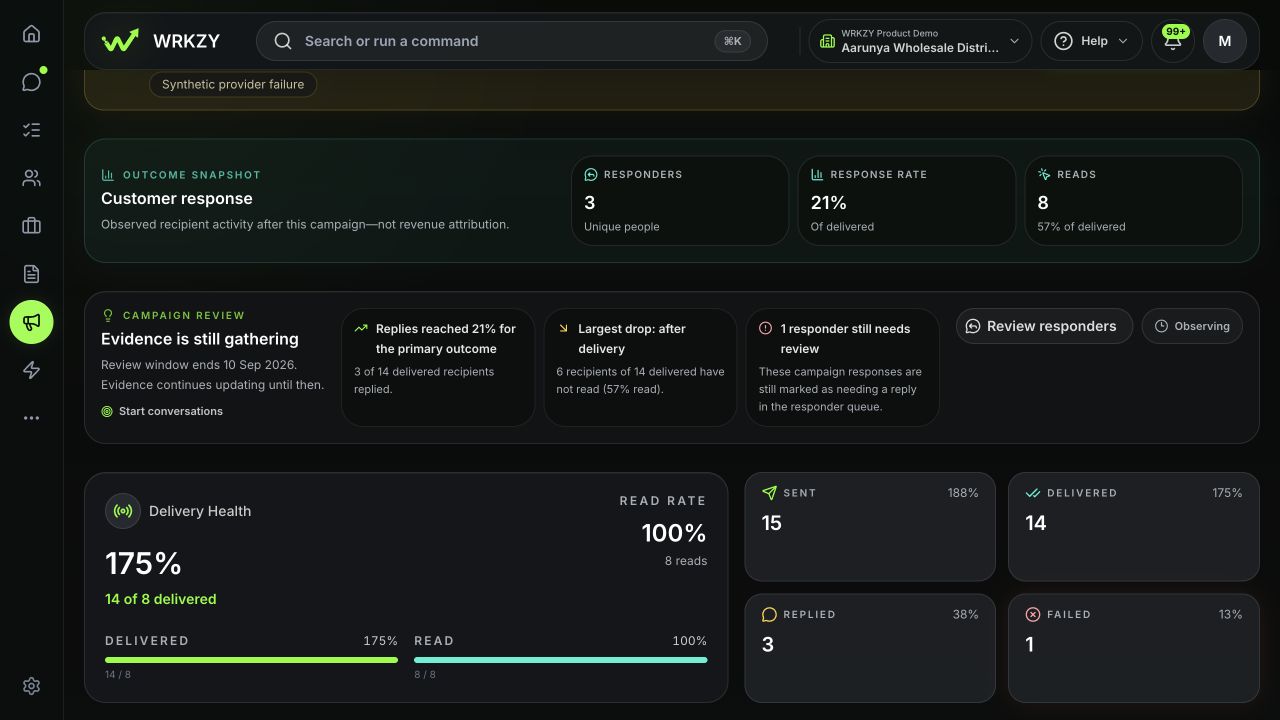
See what was delivered and what failed. Review available reads, opens, and clicks.
Find the customers who replied and see which conversations still need attention.
For opportunity and accepted-quote goals, see whether recipients later progressed to a deal or accepted a quote.
Available metrics vary by channel. Later customer activity does not necessarily result from the campaign.
Customer follow-up
See who’s waiting for an answer, assign the follow-up, and pick up the conversation with the customer’s deal in view.
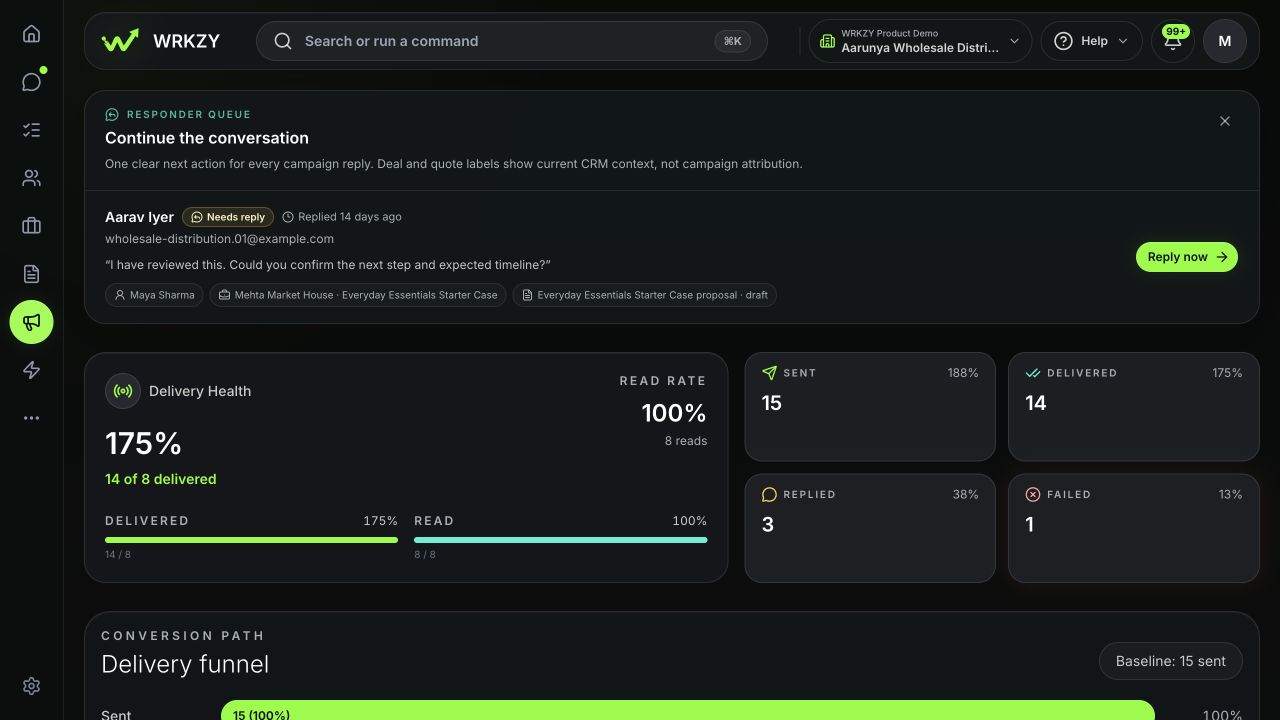
See which replies need attention, are being handled, or are complete. Open the conversation with the customer’s context.
Give a teammate the task and a due time. Keep it connected to the customer, conversation, and campaign.
Open the linked deal and quote to pick up the conversation with the offer in view.
Campaign learning
Set a goal. See how the campaign performed. Choose what to change next.
Choose your goal and when you’ll review the results.
Review the customers who replied and who still needs a response.
Choose when to review the campaign. Compare its results with recent campaigns where data is available.
Spot delivery gaps, unanswered replies, and overdue follow-ups.
Create a variation with a different message, audience, or send time. Compare results against the same goal.
Comparisons show useful trends when enough data is available. They aren’t controlled A/B tests.
FAQ
Yes. WhatsApp campaigns use templates approved by Meta. Personalise the supported fields within the approved template. WRKZY’s AI review provides advice before sending; it does not replace Meta’s template approval.
Yes. Style fonts, colours, images, tables, and links; add attachments and merge fields; and preview desktop and mobile layouts. Save campaign content as a template for another send.
WRKZY checks recent and scheduled promotional contact on the same channel. Affected contacts are excluded by default and rechecked before delivery, with an explicit review option to include them. Utility and authentication messages are exempt from this check.
Yes. Prepare campaigns for either channel in WRKZY. Each uses its own sender, message format, and delivery requirements. This does not imply an automatic sequence across both channels.
Use supported contact lists and audience filters, then review exclusions and the final sendable audience. Contacts appearing in multiple selected lists are counted once.
Yes. Map approved WhatsApp template variables to customer details. Email campaigns support merge variables, subject and preview text, images, links, and reusable templates.
Yes. Send now or choose a future time. Review the displayed timezone before scheduling. Supported schedule controls let you change or cancel a pending send.
When configured, WhatsApp AI review checks the approved message for clarity, audience fit, variable issues, and potential concerns before sending. Your team reviews the advice; it does not approve or send the campaign.
Review responders, open the customer conversation, and assign follow-up work. Follow-up tasks stay connected to the customer, conversation, and campaign.
You can create a variation from a source campaign and review the response comparison. These are directional comparisons, not controlled A/B tests or proof that a change caused the result.
Provider usage charges are separate. WhatsApp campaigns require the appropriate approved template and eligible recipients; email sending depends on your connected provider and sending setup.
Try Campaigns
Choose your audience, send your message, and follow up when customers respond.
Start free trial14-day Growth trial · No card required
WhatsApp and email provider fees are separate.