
Make the right item easy to find.
Keep names, descriptions, images, codes, and categories with each product or service.
Catalog
Keep products, services, and current prices in one shared catalog. Use them to build your next customer quote.
The details, in order
A price in a spreadsheet. A description in an old proposal. Give your team one place to look before they reply.
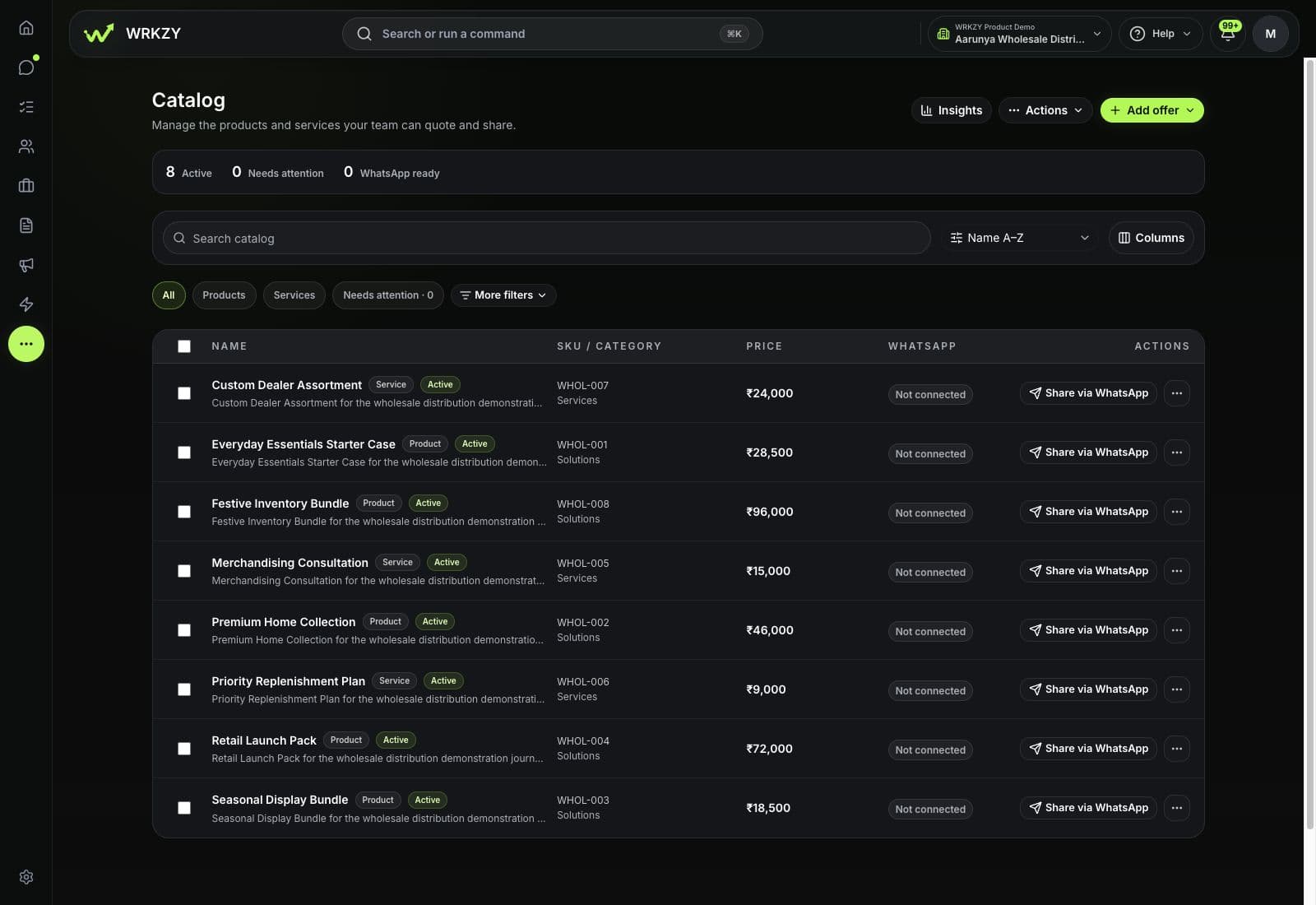
Keep names, descriptions, images, codes, and categories with each product or service.
Set the price, currency, tax, and unit together, so the team can check the details before quoting.
Update categories, availability, and visibility across selected items. Archive offers when they are no longer part of your catalog.
Inside WRKZY
Browse products and services, search your catalog, and check prices before building a customer quote.
Share with a customer
Send a buyer link with selected products and services. Your customer can compare the options, choose what interests them, and request a quote.
Pick the relevant items and add a message for the customer.
Give the customer a place to compare your selection. Set an expiry date or revoke the link when needed.
The customer selects the items they want and sends a quote request. Your team takes it from there.
Share a catalog item in the conversation through your connected WhatsApp account.
Customer interest and sales
Keep track of what each customer is considering, then see which offers lead to accepted quotes.
Record the products and services a customer is interested in. Review suggested offers alongside their details in Contacts, Inbox, or a deal.
Review accepted quote value, top offers, and items customers consider together. Use that picture to inform your next conversation.
Ready for the next quote
Choose from your catalog, then set the quantities and terms for the customer. Check the details, review the quote, and send it when it’s ready.
Explore QuotesProducts and services from your catalog.
Quantity, currency, validity, and pricing.
Check the offer before it goes to the buyer.
FAQ
Yes. Use the CSV template to bring in products and services. Preview the rows, check for duplicate item codes, and fix any errors before completing the import. You can also export your catalog as CSV. Read the import guide.
Yes. Both live in the same catalog. Give each item its own name, description, code, and price, then filter by products or services when you need to narrow the list.
Yes. Add items from your catalog, then set the quantities and review unit prices, discounts, and tax for that customer. Pricing changes remain subject to your team’s permissions and approval rules. Check the final offer before sending it.
No. Catalog keeps the products, services, and pricing your team uses in deals and quotes. Keep using your inventory and accounting tools for stock management and bookkeeping.
Try Catalog
Put your most-quoted products and services in WRKZY. Give the whole team a place to start.
Start free trial14-day Growth trial · No card required