
01Can Operations confirm Friday delivery?
02I’ve forwarded the WhatsApp message.
03I thought Sales was replying.
04Has anyone confirmed the date?
Customer handoffs across teams
Give the next person the context, open question and due time. See who accepted the work—and who needs to update the customer.
Confirm Friday delivery for the first 240-unit order
Aarav Mehta · Mehta Stores
Everyone was copied
A forwarded message shows who was told. It does not show who agreed to act, what they need to decide, or when the customer should hear back.
01Can Operations confirm Friday delivery?
02I’ve forwarded the WhatsApp message.
03I thought Sales was replying.
04Has anyone confirmed the date?
The brief stays linked to the original request. Rohan sees what he needs to decide, and Maya can see when the answer is due back.
01 / Follow one handoff
Prepare what the next person needs, show who accepted it, and return the result to the person updating the customer.
Choose a stage to see the handoff.
Maya adds the customer, current status, open question and due time.
Rohan can review the request without rebuilding the story.Enough context to decide.
One person takes responsibility.
The result goes back to the customer contact.
What moves with the work
Keep it brief. Link the original request, state what is needed, who has it, when it is due, and where the answer goes.
What the customer needs confirmed or completed.
The current status, with the source attached.
The exact decision or action needed.
Who remains responsible until someone else accepts.
What needs to happen, and by when.
Who receives the result and updates the customer.
Current product, in context
Three product views show the live request, the customer behind it, and the team responsible for what happens next.
The conversation stays with its channel, priority, owner, response time and next action.
Scroll horizontally to inspect this capture, or view it full size.
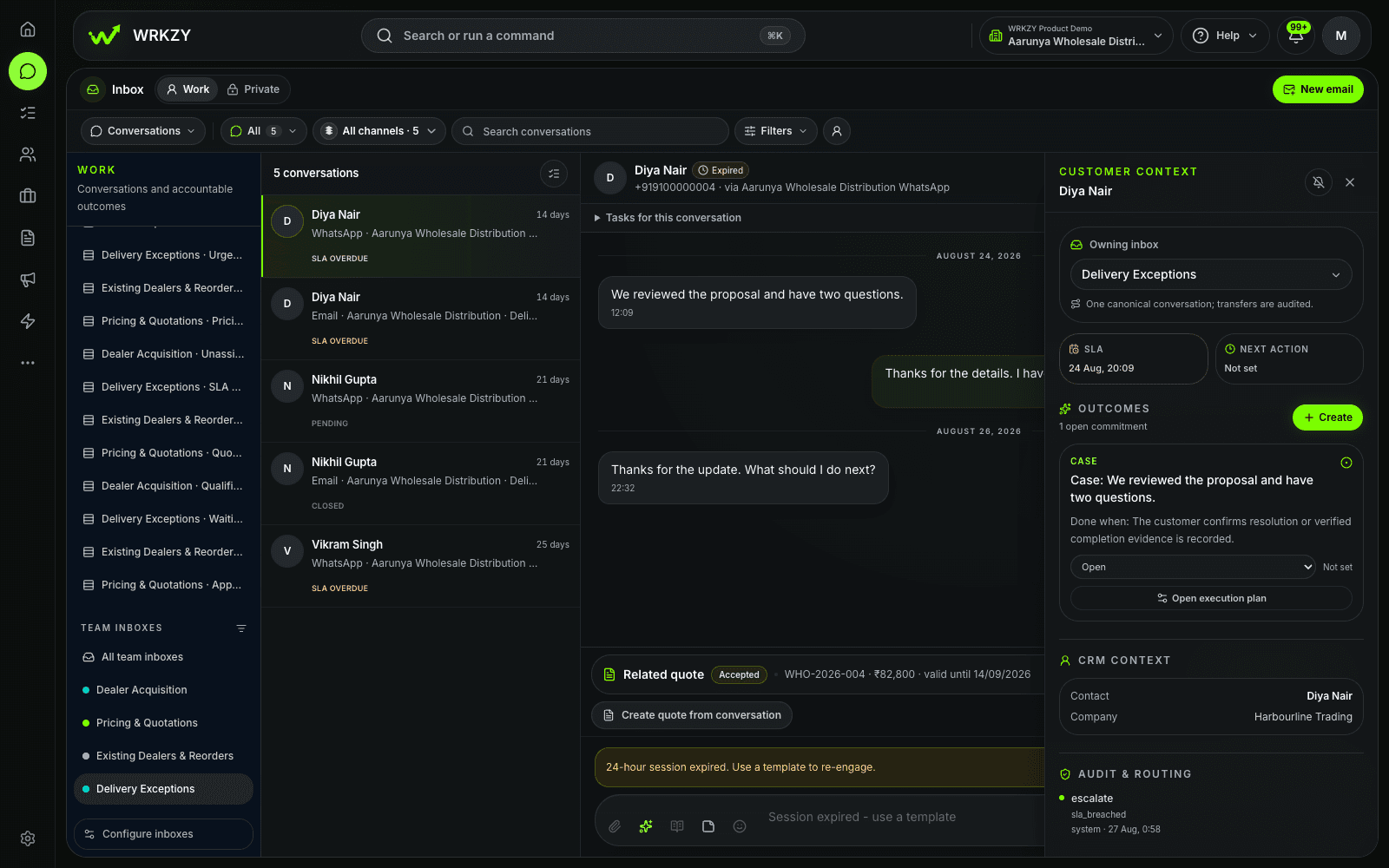
Inbox · Active request
The customer record keeps communication and recent commercial work close to the request.
Scroll horizontally to inspect this capture, or view it full size.
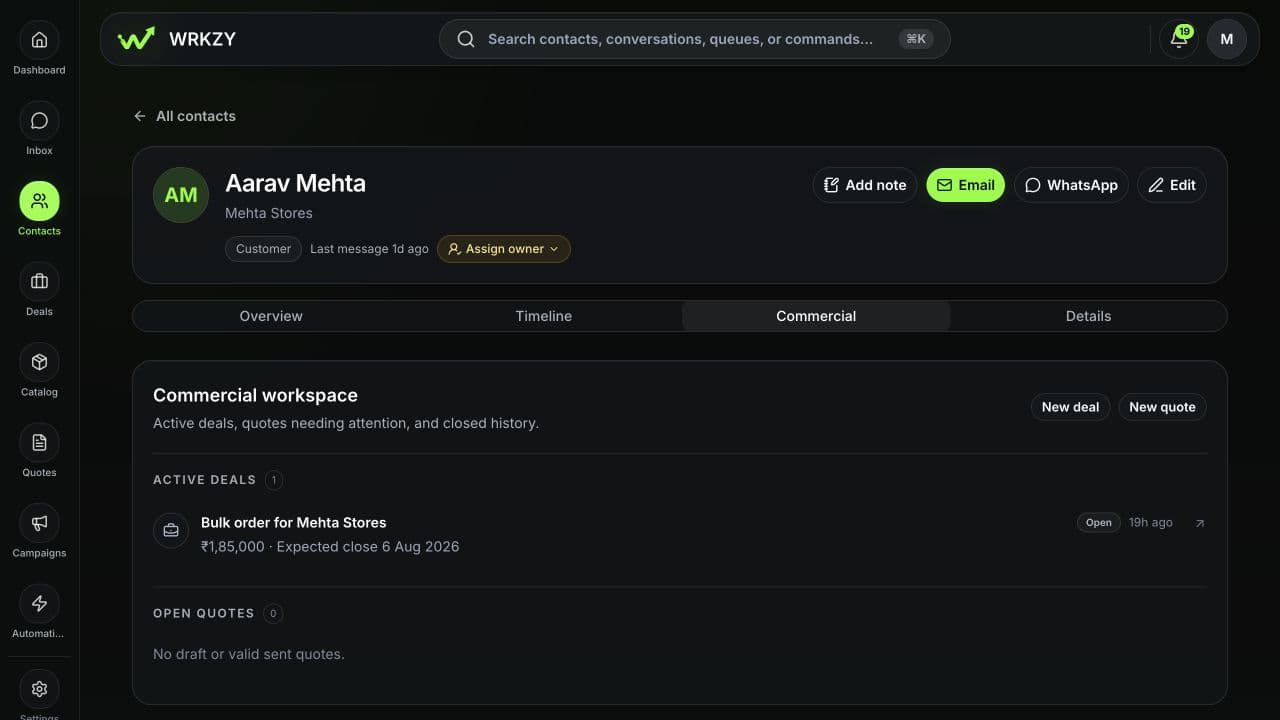
Customer · Aarav Mehta, Mehta Stores
Team Inbox settings show where the request arrives, which channel is connected, who can see it and what remains unassigned.
Scroll horizontally to inspect this capture, or view it full size.
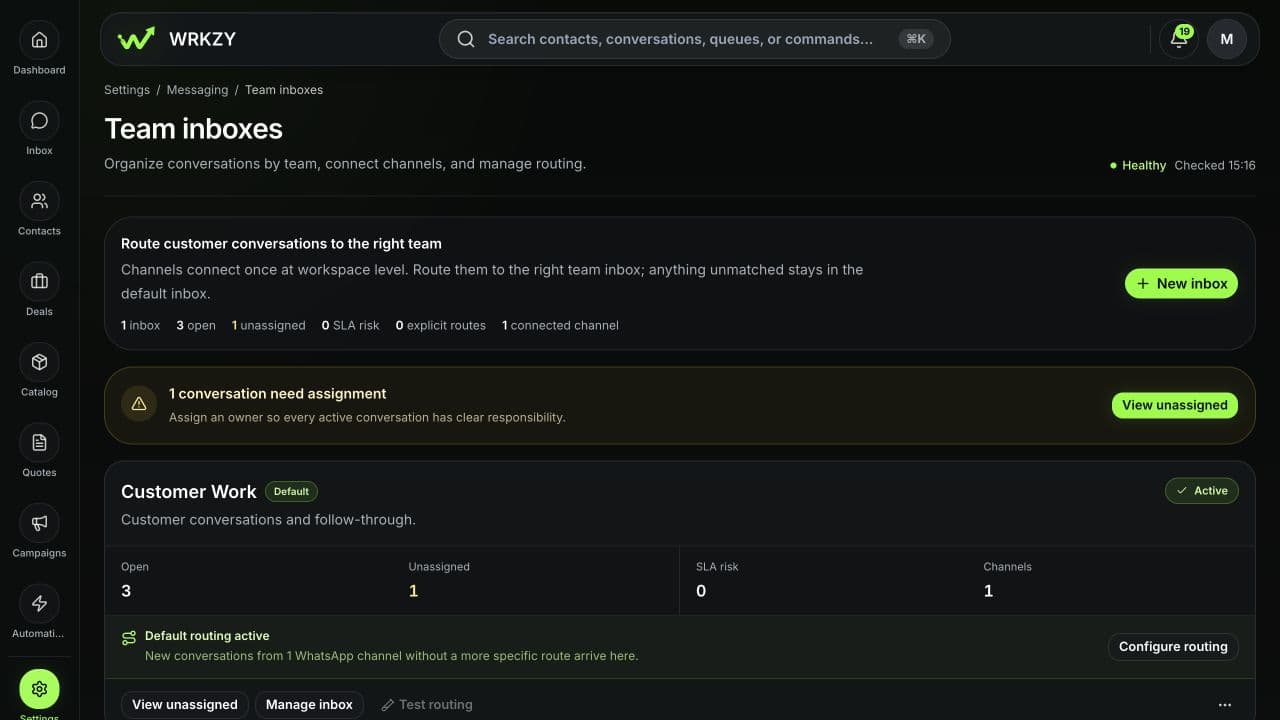
Team Inbox · Shared destination
When responsibility changes
Assignment, acceptance and collaboration work differently. WRKZY keeps the responsible person visible in each case.
A manager can assign work to a direct report with a due date visible in their workload.
The work stays with you until your teammate accepts the request.
Comments and followers keep others involved while one person remains responsible.
Acceptance applies to supported peer task requests. Manager assignments and collaborative comments do not use the same acceptance step.
For handoffs that repeat
When a handoff follows the same rules each time, choose what starts it, who receives the work, how long it can wait, and what happens if it gets stuck.
Use an event and conditions to identify the work.
Choose the team or teammate, next step, and due time.
Set a timeout or use Human Handoff when someone needs to decide.
Test the workflow and check where it needs attention.
Automation can route repeatable work and show when it needs attention. A person decides what to do when the situation falls outside the rules.
When the supporting work is done
Record the result, send it back to the person replying, and keep the final update with the customer record.
Customer informed · Handoff complete
Start with one handoff
Choose a request that moves between teams each week. Decide what information goes with it, who takes the next step, and who receives the answer.
Bring one shared request into WRKZY with the customer, owner, due time, context, and person waiting for the result.
Start free trialTalk through migrations, workspace boundaries, response commitments, and repeatable handoffs.
Talk to sales