Sales from first message to buyer decision

Keep every sale moving.

Bring WhatsApp and email enquiries, customer context, deals, quotes, buyer responses, and the next task into one connected sales flow.

For small sales teams selling through WhatsApp and email

Current productOne enquiry, one accountable path

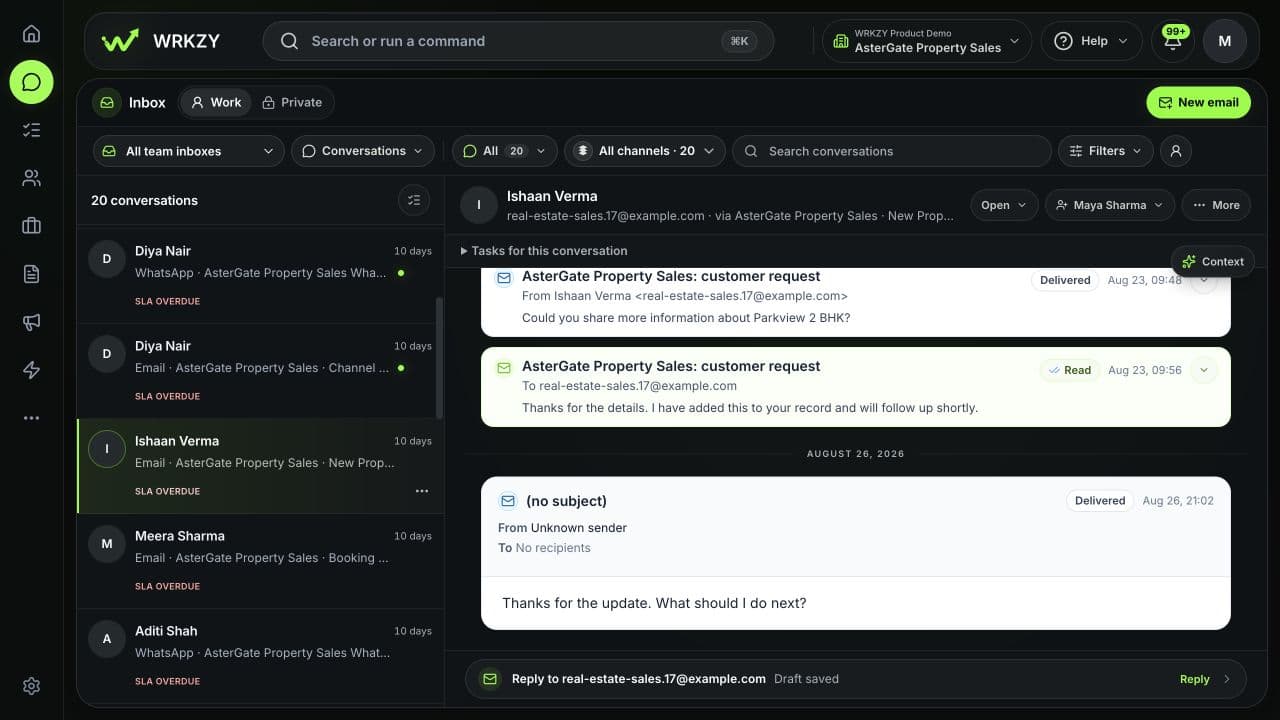
A buyer’s quote request sits beside its channel, customer, current owner, due action, and an unsent draft that a person can review before replying.

WRKZY Work inbox with a selected WhatsApp quote enquiry, assigned owner, high priority, overdue next action, and an AI draft awaiting review.
Illustrative workflow
  1. Buyer enquiry
  2. Assigned owner
  3. Current deal
  4. Quote revision
  5. Due next action
  • Assigned—or visibly unassigned—enquiries
  • Deals with an owner and next task
  • One current quote revision and response history
  • Buyer decisions connected to follow-through

Where momentum gets lost

The sale rarely stalls in one place.

The buyer is in WhatsApp. The latest price is with a teammate. The pipeline describes yesterday, and the follow-up lives in a private reminder.

Illustrative workflowFrom scattered work to one accountable path
Editorial illustration of a small sales team reviewing a customer decision together.
  • Buyer message

    Can you send the revised quote?

  • Private reminder

    Follow up before Friday

  • Outdated deal stage

    Proposal · last changed 8 days ago

  • Quote revision

    Q-2026-014 · two versions in circulation

One accountable path
  1. Buyer enquiry
  2. Assigned owner
  3. Current deal
  4. Quote revision
  5. Due next action

Enquiry to buyer decision

From first message to buyer decision, in one connected workflow.

Each stage keeps the customer evidence, responsible owner, and next action close enough for the team to continue without rebuilding the story.

  1. Capture and assign the enquiry
  2. Review the buyer and relationship
  3. Create or advance the deal
  4. Prepare and publish the offer
  5. Record the response and next action
  1. Capture and assign the enquiry

    You do

    Bring the WhatsApp or email conversation into the sales inbox.

    WRKZY keeps visible

    Use the channel route, queue, priority, assignment, and a response or follow-up target.

    Outcome

    The enquiry is owned—or visibly unassigned—before the next reply.

    Current product

    An assigned WhatsApp enquiry keeps the due action and an unsent AI draft visible for human review.

    Open full-size capture

    Scroll image to inspect details.

    WRKZY shared inbox with an assigned WhatsApp enquiry, overdue next action, and an unsent AI draft awaiting review.
  2. Review the buyer and relationship

    You do

    Understand the customer before deciding how to reply.

    WRKZY keeps visible

    Review the contact, company, recent activity, lifecycle, open deals and quotes, and current commitments.

    Outcome

    The rep qualifies from customer evidence instead of asking the buyer to repeat it.

    Current product

    The customer view shows the contact, company, and open deal before the next reply.

    Open full-size capture

    Scroll image to inspect details.

    WRKZY customer view with a contact, company, owner control, one open deal, and no open quotes.
  3. Create or advance the deal

    You do

    Represent the real commercial decision in the appropriate deal pipeline.

    WRKZY keeps visible

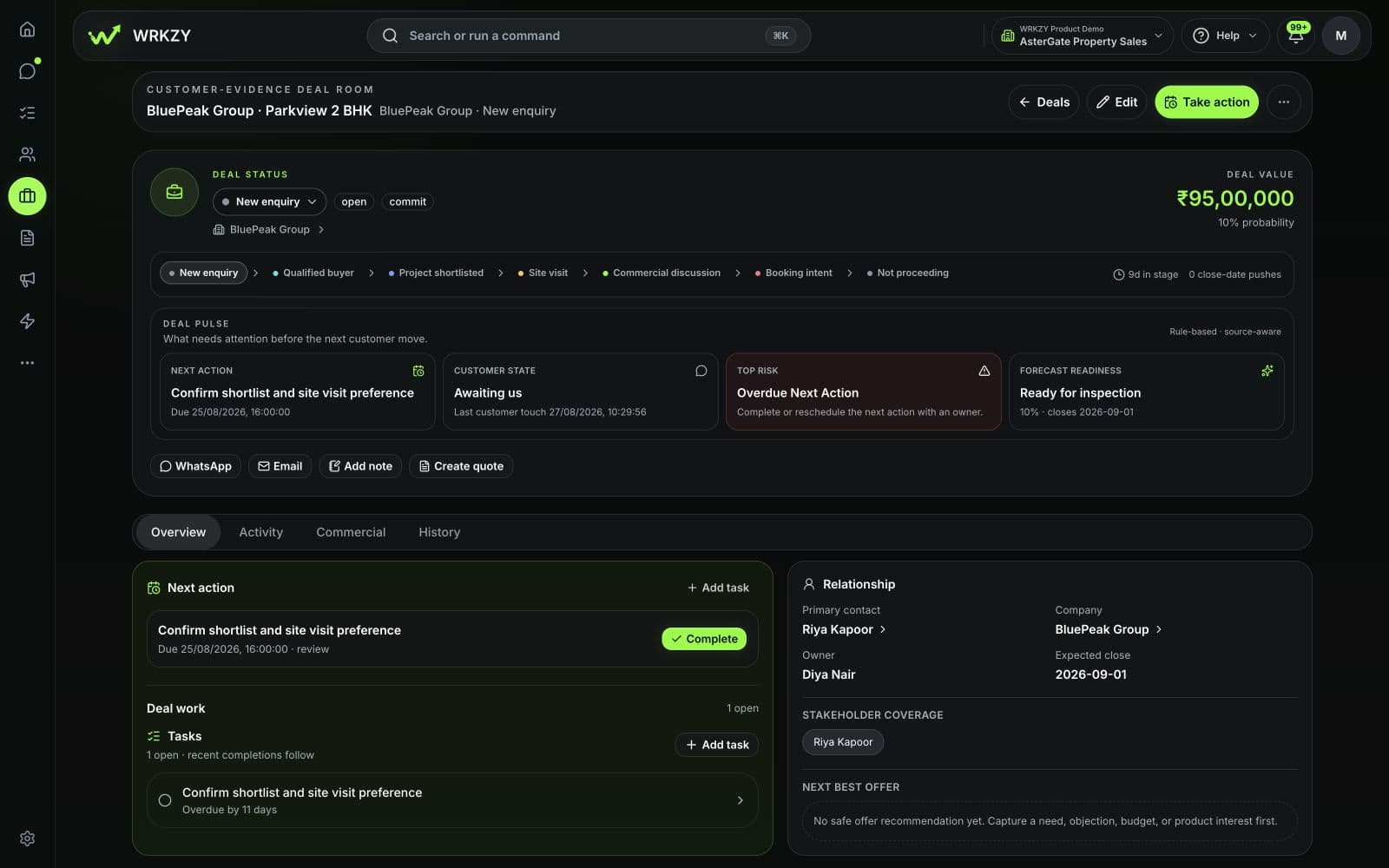
    Keep stage, value, probability, expected close, owner, and a due next-action task current.

    Outcome

    The pipeline explains what changed and what should happen next.

    Current product

    Stage and value sit beside warnings for missing inputs, absent follow-up, and overdue close data.

    Open full-size capture

    Scroll image to inspect details.

    WRKZY deal board with populated stages, values, missing-input warnings, absent follow-up, and overdue close data.
  4. Prepare and publish the offer

    You do

    Select current products, services, prices, and commercial terms, then review the current quote revision.

    WRKZY keeps visible

    Reuse reviewed catalog records, currencies, packages, quantities, images, and relationship context; verify the recipient, totals, terms, validity, and any required approval before publishing.

    Outcome

    The buyer receives one current offer built from shared commercial inputs.

    Current product

    The empty builder shows required buyer and commercial fields before offer items are added.

    Open full-size capture

    Scroll image to inspect details.

    WRKZY New quote form with required buyer and commercial fields, no line items, and a zero-value summary.
  5. Record the response and next action

    You do

    Keep what the buyer decided and the responsible follow-up with the deal.

    WRKZY keeps visible

    Collect a verified accept, question, structured change request, or decline, then assign the next due task.

    Outcome

    The current buyer decision and responsible next action remain connected to the deal.

    Current product

    The deal makes missing next-action and forecast evidence visible for the responsible teammate to address.

    Open full-size capture

    Scroll image to inspect details.

    WRKZY proposal-stage deal with customer and value, showing missing next-action, probability, and forecast evidence.

What changes in daily sales work

One sale. Two useful views.

Editorial photograph of two teammates reviewing customer work together at a laptop.
Shared context for the people carrying the sale forward.

For the sales rep

Continue the buyer’s decision without reconstructing it.

  • Know which enquiry to answer, who owns it, and when the next response is due.
  • Open the current customer, deal, and quote context from the work at hand.
  • Leave the next commitment on the shared record instead of in private memory.

For the sales manager

Intervene where the commercial evidence is incomplete.

  • Find unassigned enquiries and deals without a current next action.
  • Inspect stale stages, missing probability, pushed close dates, and quotes awaiting a response.
  • Read the source evidence before changing ownership, stage, or forecast inputs.

Controlled quote lifecycle

Turn the offer into a buyer decision.

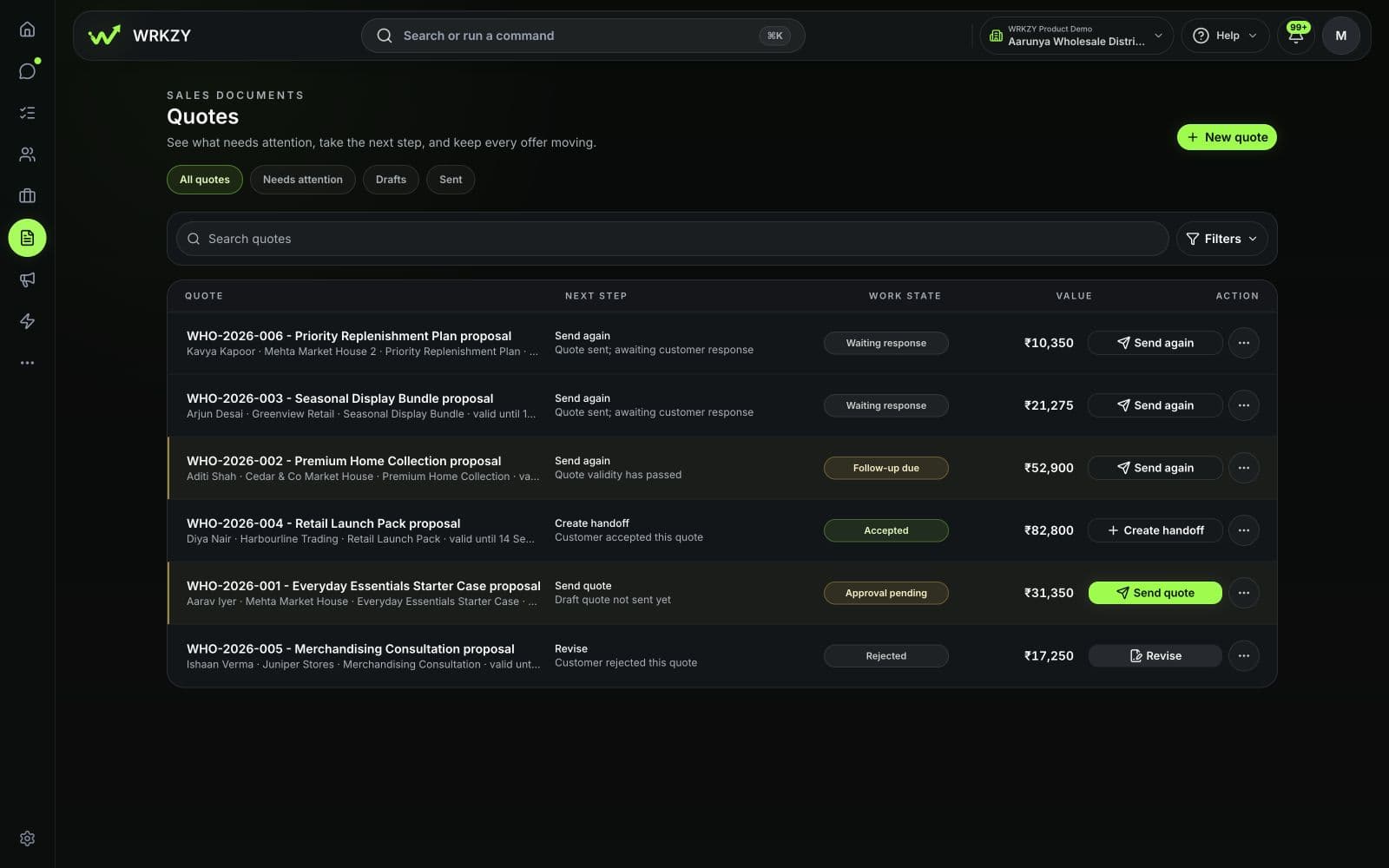
Build from reviewed commercial inputs, publish only the current quote revision, and give the assigned buyer a structured way to respond without exposing the internal workspace.

Explore quotes
Illustrative workflow

The quote path connects preparation and review to recipient verification, a structured buyer response, and accountable follow-through.

  1. Catalog inputs
  2. Review revision
  3. Publish link
  4. Verify buyer
  5. Record response
  6. Assign next action
Current productShared products, services, and prices

The catalog lists eight active sample products and services with their categories and prices. WhatsApp is not connected in this sample workspace.

Open full-size capture

Scroll image to inspect details.

WRKZY Catalog with eight active sample products and services, categories, and prices; WhatsApp is not connected.
Current productQuote preparation before items are added

The empty quote builder makes required buyer and commercial fields visible before line items are added.

Open full-size capture

Scroll image to inspect details.

WRKZY New quote form with required title, currency, and recipient fields, no line items, and a zero-value summary.
Current productArchived buyer-facing offer

The public quote marks an archived offer beside its scope and amount. This offer is inactive and has no buyer-response controls.

Open full-size capture

Scroll image to inspect details.

WRKZY public quote showing an archived offer, its scope and amount, and no active response controls.
  1. Check the recipient, items, quantities, totals, terms, validity, and required approval before publishing.

  2. Record a verified accept, question, change request, or decline against the current revision.

  3. Carry the buyer response into the next accountable action.

Acceptance records a buyer response against the current revision; it is not an electronic signature or certified legal identity.

Commercial evidence

See what needs intervention.

Stage, value, probability, close timing, linked customer activity, and the next task remain separate signals the team can inspect and correct.

Explore deal pipelines
Current product

The deal board shows current stages and values while health signals expose missing follow-up, incomplete forecast inputs, and overdue commitments.

Open full-size capture

Scroll image to inspect details.

WRKZY Retail Sales deal board with populated Qualified, Proposal, and Won stages plus missing-input, no-follow-up, and overdue-close warnings.
  • Current stage and deal value are visible.
  • Missing-input and no-follow-up signals identify gaps.
  • Overdue close data gives a manager a reason to inspect the deal.

Activity volume or pipeline value does not prove deal quality or forecast accuracy by itself.

After the buyer decides

The next team gets the decision—not a reconstruction task.

When sales hands work to customer operations or support, WRKZY can keep the buyer, accepted commercial context, responsible people, and first next action visible in the same customer history.

Editorial photograph of two teammates passing a folder and material samples across a workbench.
Carry the customer’s decision into the next team’s work.
Illustrative workflowDecision receipt
SalesReceiving team
Customer context
Contact, company, current need, and relevant conversation
Commercial decision
Effective quote revision, recorded response, scope, and amount
Accountability
Sales owner, receiving owner, and the first due next action

The decision travels with the next action.

Start with one sales outcome

Bring your next enquiry through to a buyer decision.

See it in WRKZY

See the deal-and-quote workflow in WRKZY.

Follow a verified customer need from an owned deal through reviewed commercial inputs, the current quote, buyer response, and the next accountable action.

Current product: Deals and quotes walkthrough

Start with your next enquiry

Start with one shared sales inbox, one opportunity, and one quote. Confirm that ownership, current stage, buyer response, and the next action remain visible from first message to handoff.

Start free trial

Talk through a more involved rollout

Planning a migration, multiple workspaces, or a rollout for larger teams? Share your requirements with sales and discuss process mapping, capacity, and which plan fits.

Contact sales