Property enquiry and follow-up

Every enquiry. A visible next move.

Route the buyer, hold the property context, confirm the visit and continue from what the buyer actually said.

Start free trialBook an industry demo

For developer, brokerage and property sales teams coordinating enquiries across WhatsApp, email and field follow-up.

Synthetic editorial scene of an Indian property sales agent and coordinator reviewing a site-visit plan.
Illustrative customer record
Riya Kapoor3 BHK enquiry · North Bengaluru
Current state
Site visit planned
Owned next step
Confirm Saturday 11:30 AM

Where buyer journeys break

A fast reply. Only the beginning.

Marketing captures the enquiry, an agent qualifies it, a coordinator confirms the visit and sales follows up. The journey breaks between those moments.

01

New enquiries wait

Channel messages can arrive without a clear project team, owner or response expectation.

02

Visits detach from deals

Schedules and notes live separately from the opportunity they are meant to advance.

03

Nurture becomes guesswork

Agents cannot easily see the last objection, promised follow-up or next useful action.

One buyer journey

Every promise. A visible next move.

Follow the buyer from first enquiry to site visit, deal progression and relevant follow-up.

  1. 01 · Capture

    Receive the property enquiry

    Bring WhatsApp and email into the shared sales inbox and route the buyer to the right team.Explore Inbox
  2. 02 · Qualify

    Build the buyer context

    Keep location, budget, property interest and conversation history around one customer record.Explore Customer context
  3. 03 · Coordinate

    Make the site visit an owned next step

    Assign the confirmation, keep its due time visible and connect it to the opportunity.Explore Tasks
  4. 04 · Progress

    Move the buyer journey through the pipeline

    See which enquiries are qualified, visiting, negotiating or no longer active.Explore Pipelines
  5. 05 · Nurture

    Follow up with the last conversation in view

    Continue personally from the buyer’s stated need and the team’s prior commitment.Explore Campaigns

Inside the product

The enquiry. The visit. The follow-up.

Three product views connect the first message, the scheduled next step and the response that follows.

Proof 01

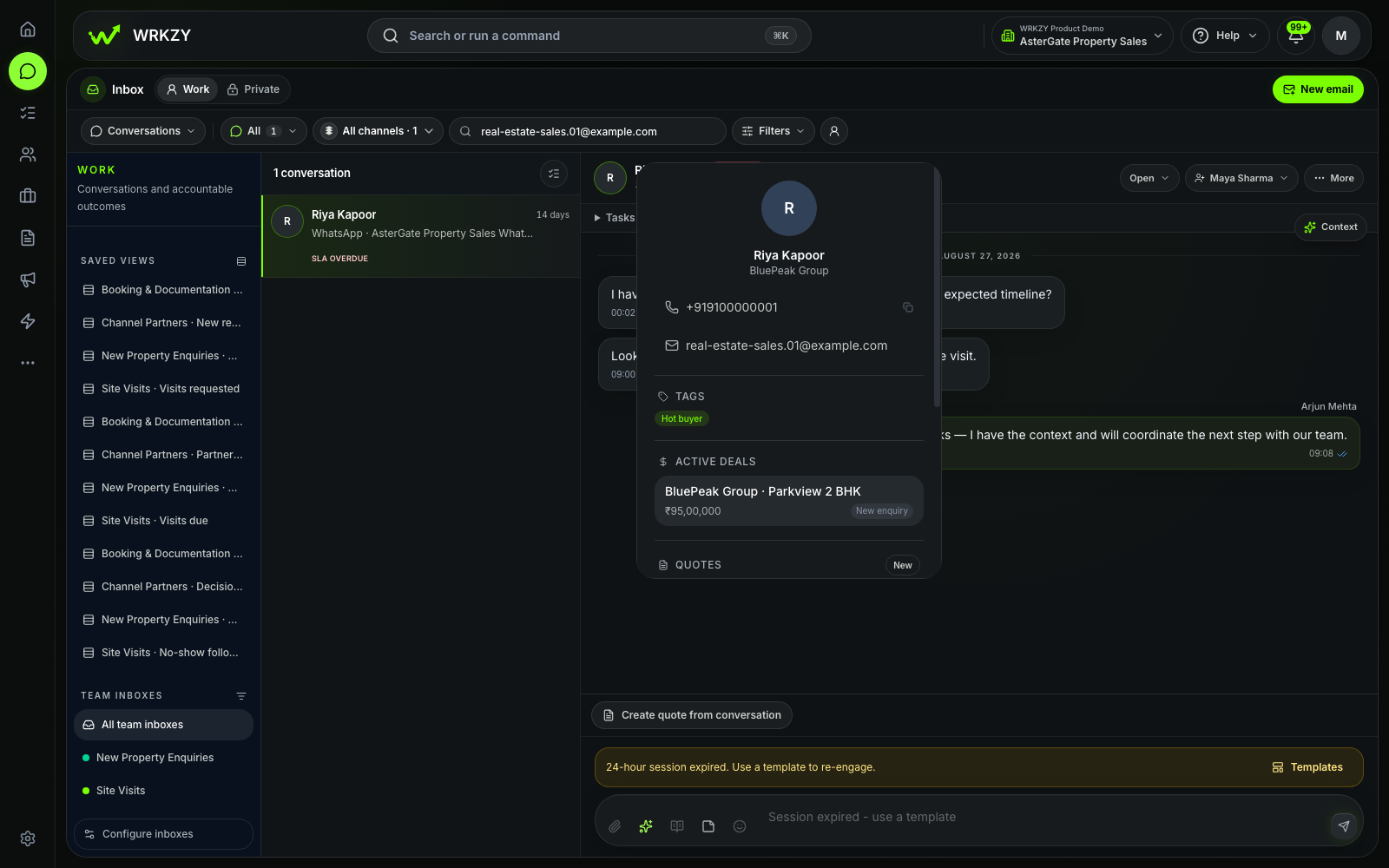
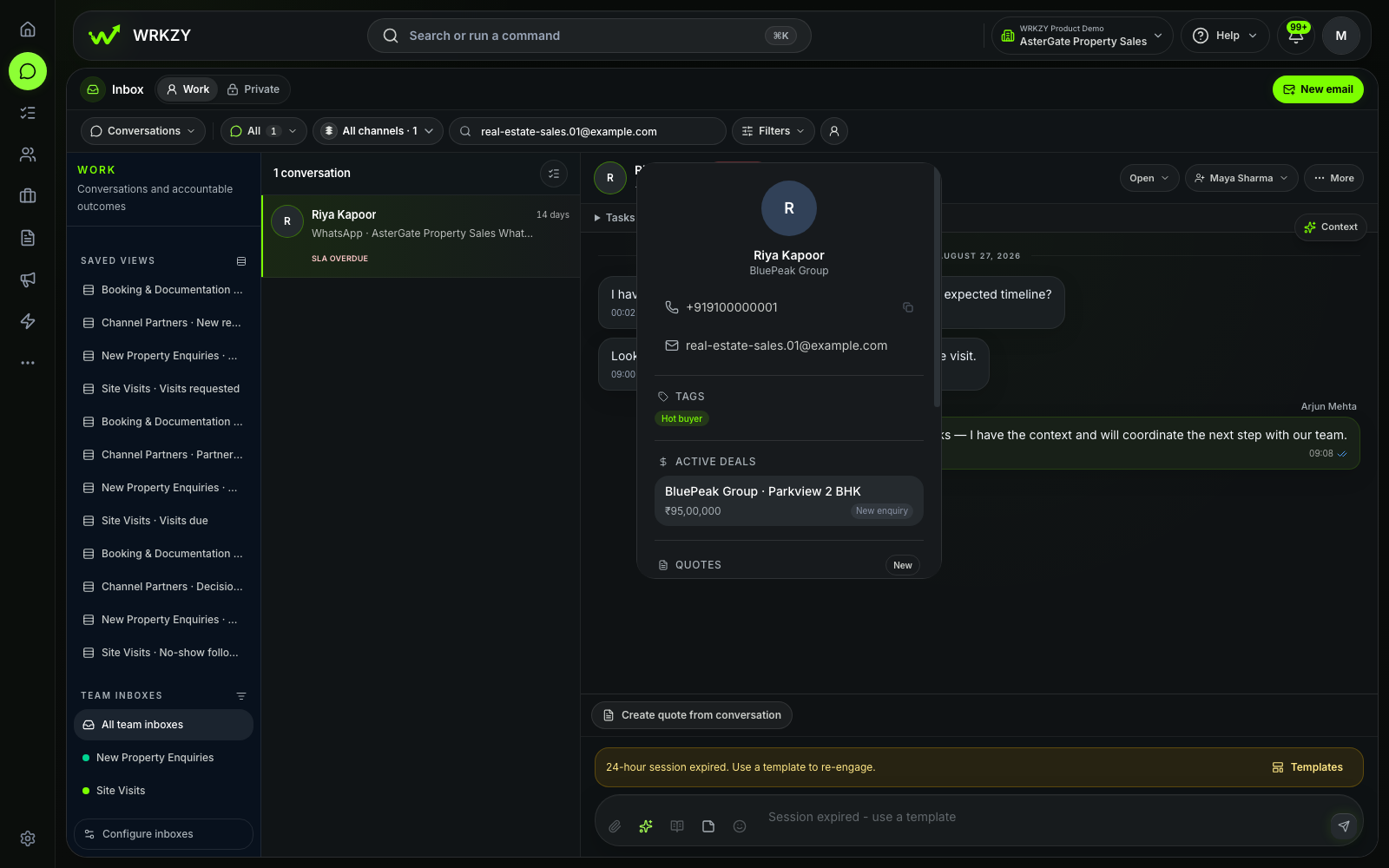
01 · Enquiry ownership

Riya’s enquiry enters one sales view.

The first response can be coordinated with the contact and property context close at hand.
  • Buyer message
  • Assigned teammate
  • Property context
Explore Inbox
Sanitized Real Estate Sales demo showing Riya's property enquiry in a shared inbox.
Sanitized synthetic demo workspaceRiya enquiry in the Real Estate Sales demo workspace.Open full-size capture
Proof 02

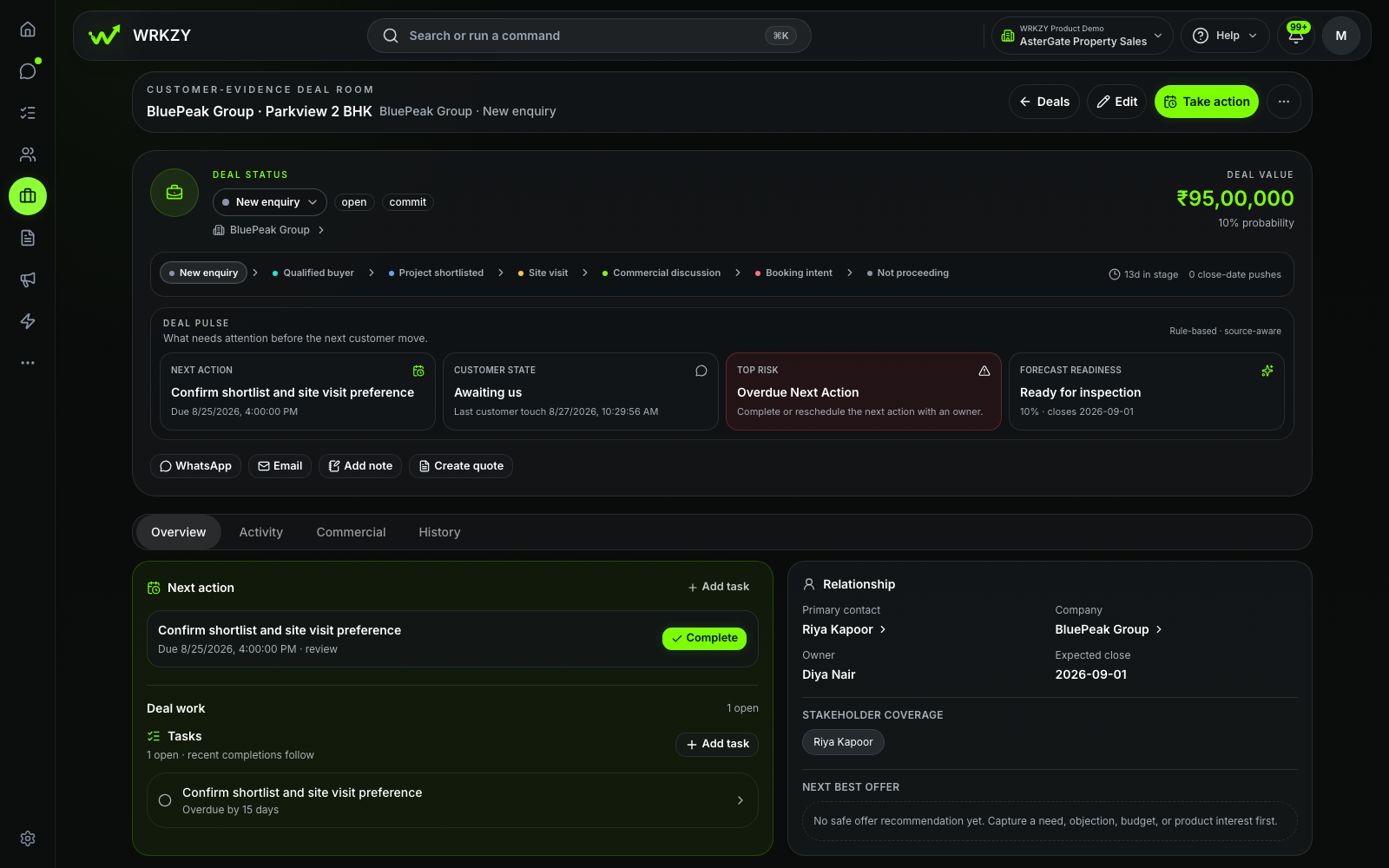
02 · Journey progress

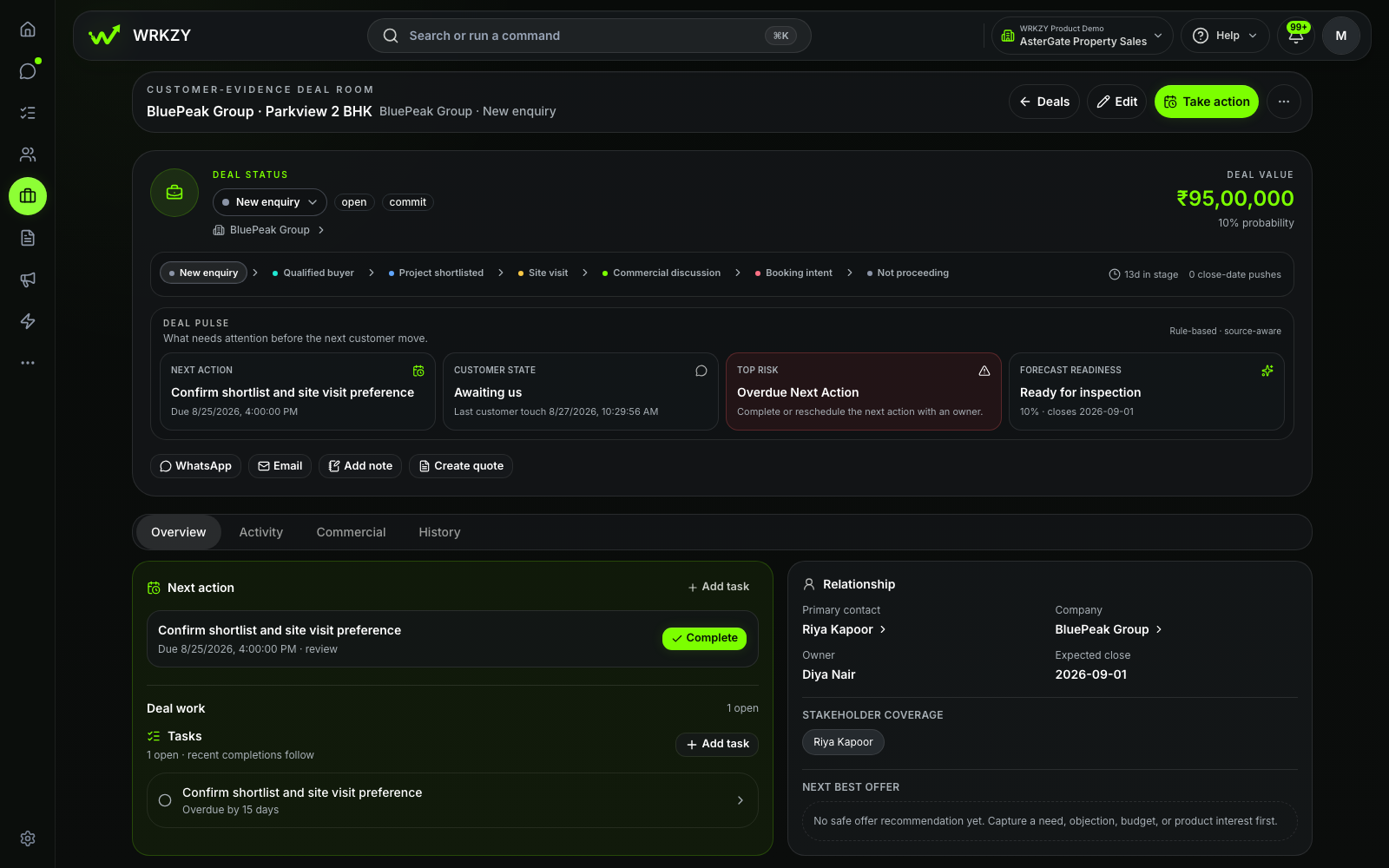
The site visit stays with the deal.

The team can see what is scheduled, where the buyer sits in the process and which action advances the journey.
  • Visit task
  • Deal stage
  • Next action
Explore Pipelines
Sanitized Real Estate Sales demo showing a site visit connected to the buyer deal.
Sanitized synthetic demo workspaceSite-visit and deal context in the Real Estate Sales demo workspace.Open full-size capture
Proof 03

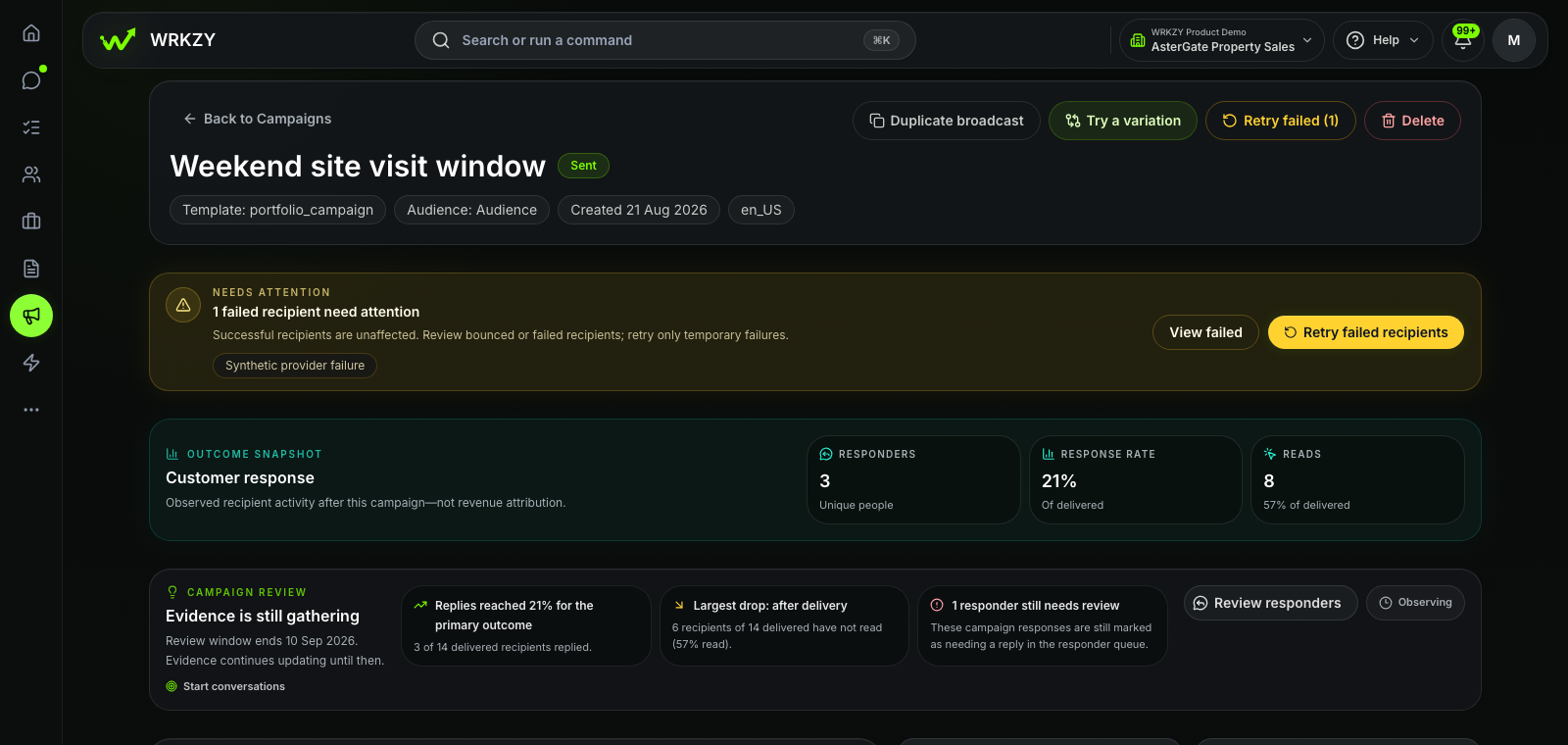
03 · Relevant follow-up

Nurture keeps the response visible.

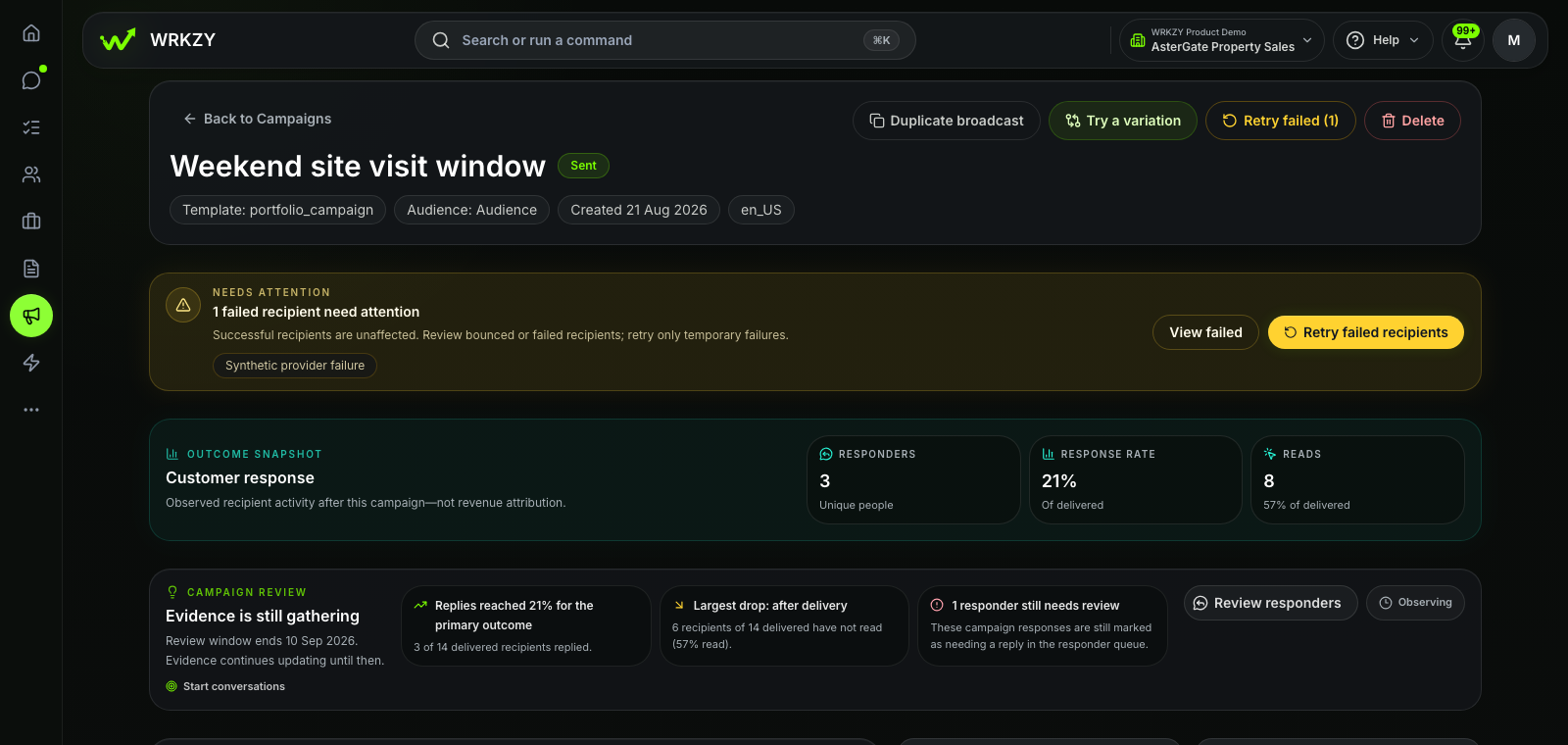
The campaign review distinguishes delivered messages, observed replies and responders still waiting for a team review.
  • Observed replies
  • Responder review
  • Response window
Explore Campaigns
Sanitized Real Estate Sales demo showing buyer nurture response signals and review state.
Sanitized synthetic demo workspaceBuyer nurture campaign response view in the Real Estate Sales demo workspace.Open full-size capture

What powers the journey

Everything behind the buyer's next move.

The team sees the enquiry, buyer, property, visit and deal stage in one working view. Automations, campaigns and reporting support the next move without crowding the buyer journey.

  1. 01

    Website Forms

    Route every enquiry at capture

    Map buyer details, choose the team inbox and create the first follow-up before the request arrives.
  2. 02

    Shared Inbox

    Give every first message an owner

    Bring WhatsApp and email enquiries into one shared sales view with visible assignment.
  3. 03

    Customer Context

    Hold buyer and property context together

    Keep location, budget, configuration, property interest and prior conversations around one record.
  4. 04

    Tasks

    Make every visit a dated promise

    Assign the confirmation, keep its time visible and connect it to the opportunity.
  5. 05

    Pipelines

    Know where every buyer stands

    Track qualified, visiting, negotiating and inactive journeys in a pipeline the team recognises.

Configured around your sales motion

Your buyer journey. A clear system boundary.

Use your own projects, stages, fields and ownership model while property, booking and finance systems remain authoritative.

Inside your WRKZY workspace

Built around your buyer journey.

The inboxes, stages, fields and workflows below match the way this team sells.

01 · Shared inbox

New enquiries · Site visits

Put the first enquiry in a shared queue and make one person responsible for the reply.

Explore Inbox
02 · Pipeline

Residential sales · Investor enquiries

Name the decision points, require the information they need and show what comes next.

Explore Pipelines
03 · Reviewed automation

Routing · Visit reminders · Nurture tasks

Use reviewed workflows for the handoffs your team repeats.

Explore Automations
Customer context

Project · Budget · Configuration · Location

WRKZY

Buyer journey.

  • Property enquiries and response ownership
  • Site visits, deal progress and follow-up
  • Buyer context and team ownership
Specialist system

Not property ops.

  • Unit inventory and authoritative availability
  • Lease, facility and property-management operations
  • Registration, booking and financial records

Own the next move

Every enquiry. A visible next move.

Start with WRKZY, or show us how your team qualifies, visits and follows up today.