
Separate sales processes.
Keep new business, renewals, or partner referrals in separate pipelines within one workspace.
Pipelines
Create your own stages, track each deal, and see who needs to follow up. Keep customer conversations, quotes, and tasks with the deal.
Retail rollout · 40 units
Maya Sharma Today · 3:00 PM
Custom pipelines
Create separate pipelines for different sales processes, each with its own stages and rules.
Guide direct buyers through property visits while tracking partner referrals separately.
SuccessfulBooking intent
UnsuccessfulNot proceeding
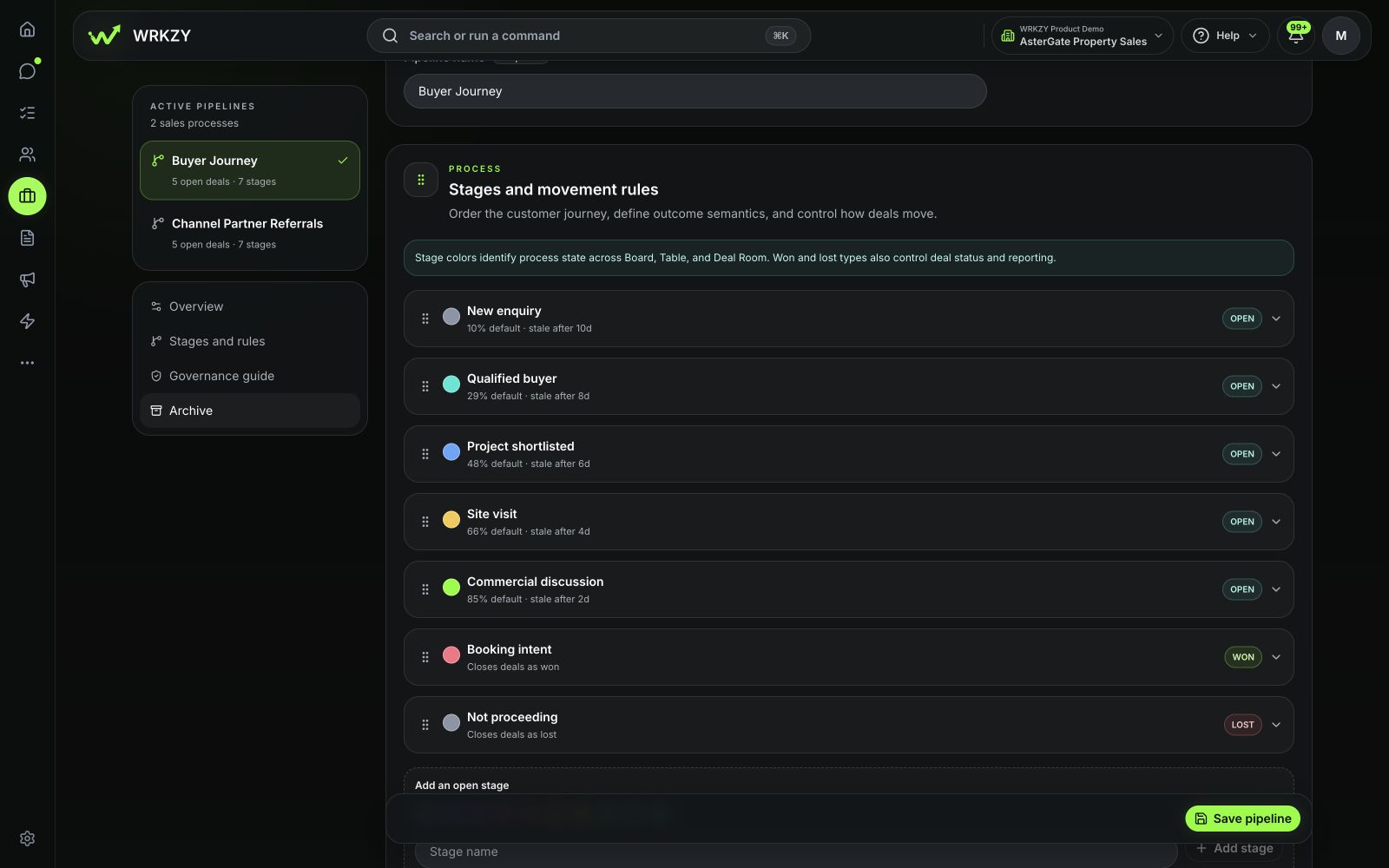
Want the complete workflow? See the Real estate story →
Explore 13 industry demos. These are example configurations—you choose the pipelines and stages for your business.
Keep new business, renewals, or partner referrals in separate pipelines within one workspace.
Name and reorder stages. Choose which fields are required or recommended.
Set default probabilities, stale thresholds, movement rules, and approvals for higher-value deals.
Inside WRKZY
Focus on today’s follow-ups, compare deals, or review your forecast—all from the same pipeline.
See which deals need your attention and what to do next.
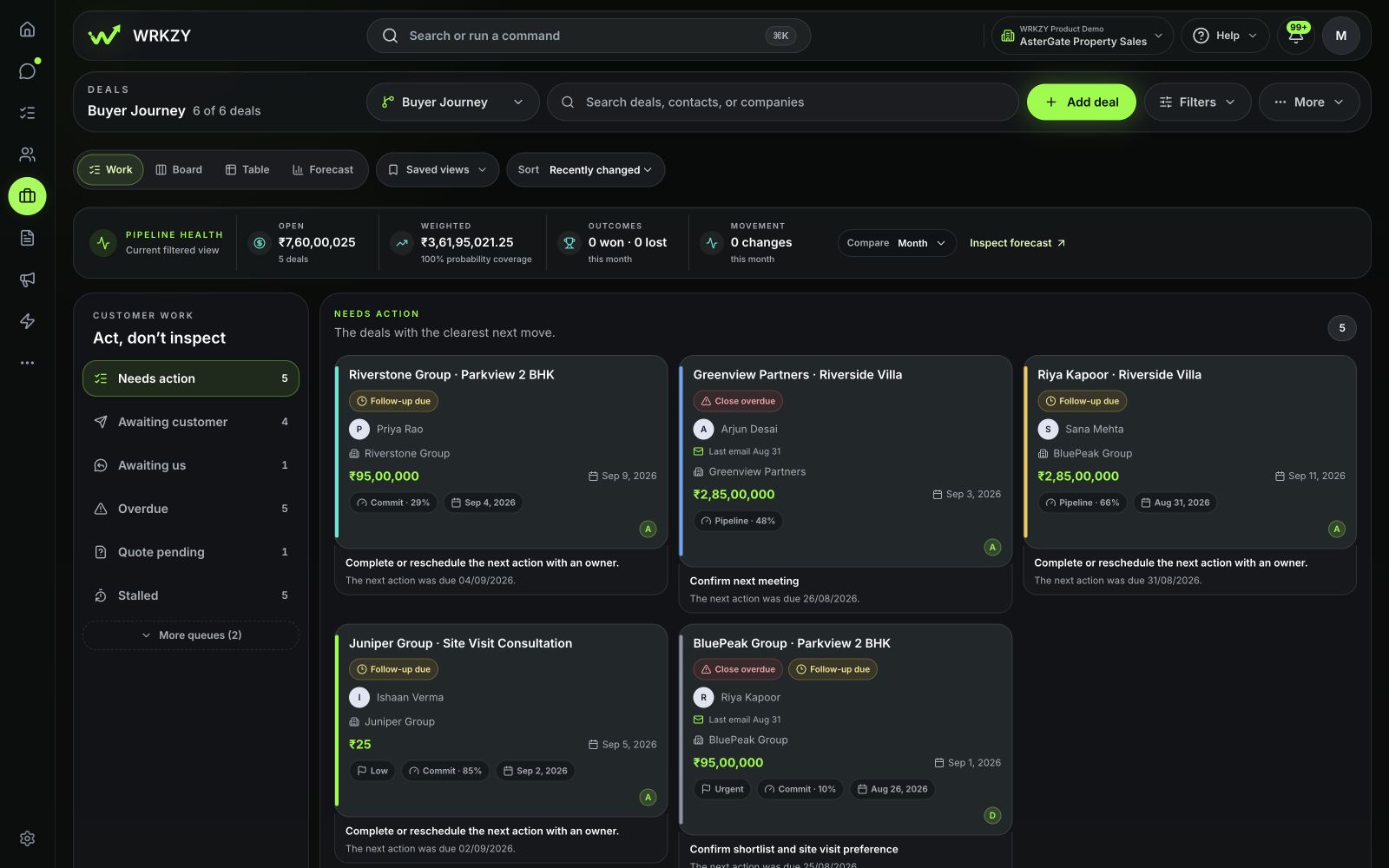
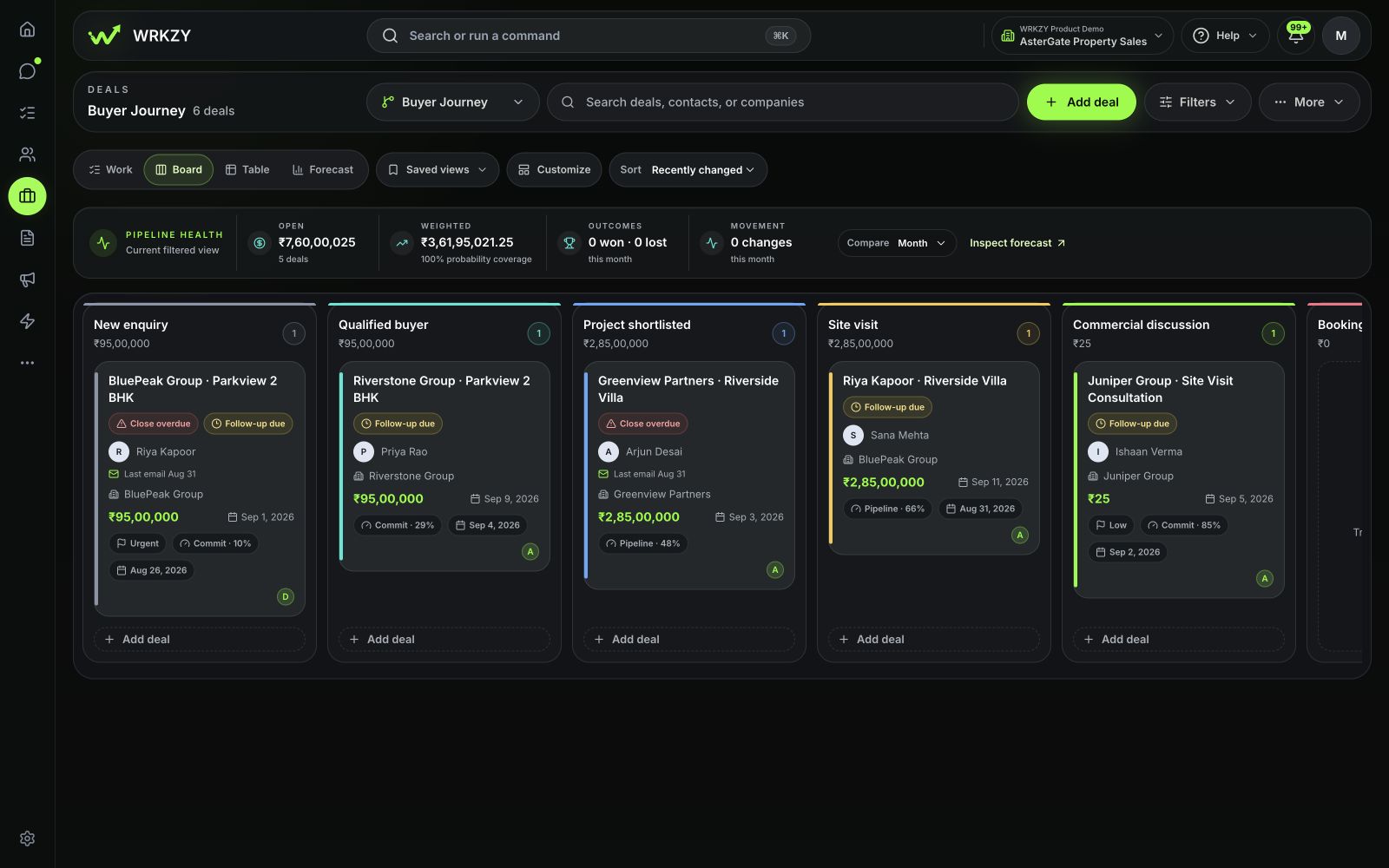
Follow the same opportunities through each stage of your pipeline.
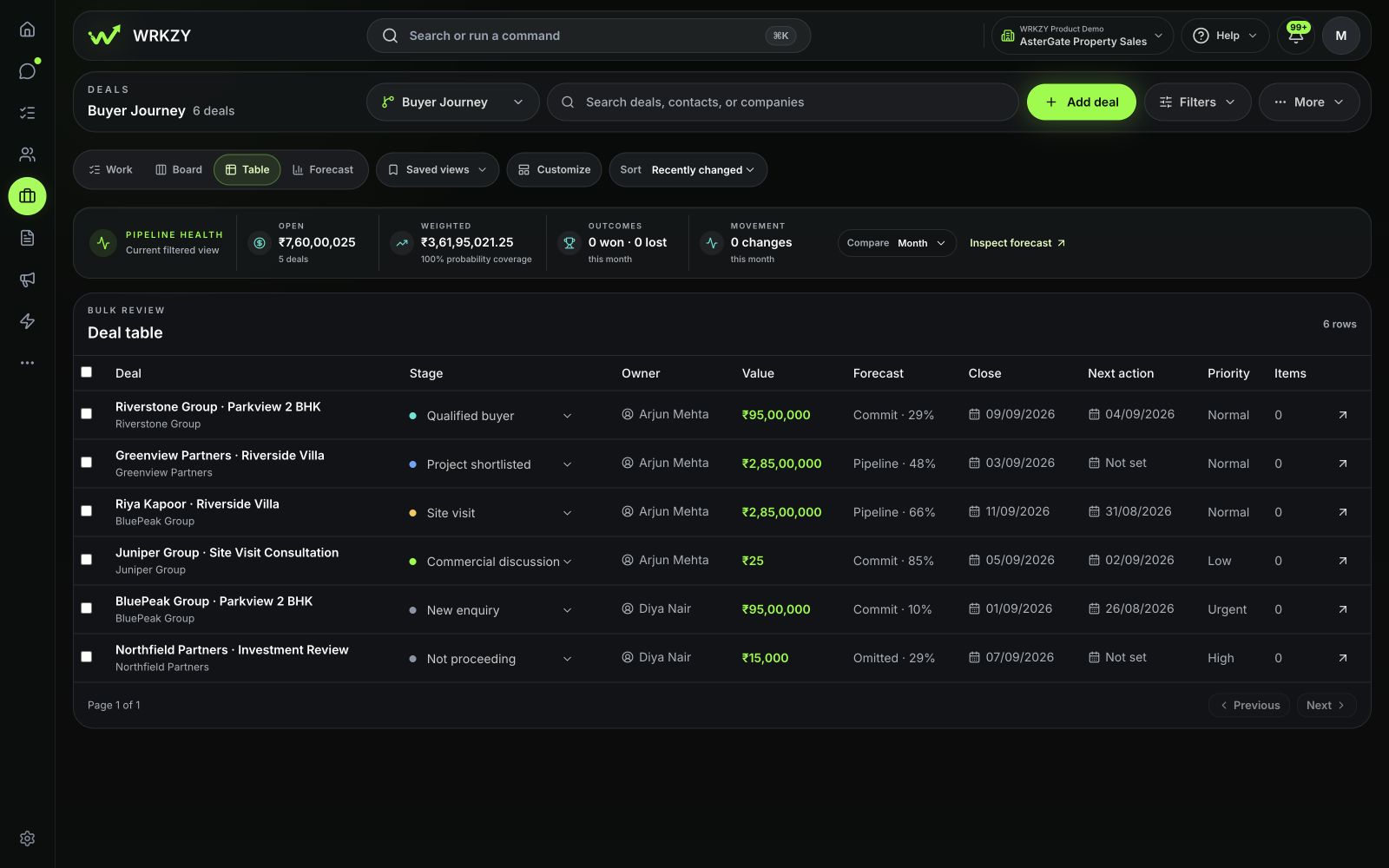
Compare deal details side by side and update selected deals together.
Review expected revenue by period and owner, with probabilities and targets in view.
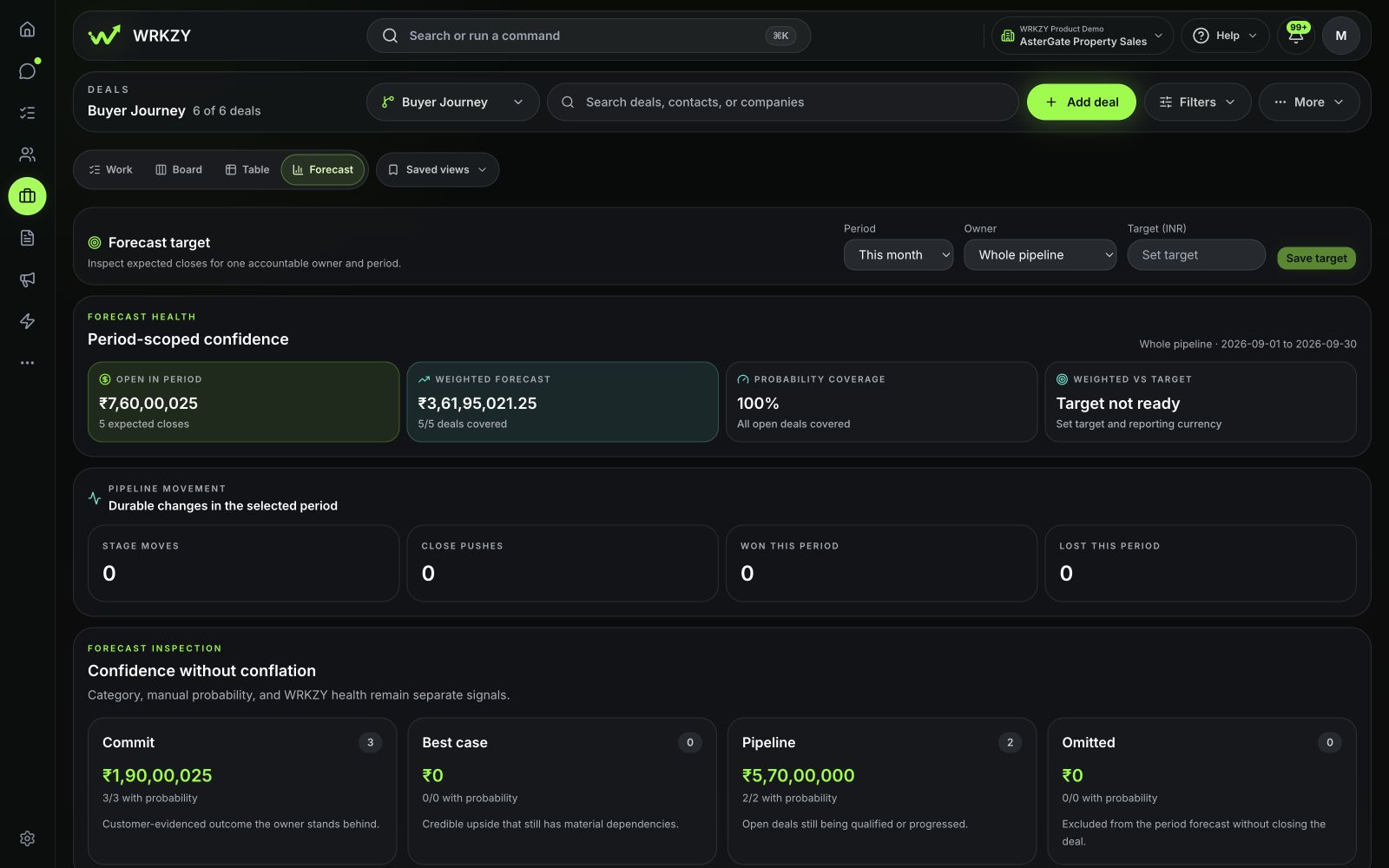
Save the views you use most, so your regular filters are ready when you return.
Deal workspace
See who’s involved, what’s been discussed, and what needs to happen next.
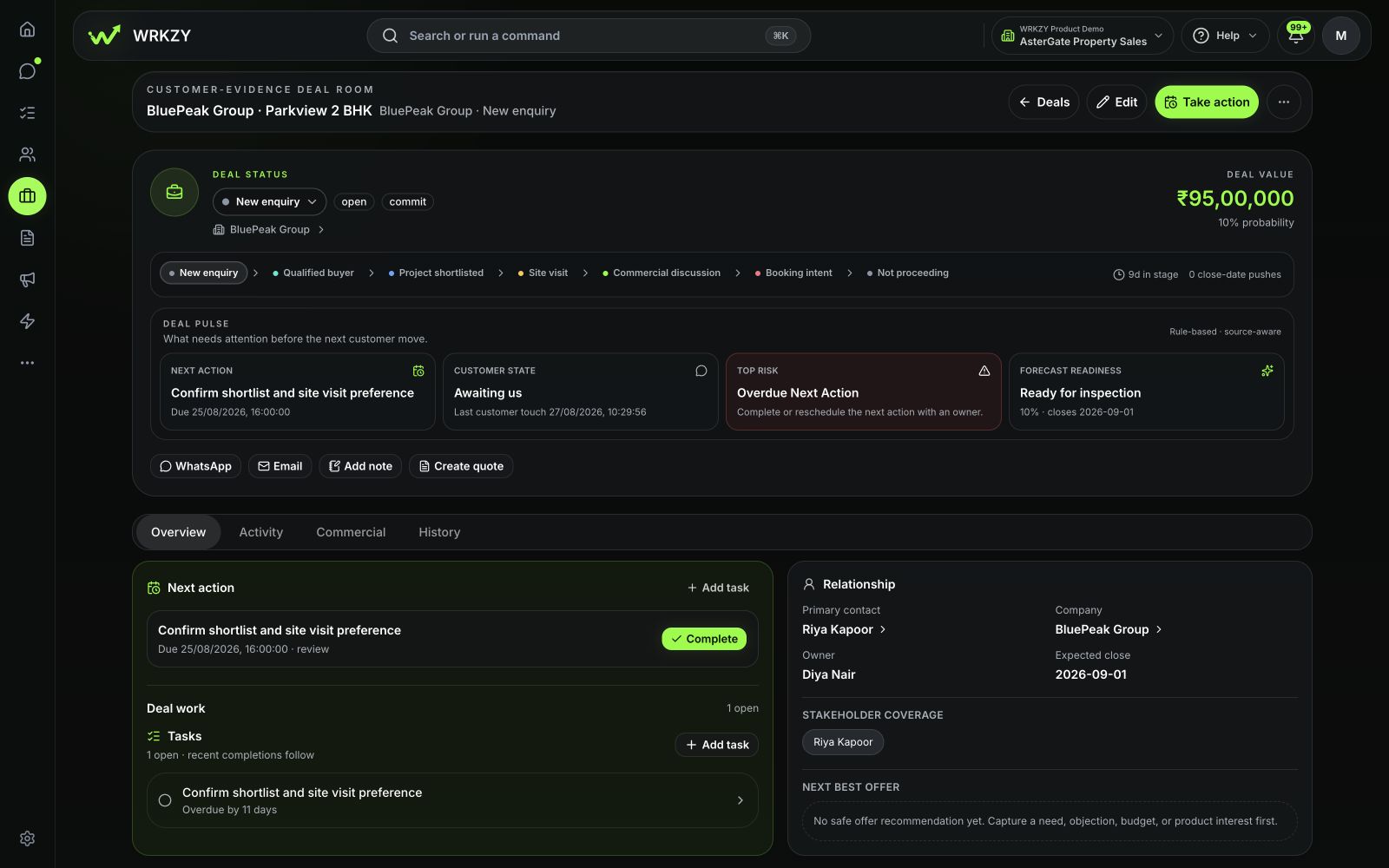
See the contact, company, conversations, and quotes together.
Keep calls, quote revisions, and internal reviews linked to the deal.
Catch up on changes before a handoff or sales review.
Forecast and follow-up
Review expected revenue by month or quarter, compare it with your target, and see which deals need a follow-up.
Give every active deal a clear follow-up.
Update the expected date when the customer’s plans change.
Keep your weighted forecast based on current estimates.
AI assistance
Get a summary of the deal before you call. See what the customer needs, what’s unresolved, and what to do next.
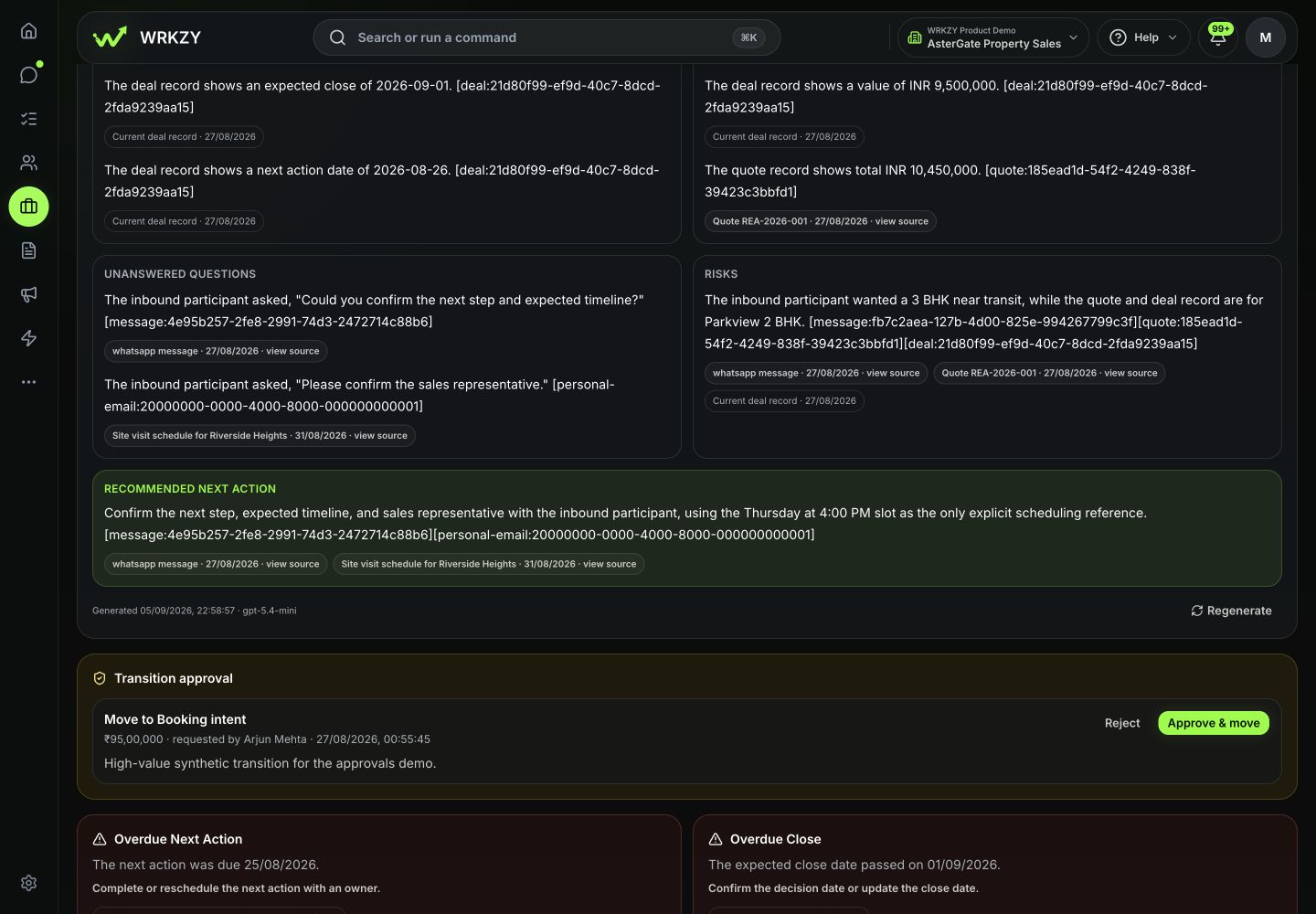
See customer commitments, open questions, and what might hold up the deal.
Follow the source links to read what the customer actually said.
Use the suggested follow-up to prepare your next call.
You review and approve any suggested changes.
FAQ
Yes. You can create separate pipelines within a workspace, each with its own stages, probabilities, and rules. For example, keep direct sales separate from partner referrals, or new business separate from renewals.
Yes. Work, Board, Table, and Forecast are different views of your deals. Save views to return to the filters you use regularly.
The forecast uses deal values, probabilities, and expected close dates. You can review forecast categories and compare weighted value with a target. It is an estimate based on the details your team maintains.
Yes. The deal workspace brings linked quotes, tasks, conversations, and notes together, alongside the contact and company.
The AI deal brief helps you catch up using the conversations and CRM information you can access. Suggested changes stay pending until a teammate reviews and applies them.
It leaves active pipeline and forecast views. Its linked quotes, conversations, tasks, notes, and history are retained.
Try Pipelines
Add an opportunity, choose its stage, and plan the follow-up. Give your team a clear place to pick up the work.
Start free trial14-day Growth trial · No card required