
Current quoteQT-1048 · Revision 03
Ready to send- Buyer
- Aarav Mehta · Mehta Stores
- Offer
- 240 units · ₹4,82,400
From enquiry to current quote
Keep the buyer’s request, pricing, approval and current revision together from the first message.
WhatsApp · 09:42“Can you revise the bulk-order offer for 240 units?”
The PDF is the last step
The enquiry starts in a message. Customer history lives elsewhere. Prices come from a spreadsheet. Approval happens in chat. When those pieces drift apart, the team wastes time checking what is current—and the buyer waits for an answer.
01 / Follow one enquiry
Keep the buyer, request, pricing and current revision connected through every step.
Select a stage to see what changes.
A WhatsApp message, email, website form, business card scan or campaign reply arrives with its source and response time intact.
The request is visible, even before someone accepts it.“Can you revise the bulk-order offer for 240 units?”
Current product, in context
Follow one enquiry from the first message, through the quote builder, to the offer the buyer receives.
The WhatsApp message stays beside the customer, owner, response time and next action—so the team can start without searching elsewhere.
Scroll horizontally to inspect this capture, or view it full size.
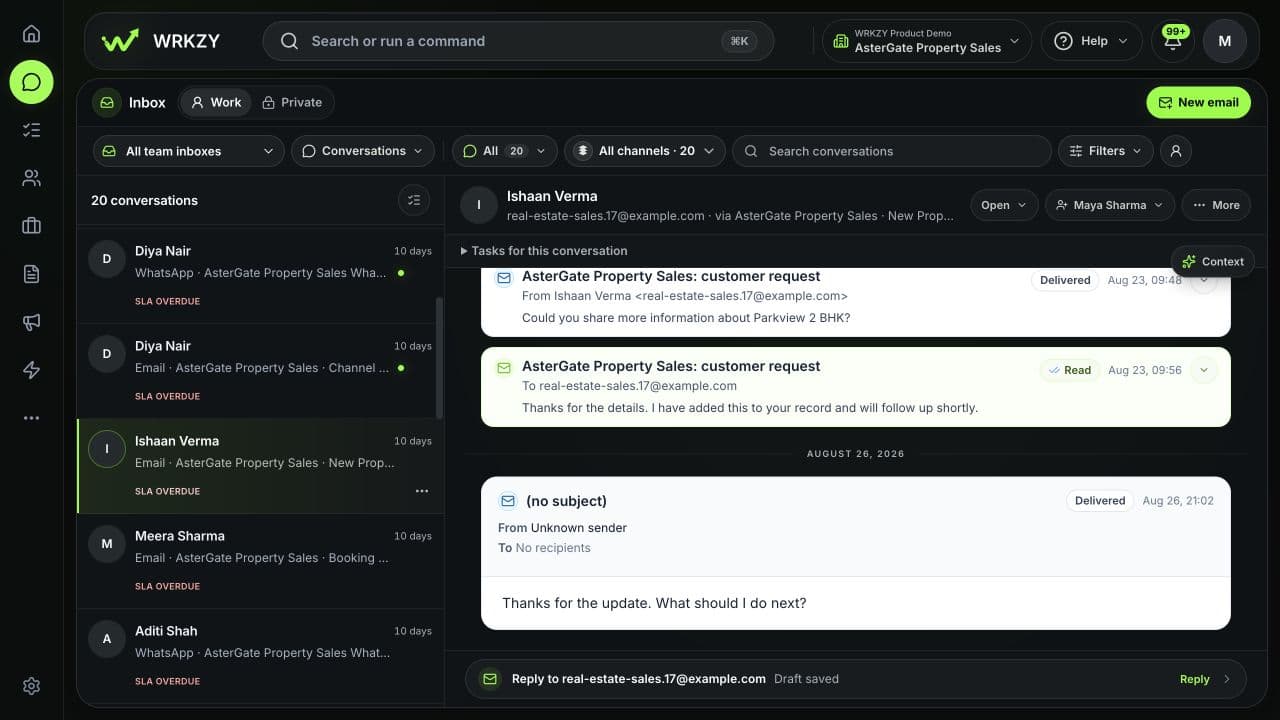
Inbox · Enquiry ready to review
Check the recipient, items, quantities, prices, tax, validity, terms and live preview in one place before sending.
Scroll horizontally to inspect this capture, or view it full size.
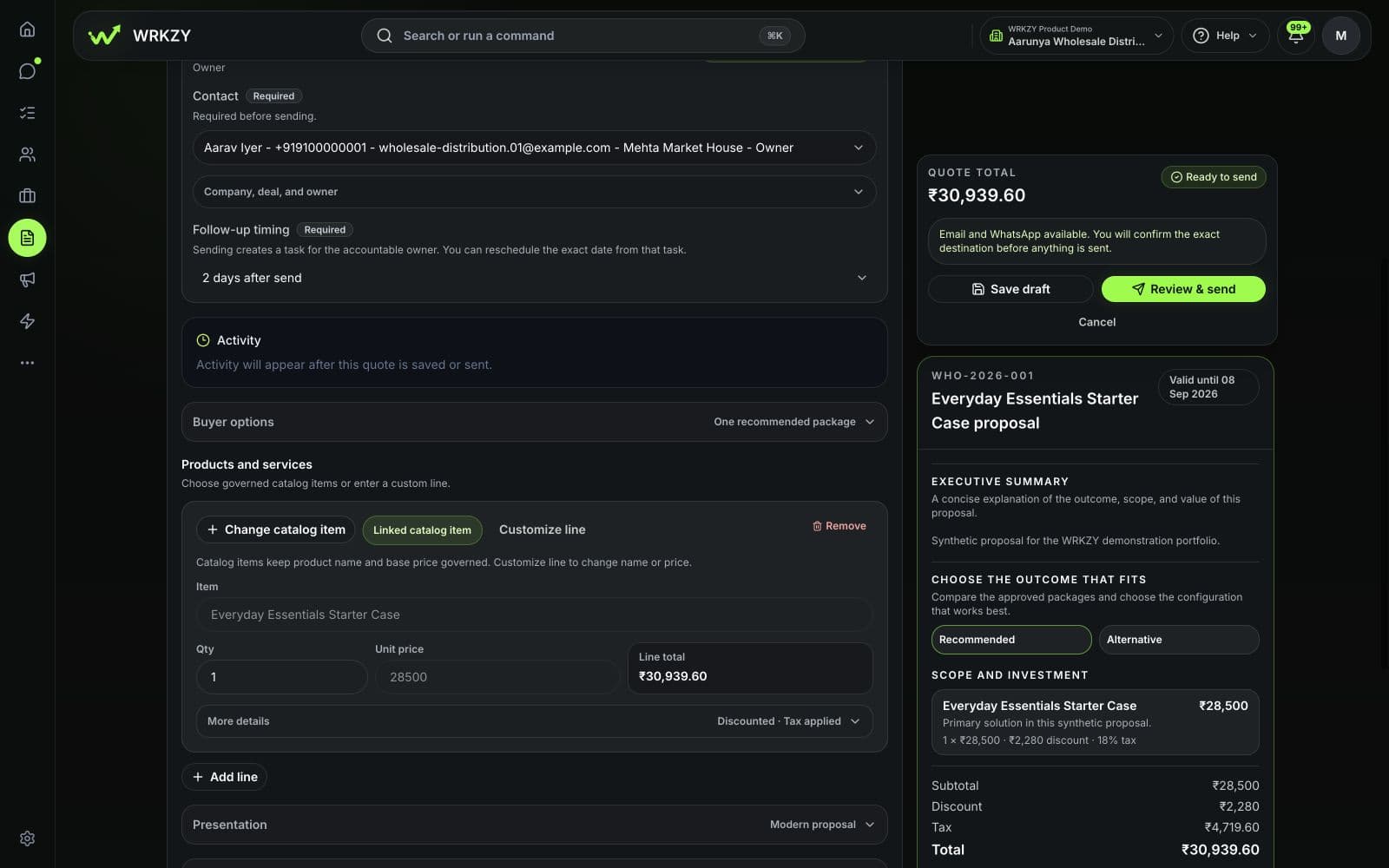
Quote builder · Revision 03 in review
The buyer sees the published offer, selected options, total, validity and clear ways to respond. Internal notes and controls stay inside your workspace.
Scroll horizontally to inspect this capture, or view it full size.
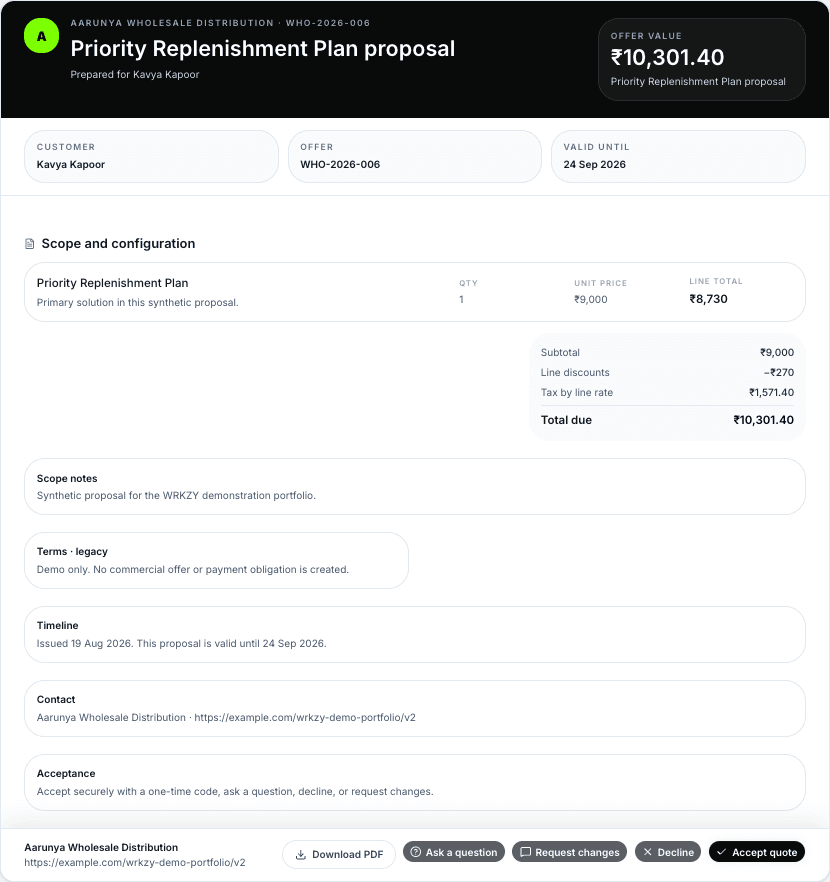
Buyer view · Offer open for response
A published or viewed quote is not evidence that the buyer received or accepted it.
02 / Keep one current quote
The buyer sees one current quote and a clear way to respond. Your team keeps the context, commercial checks, revision history and next action connected behind it.
QT-1048 · Revision 03
Buyer · company · owner · linked opportunity
240 units · package · optional items · quantities
Catalogue prices · discounts · tax · currency
Total · validity · delivery · payment terms
Exceptions · approval · published revision
Accept · ask · request a change · decline
Response recorded · owner · dated follow-up
A recorded acceptance is the buyer’s response to this quote revision. It does not create an electronic signature, certify identity, collect payment or complete fulfilment.
When the quote changes
Keep the buyer’s request, each earlier revision and the approval behind the current quote together. Anyone can see what changed, who approved it and what happens next.
200-unit quote sent to the buyer.
Buyer requested 240 units and delivery by 22 September.
240 units with the delivery change approved.
03 / Keep the buyer’s response with the quote
Keep the buyer’s response with the exact quote revision they saw. Then make the owner and next step clear.
Record the accepted revision, amount, currency and configured verification evidence.
Prepare the handoffKeep the buyer’s question with the quote and give the reply an owner.
Assign the replyRecord what the buyer wants changed and prepare a new revision.
Prepare Revision 04Record the decline and its reason, when provided, then update the opportunity.
Review the opportunityRecording a buyer response does not create an electronic signature, certify identity, take payment or confirm fulfilment or delivery.
Start with one real enquiry
Bring one buyer message into WRKZY. Keep the customer, items, pricing, reviewer, current revision and next action connected.
Connect one company-owned WhatsApp, shared email or website enquiry and build the current quote from there.
Start free trial14-day Growth trial · No card required
Talk with us about migration, review paths, catalogue setup and rollout.
Talk to sales