
Bring the request in
Bring incoming requests into a shared view and give the first response an owner.
Solutions for connected customer work
Bring WhatsApp and email into one shared customer view. Keep the work in progress and the next owner visible, so every conversation has a clear way forward.
14-day Growth trial · No card required
Where customer work breaks
The problem usually appears after the first response—when context, decisions and ownership start travelling separately.
Follow-up
A reply goes out. No one owns the next move.
Context
Customer history sits outside the conversation.
Decision
A quote changes without everyone seeing it.
Handoff
The next team gets the messages, not the decisions.
How the work connects
Follow one customer enquiry from WhatsApp through quote review to an owned next step.
Aarav’s WhatsApp request enters a shared sales inbox.
Company, contact and prior messages stay beside the reply.
The current revision has a stage and a person responsible.
The current offer is visible while the buyer response is pending.
Maya owns the revised-terms follow-up due today.
Aarav Mehta · Customer contact
Inside the product
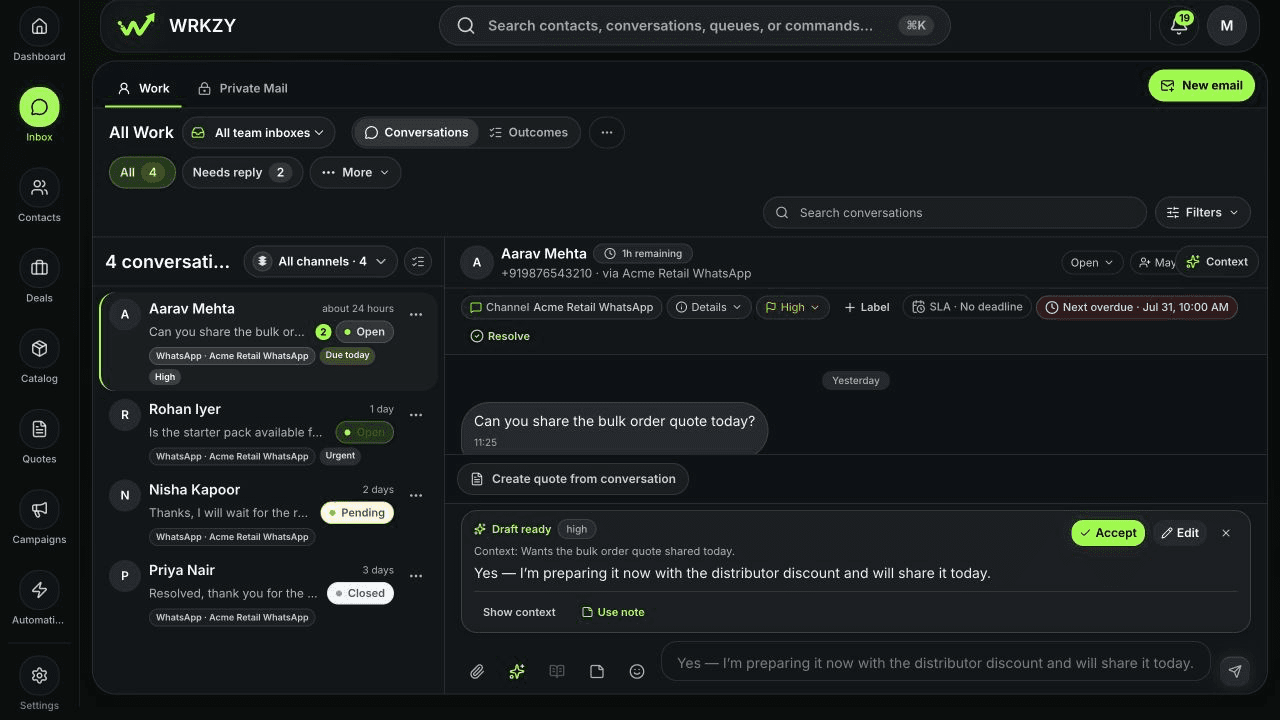
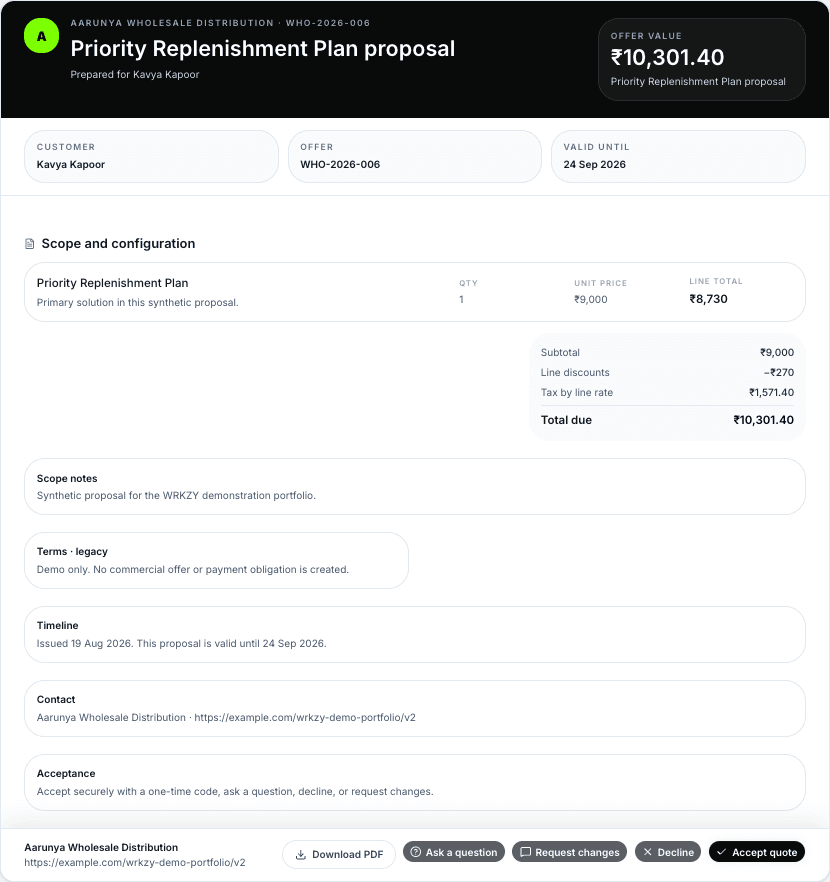
The shared inbox shows who's handling an enquiry. The buyer offer shows what's being proposed and how the customer can respond.
Current product captures · separate fictional demo records
The customer message sits beside its assignee, priority and response timing.
Scope, total and response options are visible in the buyer-facing offer.
Swipe each image to inspect more ↔
Find your starting point
Choose the situation your team knows. Each route shows what needs to happen, who owns it and what comes next.
Enquiry to quote
Shared customer conversations
Customer handoffs
Campaign response follow-through
The connected product system
Shared inboxes, customer records, pipelines, quotes and tasks help each team carry the work forward—with an owner and next step in view.
Bring incoming requests into a shared view and give the first response an owner.
See the person, company and conversation history alongside the work.
Track the opportunity, product detail and current quote through review and buyer response.
Give the next action an owner and due date. Use reviewed automation to keep it moving.
By team
Sales advances the opportunity. Support resolves the request. Operations sets the routes and handoffs. Each team can see the customer history and the next step.
By industry
Eight illustrative journeys show the inbox, decisions and follow-up behind different kinds of customer work. Start with the one closest to yours.
Dealer enquiries, quote review and replenishment.
02Buyer enquiries, site visits and follow-up.
03Client briefs, proposals and handoffs.
04Enquiries, surveys, proposals and installation handoffs.
05Programme enquiries, document review and admissions follow-up.
06Customer care, replacements and assisted sales.
07Vehicle enquiries, test drives and owner-care follow-up.
08Technical enquiries, feasibility review and pilot handoffs.
AllSee every customer journey in one place.
Operating boundaries
WRKZY keeps conversations, decisions and follow-up connected while respecting private mail, human review and the systems that own operational data.
Access · Review · Source data
Workspaces and team-inbox membership limit who can see shared customer work.
Unshared Private Mail is visible only to its owner. They choose what context to share.
You review AI suggestions before using them. Automation rules, approvals and run history stay visible.
WRKZY connects customer work around inventory, finance and other specialist systems. It does not replace their records.
See supported connectionsStart with one workflow
Start with an enquiry, quote or handoff your team handles every week. Keep the conversation, decision and next owner in view as it moves.