
- Access to the deal and its current commercial history
- A verified won, lost, or other closing outcome
- Resolution of open follow-ups, tasks, quotes, and customer commitments
- A documented reason before archiving or restoring the deal
Close and archive mean different things
| Action | Use when | Effect |
|---|---|---|
| Close as Won | The customer accepted and the commercial outcome is confirmed | Status becomes Won with actual close evidence |
| Close as Lost | The opportunity ended without a win | Status becomes Lost with outcome reason |
| Archive | The record is duplicate, mistaken, obsolete, or should leave active operations | Removed from active pipeline and forecast while linked history remains |
| Restore | Archived work becomes relevant again or was archived incorrectly | Returns to its retained pipeline and stage when they still exist |
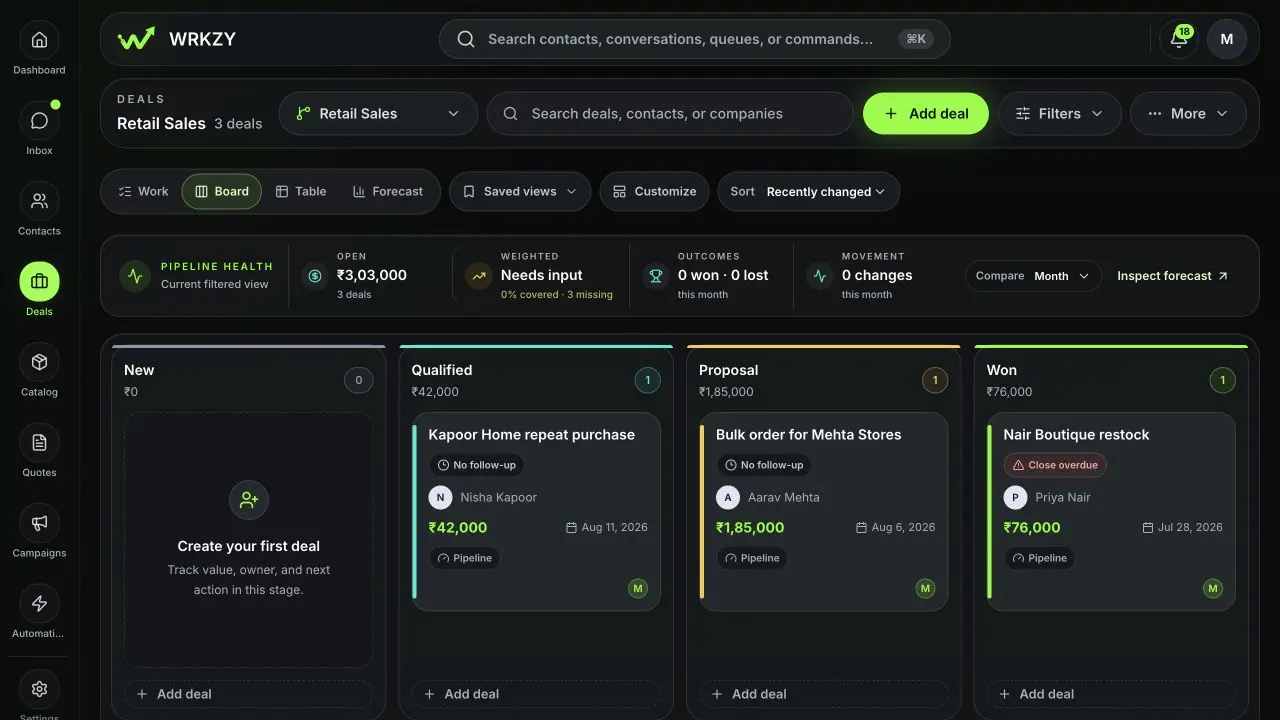 Open full size
Close a deal
- Open the Deal Room and verify customer response, final quote or agreed scope, value, currency, and owner.
- Move to the configured Won or Lost stage.
- Confirm the actual close date.
- For Lost, enter a specific outcome reason that supports future learning.
- Verify status, stage, and history changed together.
- For a won deal linked to an accepted quote, review any deal-value reconciliation prompt rather than silently overwriting the deal.
Closing should also trigger a handoff decision: implementation, onboarding, renewal planning, or an explicit no-further-action state. Complete or replace open sales tasks.
Archive a deal
Choose the Deal Room archive action and enter a useful reason such as duplicate, created by mistake, or no longer relevant. The deal leaves active Board, Work, Table, and Forecast views, while its quotes, conversations, tasks, notes, suggestions, and durable history remain intact.
Do not archive a genuinely lost deal to avoid reporting the outcome. Do not close a duplicate as Lost.
Restore from Archived deals
Open Deals → Archived deals, search by deal, relationship, owner, pipeline, or stage, and review who archived it and why. Restoration is available to the deal creator, owner, or a workspace admin. If the original pipeline or stage is archived, restore that structure first.
After restoring, open the Deal Room and reassess owner, next action, stage, probability, forecast category, and expected close date. Retained values may no longer describe current reality.
Permanent deletion
Permanent deletion is an exceptional destructive action after the retention safeguard. It may remove remaining deal-specific notes, task links, and suggestions; durable deal history is retained for audit. Confirm legal and operational retention requirements before proceeding.
- Won or Lost reflects a customer outcome
- Actual close date and loss reason recorded
- Archive reason describes record lifecycle
- Linked history checked before restoration or deletion
- Restored deal requalified before active use