
- Owner or Admin authority to change shared pipeline configuration
- An approved sales process with distinct stage entry and exit criteria
- A migration decision for deals already using affected stages
- Representative deals for testing board and reporting behavior
Model the decision journey, not internal activity
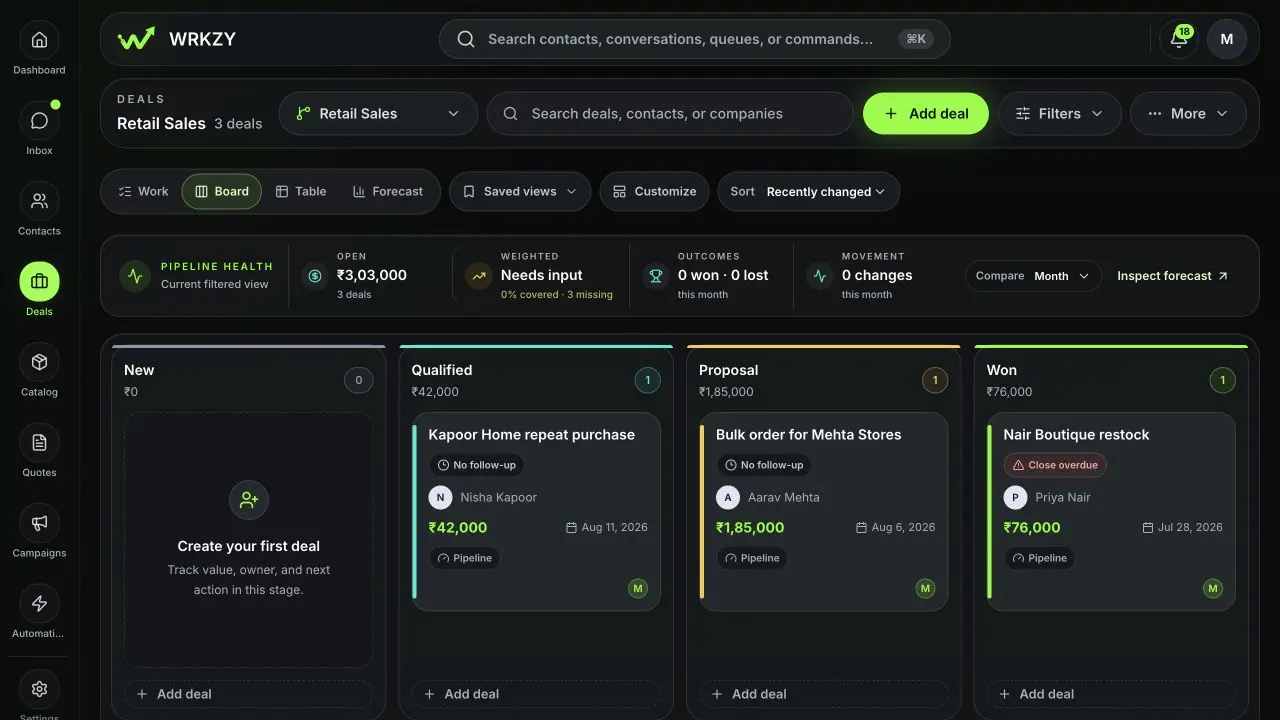
Good stages describe meaningful changes in customer evidence: Qualified, Scope shared, Decision, Won. Avoid stages such as “Called twice” that belong in tasks or activity history. Keep enough stages to guide work without making progress ambiguous.
WRKZY includes starting templates for conversation-led sales, services and projects, high-velocity inbound, and renewals and expansion. Use the closest operating model, then tune it with the team that will run it.
 Open full size
Create and configure a pipeline
- Open Deals → Pipeline settings. This area is limited to workspace owners and admins.
- Choose Add pipeline, enter a distinct name, and select the closest template.
- For each stage, set its name, color, and type: Open, Won, or Lost.
- Set a default probability for evidence normally present at that stage. Set stale-after days for open stages where silence or aging matters.
- Decide whether deals may be created directly in the stage.
- Enable skip or backward-movement prevention where process integrity requires it.
- Add an approval value threshold when high-value stage movement needs oversight.
- Mark supported deal fields optional, recommended, or required for the stage.
- Save and test with a non-customer record before training the team.
| Control | Use it when |
|---|---|
| Creation allowed | A legitimate deal can begin at this stage |
| Default probability | The stage has a repeatable evidence baseline |
| Stale after | Time in stage should trigger review |
| Prevent skip | Intermediate evidence must not be bypassed |
| Prevent backward | Regression needs a governed alternative rather than casual movement |
| Approval threshold | Value above a threshold requires another reviewer |
| Required fields | A field is necessary before the deal can enter |
Required integrity
Every active pipeline needs at least one Open, one Won, and one Lost stage. Terminal stages should generally block direct creation. Reordering or changing rules affects how current deals are evaluated, so review open-deal counts and communicate changes before saving.
Test the workflow
Create a test deal in an allowed stage. Try a permitted move, a blocked skip, a move that lacks a required field, and a high-value move that should request approval. Close as Won and Lost to verify actual close date and outcome reason behavior. Confirm every transition appears in durable history.
Archive safely
Archive a pipeline only after active deals have a destination or an explicit retention plan. A pipeline or stage required by an archived deal may need to be restored before that deal can be recovered.
- Stages describe customer evidence
- Open, Won, and Lost types exist
- Probability and aging have clear rationale
- Movement and approval rules tested
- Current deals assessed before structural change
- Team knows the definition of each stage