
- A pipeline that matches the team’s sales or service process
- A verified customer or company record
- An accountable deal owner
- Known value, currency, timing, and stage evidence when available
Before every move
Open the Deal Room and answer four questions: What changed with the customer? Which destination-stage definition is now true? What work remains? Who owns it and by when? If the only answer is “we want it to progress,” leave the deal where it is.
Move the deal
- Review the Stage journey, days in stage, close-date pushes, top risk, open tasks, and latest conversation or quote event.
- Select the destination from the stage journey, Board, or Table.
- Complete required fields. Recommended fields may not block the move but still indicate forecast or handoff weakness.
- If skipping or backward movement is restricted, return to the expected path or ask an admin whether the process definition needs revision.
- If a value threshold triggers approval, submit the transition and wait for the recorded decision.
- Create or update the next-action task immediately after movement.
- Verify the stage and transition event in deal history.
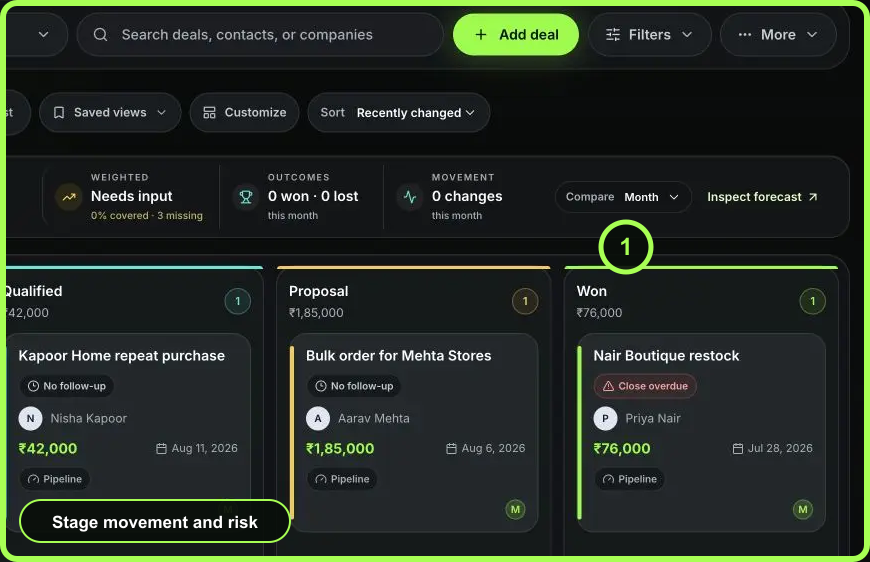 Open full size
Proposal and quote handoff
Moving to a proposal stage should correspond to a real reviewed quote or scope shared with the buyer. Link the quote to the deal and monitor its delivery and response. A draft quote is not evidence that a proposal was sent.
Close as Won or Lost
Selecting a Won or Lost stage opens an outcome confirmation. Record the actual close date. For a lost outcome, add a specific reason such as budget, timing, product fit, competitor, or no decision, using the wording your team can learn from later.
If a closed deal becomes active again, move it to an Open stage and confirm the explicit reopen. WRKZY records reopening in history; reset owner, next task, probability, category, and close date from current evidence.
Recovery from a wrong move
Check history first to confirm the transition completed. Move back only when the pipeline allows it and the previous stage is again true. Do not delete history or use notes to conceal an accidental move. If status and stage conflict, use the surfaced health warning and correct the record through a governed transition.
- Destination definition is supported
- Requirements and approval satisfied
- Linked quote or customer event verified when relevant
- Next task has owner and due time
- Transition appears in durable history
- Won or Lost outcome records actual close evidence