
- Access to the deal and its latest customer/commercial evidence
- The pipeline's stage-entry and exit criteria
- An owner who has accepted the next commercial action
- The team's priority definition
Do not collapse different signals into one
| Field | It means |
|---|---|
| Stage | Where the customer decision is in the configured process |
| Owner | Who is accountable for progression |
| Priority | How urgently the team should attend to it |
| Probability | Current evidence-based likelihood, from 0 to 100 |
| Forecast category | Commit, Best case, Pipeline, or Omitted for the selected period |
| Expected close | When the commercial decision is expected |
A high-priority deal is not automatically a Commit. An advanced stage does not prove a close date. Keep each signal honest.
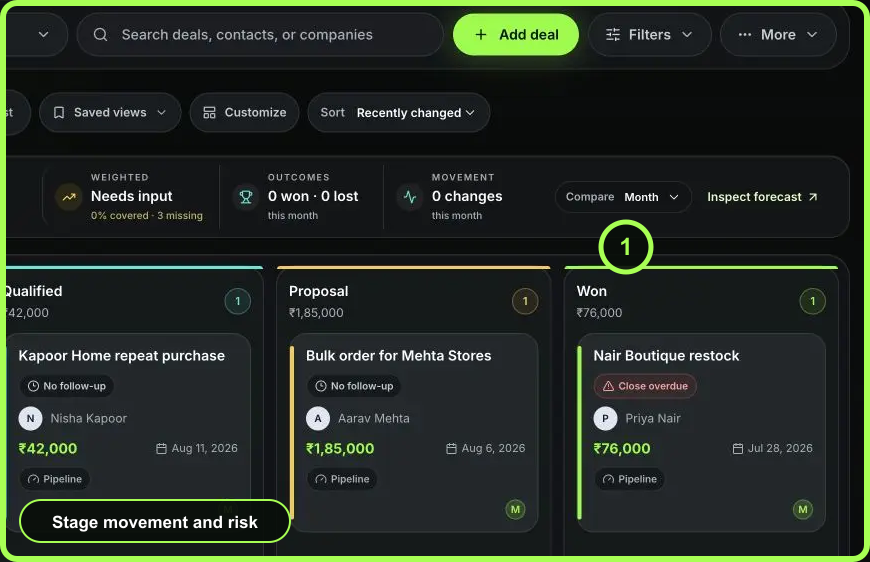 Open full size
Update from the Deal Room
- Open the deal and read the pulse, stage journey, latest customer activity, active task, and quote state.
- In Deal details, select the accountable owner. Do not leave open value unassigned when a person is expected to act.
- Set priority using a team-agreed rule. Urgent should indicate work that truly needs immediate attention.
- Update expected close, probability, and forecast category from the latest customer evidence.
- Save and confirm WRKZY records the changes in history.
- Move stage through the stage journey or Deals view only after destination requirements are satisfied.
Example: customer asks for a revised proposal
Keep the deal in the proposal or decision stage that matches your pipeline. Assign the revision owner, create a due task, and update expected close if the customer’s decision date moved. Do not mark the deal Lost or lower probability solely because a revision was requested; use the actual substance of the request.
Movement controls
Stage rules can require fields, prevent skipping or backward movement, or request approval above a value threshold. A blocked move is a governance signal. Fill verified missing data or request approval; do not edit value or status merely to bypass the rule.
Closing stages use a confirmation dialog. Won and Lost require an actual close date, and Lost should record an outcome reason that will be useful in later analysis.
Verify in operating views
After saving, check that the deal enters or leaves the expected Work queues, appears under the correct Board column, and contributes to the intended Forecast period and category. If a change does not appear, refresh and inspect durable history before repeating it.
- Stage matches customer evidence
- One owner is accountable
- Priority uses team criteria
- Probability and category were reviewed separately
- Expected close reflects the decision date
- History records the change