
- Permission to create or manage automations
- A repeatable workflow with a clear trigger and expected result
- Authorized test records that cannot contact a real customer by mistake
- An owner who will review failures and unexpected outcomes
Choose the right starting point
WRKZY begins automation design with a business outcome: respond, qualify, follow up, recover, convert, retain, collect, or escalate. A recipe is a starting configuration, not an approved operating policy. Use Blank automation when no recipe matches the event and result precisely.
Before opening the builder, name one owner, one success signal, and one unacceptable outcome. This keeps the workflow centered on customer value instead of accumulating unrelated steps.
Create the draft
- Open Automations and select Create automation.
- Choose the intended outcome.
- Select a relevant recipe, or choose Start blank.
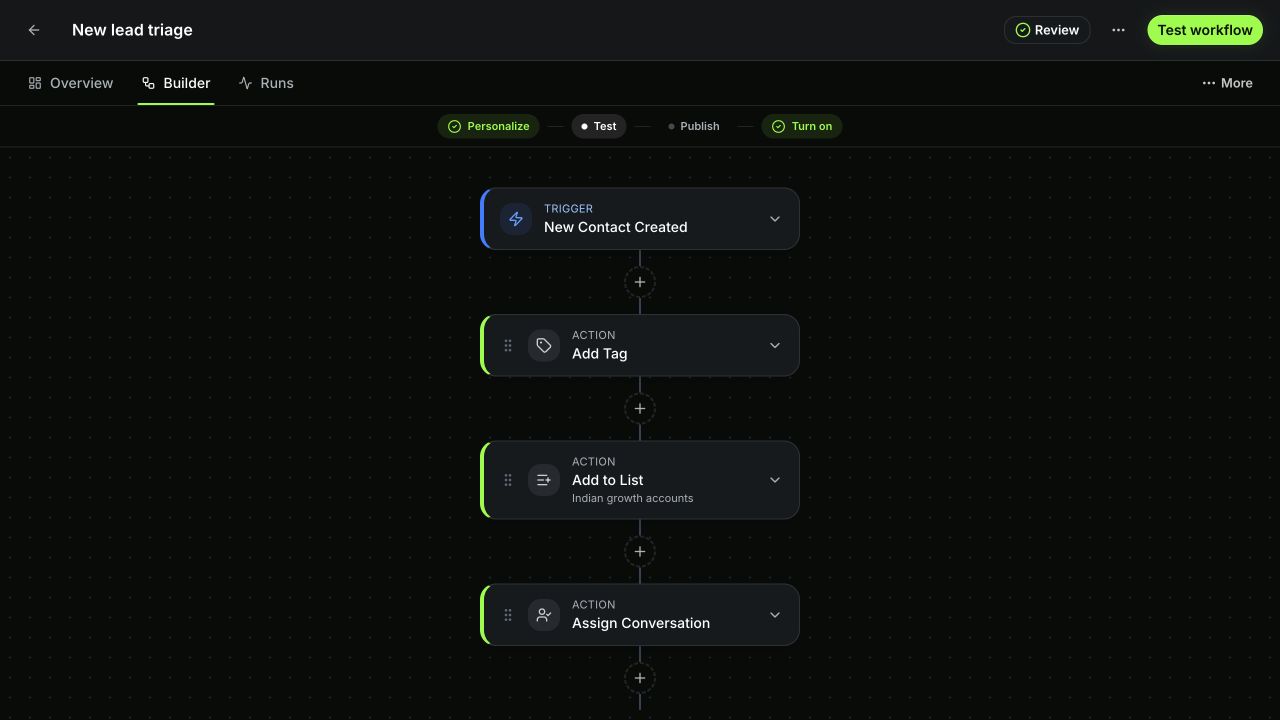
- Replace the draft name with a verb-and-result name, such as “Route urgent inbound leads,” and describe the operational owner.
- Expand Trigger and select the exact customer or business signal.
- Configure safety and journey rules.
- Add the minimum conditions, actions, waits, and exception paths needed for the first useful version.
- Select Save draft.
 Open full size
Use Review as a design gate
Select Review. WRKZY shows validation issues and can focus the affected trigger or step. Resolve the first issue, then review again. A configuration is structurally valid only when required fields, references, branches, and activation rules pass; that does not prove the business rule is correct.
| Layer | Question | Evidence |
|---|---|---|
| Structure | Are required trigger and step fields present? | Review shows no unresolved issue |
| Eligibility | Do only intended records enter? | Positive and negative test contexts |
| Path | Does every condition and wait go where expected? | Simulation step statuses and branch path |
| Effect | Did the intended external or customer action occur? | Live-test run trace and visible action outcome |
| Ownership | Can a person take over when the workflow cannot? | Human handoff, assignment, or documented exception path |
Test without creating customer risk
- Create or select a clearly marked internal test record.
- In Review and simulate, choose the context required by the trigger.
- Run the safe test first and read every step result.
- Confirm suppression, quiet hours, frequency limits, and journey rules behave as expected.
- Only if necessary, run a live test after confirming its warning. Live test actions are real, including communication, CRM writes, webhook calls, and waits.
- Reopen the draft and verify the test covers the current saved configuration. Any edit requires another test.
Expected result
The automation remains a draft with no unresolved validation issues. The current configuration has a successful controlled test, both qualifying and non-qualifying paths are understood, and an owner can explain the expected outcome and rollback plan.
If validation or testing fails
Do not remove a control simply to make the warning disappear. Check missing audience or record selections, archived fields or tags, unavailable connections, invalid templates, impossible branch values, and test context that does not match the trigger. Save the draft, capture the issue path and redacted error, and leave it paused.
- Outcome, owner, and success signal defined
- Trigger and scope are narrow
- Exception and timeout paths exist
- Review has no unresolved issues
- Current draft was tested with controlled context
- Live effects were verified only when necessary