
- Access to the Catalog and Quotes areas
- Knowledge of the products, services, pricing, and currencies the team offers
- An owner for catalog accuracy and change review
The catalog is reusable commercial infrastructure
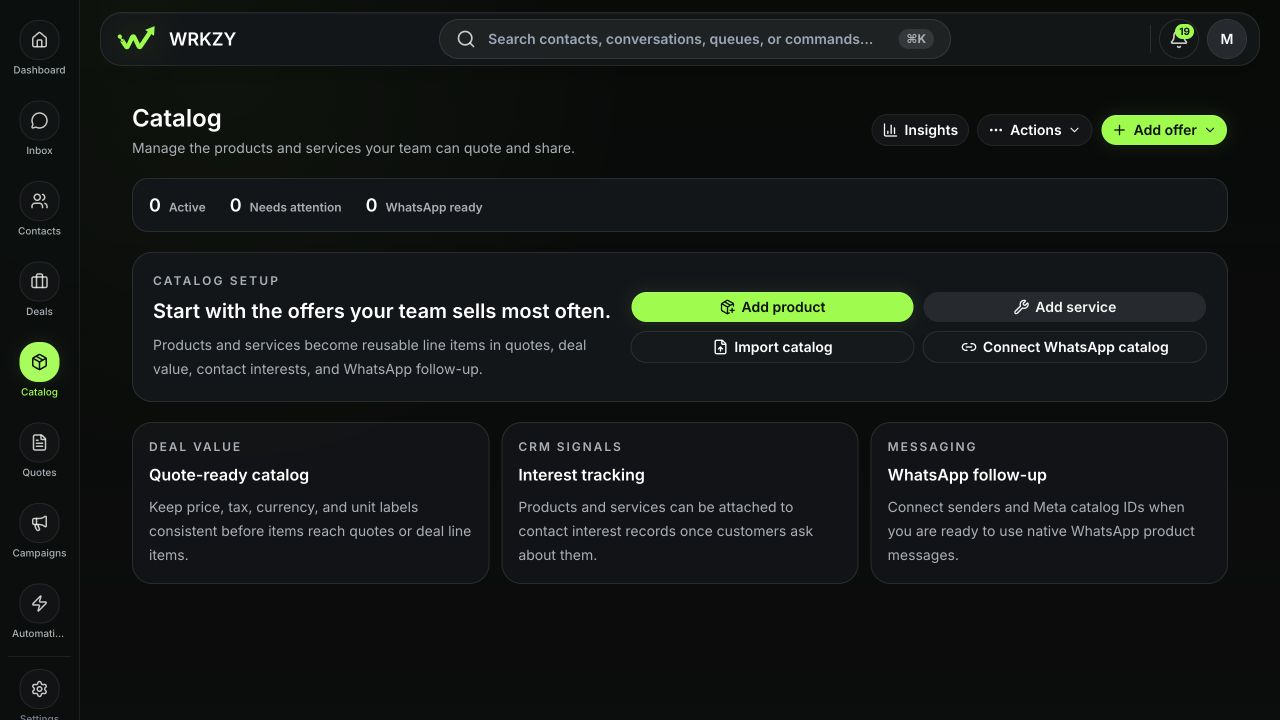
Catalog items are the products and services your team can attach to customer interest, deals, quotes, and follow-up. A governed item keeps its name, description, SKU or service code, category, image, price, currency, tax, unit, availability, and visibility consistent wherever it is selected.
The catalog is not the same as a quote. A catalog item describes what may be offered; a deal line item represents current commercial scope; a quote is a versioned customer-facing offer with its own terms, delivery, verification, and response history.
 Open full size
Commercial records in WRKZY
- 01DiscoverQualified need
Customer problem, evidence, and decision process are understood.
- 02ManageOwned deal
Stage, value, close timing, owner, and next action stay current.
- 03PriceCatalog and pricing
Approved offers and commercial inputs create consistent line items.
- 04ControlReviewed quote
Recipient, terms, totals, presentation, and approvals are verified.
- 05OutcomeBuyer response and next action
Verification, acceptance, questions, and follow-up remain connected.
Choose the right commercial record
| Need | Use |
|---|---|
| Reusable product or service definition | Catalog item |
| Price by currency, segment, channel, quantity, or effective date | Catalog price book |
| What a customer is considering | Product interest on the customer and offer |
| Working scope and expected value | Deal line items |
| A controlled comparison page before a formal offer | Secure buyer catalog link |
| Customer-facing price, terms, packages, and validity | Quote and immutable revision |
| Observed demand or objections | Catalog insights with reviewed customer-interest evidence |
Catalog lifecycle and access
Items can be Active, Inactive, or Archived. Active items appear in quote, deal, interest, and follow-up pickers. Inactive items stay in the catalog but are unavailable for new selection. Archive hides an item from active use without removing historical quote or interest context; restore makes it eligible again.
Visibility can be the entire workspace, managers, or an owner-and-manager boundary. Governance settings determine who may manage items, edit prices, see cost and margin, approve proposed prices, or permanently delete archived offers.
Daily operating pattern
- Search by name, SKU, category, or description before creating an item.
- Confirm availability, visibility, base price, currency, tax, and channel readiness.
- Open Offer 360 for price versions, customer interest, quote usage, shares, objections, related offers, and history.
- Use saved views for repeatable queues such as inactive items, high intent, or WhatsApp readiness gaps.
- Review Catalog insights for demand signals and operational problems—not as a substitute for customer evidence.
Example: sell a managed onboarding service
Create one Service item with a sales-ready scope, service code, pricing basis, duration, tax treatment, and default currency. Add approved alternative price records for supported segments or billing models. Attach it to a deal when the scope becomes real, then add it to a quote whose validity and terms are reviewed for that buyer.
Keep the source trustworthy
Do not create near-duplicate items to work around price governance. Use versioned prices, clone deliberately when the offer is materially different, and archive obsolete records. Historical quotes preserve the offered snapshot even when the catalog changes later.
Verify catalog integrity
Select a representative active offer from a deal and a quote, then compare name, description, currency, tax, unit, visibility, and approved price with Offer 360. Confirm an inactive or archived item no longer appears in new-work pickers while historical quote and interest context remains available.
- Products and services have distinct definitions
- SKU or service code is not duplicated
- Prices, tax, currency, and units are reviewed
- Availability and visibility match intended use
- Historical items are archived rather than erased