
- A verified deal with one accountable owner
- A specific next commercial action and due time
- Access for every teammate assigned a task or follow-up
- A decision about what belongs in a task, comment, or customer conversation
A task is an agreement to act
Use a task when work has an owner and a desired completion time. Use an internal note for durable context that does not itself require action. Use a task comment to record progress, a blocker, or a handoff on that specific piece of work.
 Open full size
Create the next action
- Open the Deal Room and find the tasks area.
- Write an action-oriented title: “Confirm security reviewer” is clearer than “Follow up.”
- Choose the task type, assignee, due date and time, priority, and reminder where needed.
- Mark one open task as the deal’s next action when it is the clearest step required for progression.
- Add a short description containing the outcome and relevant customer evidence.
- Save and verify the task appears in the deal pulse and the correct Work queue.
Work the task
Task statuses include open working states such as To do, In progress, or Blocked, plus completion. Update status when reality changes. If blocked, add a comment that names the dependency and who owns resolution. Followers receive shared context without taking ownership; following is not the same as assignment.
Comments should answer what changed, what evidence was found, and what happens next. Do not paste entire customer conversations when the linked message already provides the source.
Example: quote follow-up
After sending a quote, create “Review buyer response for Q-2026-0042” with the deal owner, a due time aligned to the quote’s validity, and a reminder. If the buyer asks for changes, comment with the request and open a governed revision. Complete the original follow-up only when the response is understood and a new action exists.
Prevent task debt
- Do not leave several open tasks all marked as the next action.
- Reschedule with an explanation when a due date genuinely changes.
- Complete obsolete tasks instead of letting them become permanently overdue.
- Reassign before an owner leaves the team.
- Review followers and comments during handoff so private knowledge becomes shared work.
Verify and recover
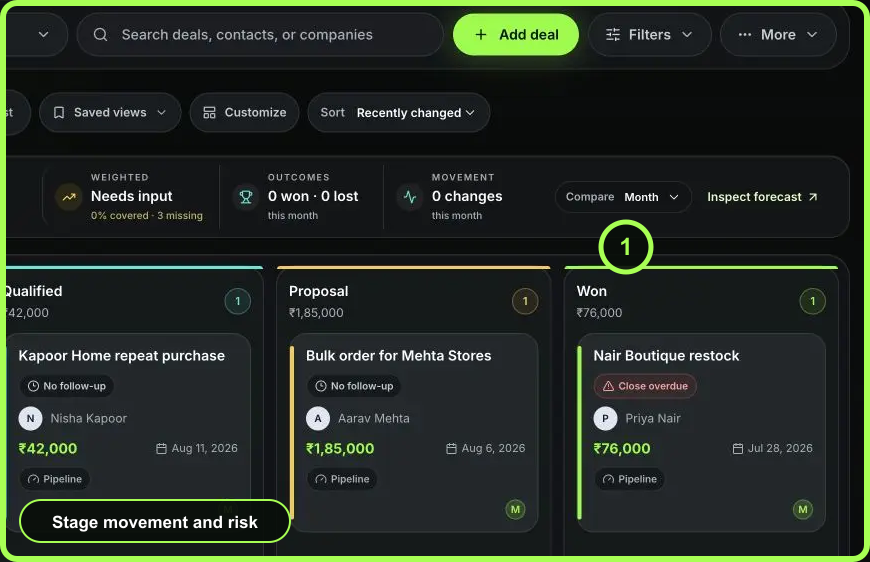
Refresh the Deal Room and confirm the task status, assignee, due time, reminder, comments, and followers. The consolidated activity view should show task creation, completion, and comments. If an update is missing, inspect the task before retrying. If the deal still appears in No follow-up or Needs action, check whether the intended task is open and marked as the next action.
- Task title states a concrete outcome
- One assignee owns it
- Due time and reminder fit the commitment
- One clear next action is marked
- Progress and blockers are in task comments
- Completion creates or confirms the next move