
- Access to the intended WRKZY workspace
- Enough customer, conversation, or commercial history to interpret the selected view
What the dashboard is designed to do
The dashboard brings customer and commercial signals into four decision views. It ranks or summarizes work using recorded facts such as reply need, SLA risk, priority, due dates, deal condition, quote state, channel health, CRM coverage, and automation readiness.
It is a decision surface, not a replacement for source records. A count can tell you that three replies are waiting; only the conversation can tell you who the customer is, what they said, and what response is appropriate.
Dashboard-to-record decision loop
- 01ScopeChoose the decision view
Use My Work, Team, Revenue, or Insights for the question and responsibility you are reviewing.
- 02SignalRead the signal and its coverage
Treat counts, urgency, trends, and empty states as attention cues—not conclusions.
- 03VerifyOpen the source record
Confirm the customer, current state, evidence, owner, and timing where the work lives.
- 04ActDecide and assign the next action
Complete, delegate, or schedule one specific outcome with a responsible person.
- 05OutcomeVerify the operating result
Check the source record first, then confirm that the queue or summary reflects the change.
Choose the right view
My Work — Today
Use at the start of an operator's day. The command brief combines At-risk deals, Replies waiting, Quotes needing action, and Response health. Attention now shows high-impact source records; conversation velocity, pipeline stage flow, response time, and workspace readiness supply context.
Choose Open priority queue when you want a ranked execution list. The queue combines reply, outcome, SLA, deal, and quote commitments and opens each source record.
Team — Team Today
Use for a manager's load and risk review. It is designed to make waiting work, deal attention, SLA risk, and member load visible. Open the team inbox to rebalance responsibility; do not use team totals as a performance judgment without reading representative records.
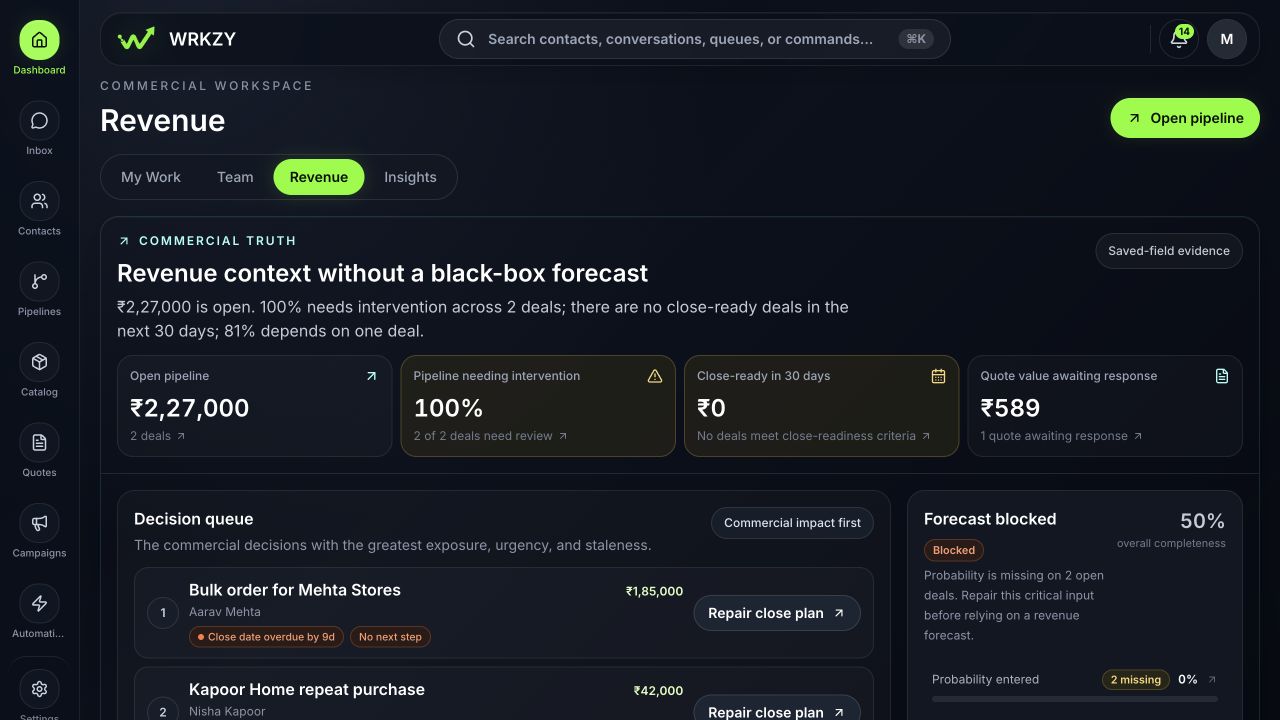
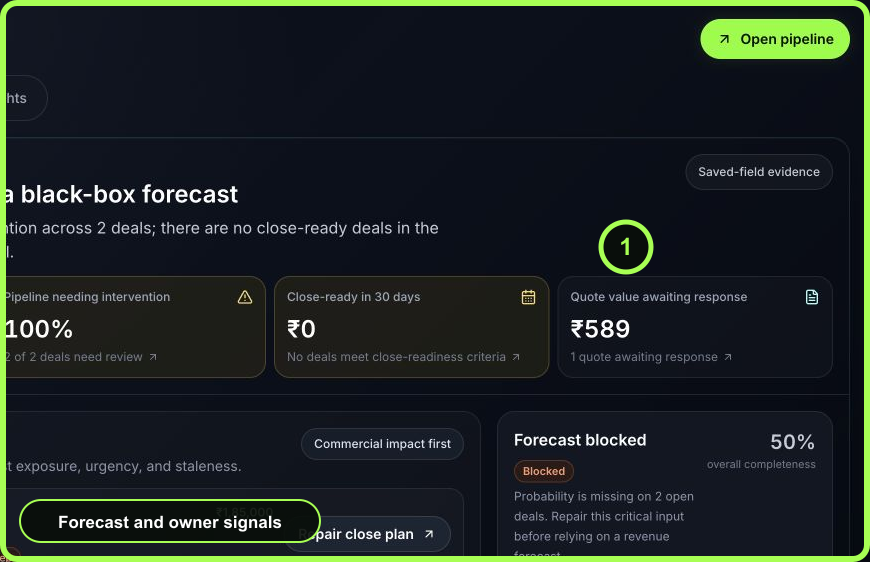
Revenue
Use for an explainable commercial review. It surfaces open pipeline value, closing-soon work, at-risk value, deal evidence, and available channel context. Mixed or incomplete currency and forecast inputs can limit totals; interpret the coverage shown rather than filling gaps with an assumed forecast.
Insights
Available to Owners and Admins when reporting setup is complete. Use it for trend and cohort questions across the configured reporting timezone. Sections can show insufficient history or unavailable states; these are data-quality signals, not zero performance.
 Open full size
Run a focused daily review
- Confirm the workspace and stay on My Work.
- Read the command brief from left to right: commercial risk, replies, quotes, then response health.
- Open the first Attention now item. Validate the evidence and whether the suggested urgency still applies.
- Assign or confirm one owner and complete the next safe action in the source record.
- Return to the queue; do not keep several consequential records open and half-changed.
- Review Workspace readiness for channel or data conditions that could make queue work unreliable.
- End when the remaining items have truthful owners and timing—not when every dashboard number is zero.
 Open full size
Run a weekly management review
- Use Team to identify load imbalance and unresolved risk.
- Open representative source records rather than discussing aggregate counts alone.
- Use Revenue for deal and quote commitments; separate data completeness problems from genuine commercial risk.
- Use Insights for trends only when coverage and timezone are suitable.
- Assign one owner and due date for each systemic issue: routing, role, channel health, CRM hygiene, or automation.
- Review the same measures next week to learn whether the intervention changed customer outcomes.
Empty, incomplete, and stale-looking states
- No samples/Awaiting reply samples: the response metric lacks enough qualifying history. It does not mean instant response.
- No data: the source records or comparable currency may be incomplete. Open the linked workflow and improve the source.
- Section unavailable: retry after a brief interval, then preserve the visible message and timestamp if it persists.
- A count does not change immediately: refresh and inspect the source record. Some summaries update after the underlying event is saved or processed.
- A risk remains after action: verify that status, due date, ownership, or resolution evidence actually changed.
Measurable dashboard value
The dashboard is useful when it shortens time from signal to owned action, reduces unassigned or overdue commitments, and lets managers explain why a record is at risk. It is not valuable merely because people open it daily.
- Correct view selected
- Coverage and scope read
- Source record opened
- Signal verified against current evidence
- Owner and next action recorded
- Systemic issue assigned for follow-through