
- Access to the Contacts area in the intended workspace
- Knowledge of the customer identifiers and context the team maintains
- The workspace's rules for consent, duplicates, and data quality
What a contact represents
A contact is the shared identity for a person your organization is allowed to serve or communicate with. It is more than an address book entry: WRKZY connects the person to contact methods, consent evidence, a company, an owner, lists, tags, conversations, commitments, deals, quotes, and campaign history.
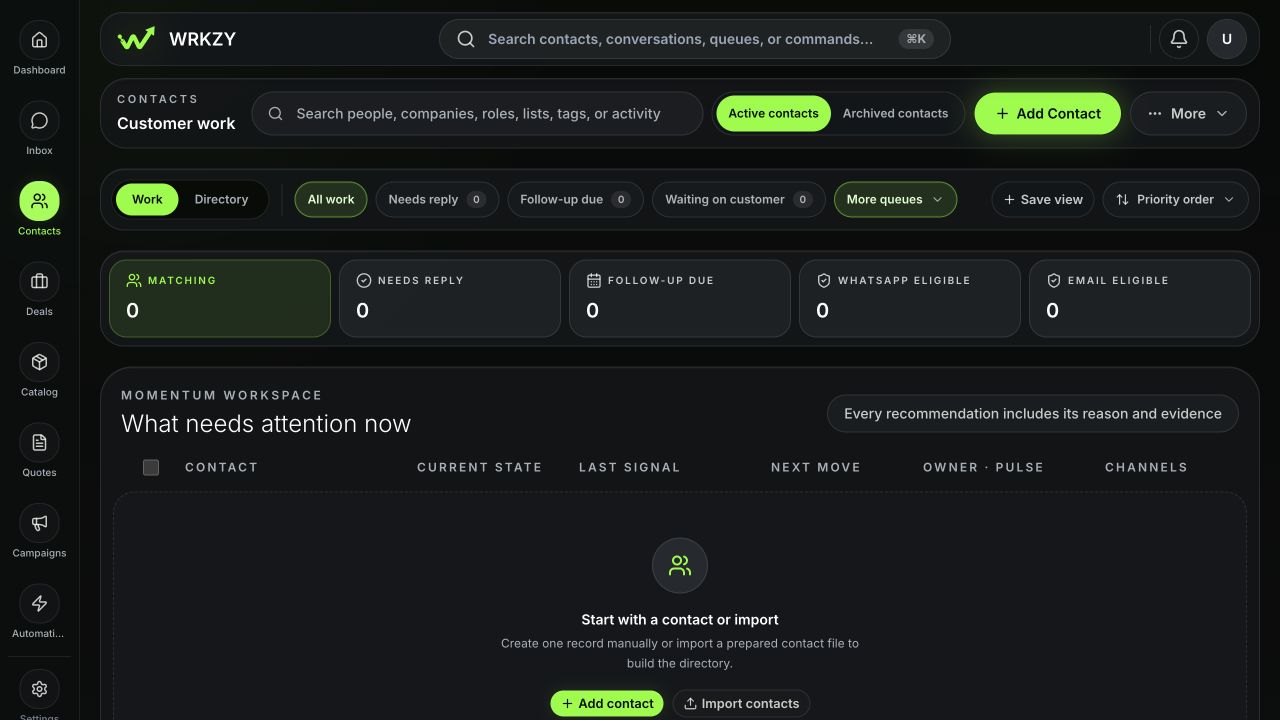
The Contacts page is the operating list. Use search and filters to answer practical questions such as “Which customers are waiting for us?”, “Who owns this relationship?”, and “Who is eligible for WhatsApp marketing?” Open a record when you need the full relationship story.
 Open full size
The decisions each field supports
| Signal | Use it to decide | Keep it reliable by |
|---|---|---|
| Owner | Who is accountable for the next move | Reassigning when responsibility changes |
| Lifecycle stage | Whether the person is a lead, prospect, customer, or inactive | Updating it after a real relationship change |
| Relationship state | Whether momentum is new, active, strong, cooling, at risk, or dormant | Basing it on current evidence |
| Channel eligibility | Whether WhatsApp or email can be used for the intended communication | Recording channel-specific consent and valid contact methods |
| Lists and tags | Which audience or operating segment includes the person | Giving each list or tag one clear purpose |
A healthy contact record
A useful record has one durable identity, at least one valid phone or email, the correct company relationship when relevant, a visible owner, and only the context needed for the team to act. Marketing eligibility is channel-specific: having a phone number or email address does not by itself mean the person has opted in.
Use Contact 360 to inspect the timeline before replying, creating a deal, or sending a quote. If two records appear to represent the same person, use Duplicate contacts instead of copying data manually. A controlled merge preserves routing aliases and related history; deleting one record can break context.
Example: turn an enquiry into owned work
- Search the phone number or email before creating a record.
- Confirm the person’s name, primary contact method, and consent state.
- Link the correct company and assign the teammate responsible for follow-up.
- Set the lifecycle stage to Lead and add only a meaningful source or tag.
- Open Contact 360 and confirm the enquiry appears on the timeline.
- Create the next commercial or service action from that verified context.
Governance and recovery
Archive records that should leave active work but may need to be recovered. Use the duplicate review for identity consolidation and the import history for import-specific undo. Do not store passwords, payment credentials, authentication codes, or unrelated sensitive notes in contact fields.
Verify the operating record
Search the primary phone or email, open Contact 360, and confirm the owner, consent, latest customer event, open commercial work, and next action agree. When those views conflict, correct the source record or use the governed merge and import-recovery tools before starting new outreach.
- One person has one primary record
- Phone and email belong to the intended person
- Owner and lifecycle reflect current responsibility
- Consent is recorded separately for each channel
- The next action is understandable from Contact 360