
- A documented purpose and owner for the list
- Verified contacts that meet the inclusion criteria
- Consent and suppression review before any communication use
When to use a manual list
Use a manual list for a fixed or curated cohort: webinar attendees, a launch pilot, named strategic accounts, customers handed to a specialist, or recipients approved for a one-time review. Use a smart list when membership should continually follow fields such as lifecycle, opt-in status, last activity, or tags.
Manual membership does not override consent, suppression, a missing contact method, or channel availability. A campaign can still exclude list members at send time.
Create the list
- Open Contacts, then Lists.
- Choose New list and select Manual list.
- Give the list a specific name and description. “July onboarding pilot—approved customers” is more useful than “Marketing list.”
- Save the list.
- Return to Contacts, select the intended records, and use the list membership action to add them. You can also manage membership from the list detail when available.
- Open the list and review a sample of names, companies, owners, and channel eligibility.
Example: create an event follow-up cohort
Start from the attendee file or verified registrations, not everyone tagged with a broad event label. Remove staff, test addresses, duplicates, and people who did not agree to the intended follow-up. Add the remaining contacts to a list named for the event and date. Before any campaign, preview the channel-specific sendable count.
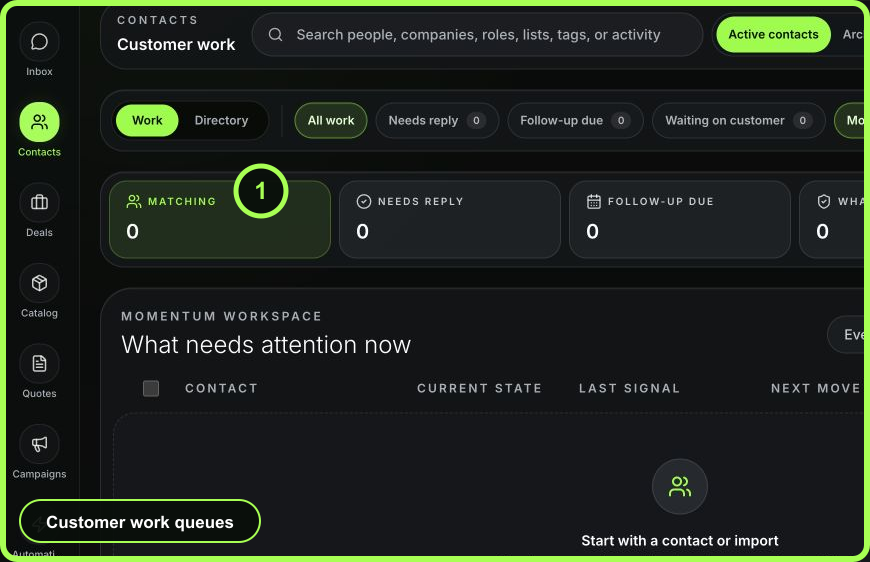 Open full size
Maintain membership
- Add a contact when an authorized teammate makes an explicit inclusion decision.
- Remove a contact when the cohort’s purpose no longer applies.
- Archive a list when the business purpose ends; do not reuse an old list for an unrelated campaign.
- Record the list’s owner and purpose in its description so future users know whether it is still valid.
Verify before use
- Compare the list count with the expected cohort.
- Search for known inclusions and known exclusions.
- Check for contacts that have become archived, opted out, or unreachable.
- In the campaign builder, review Matched, Sendable now, Duplicates removed, and Skipped rather than assuming list count equals delivery count.
Recovery
If the wrong records were added, remove those memberships; do not delete the contacts. If the whole audience is suspect, archive the list and create a correctly named replacement after reviewing the source. For large errors caused by an import, check Import history before changing membership manually because import undo can remove imported memberships safely.
- Purpose and owner are clear
- Membership came from an explicit business decision
- Known inclusions and exclusions checked
- Consent and reachability will be re-evaluated at send time
- Old or unrelated lists were not repurposed