
- Access to a quote and its lifecycle history
- The current approved quote version and buyer identity
- Permission to view or download the commercial document
What the PDF represents
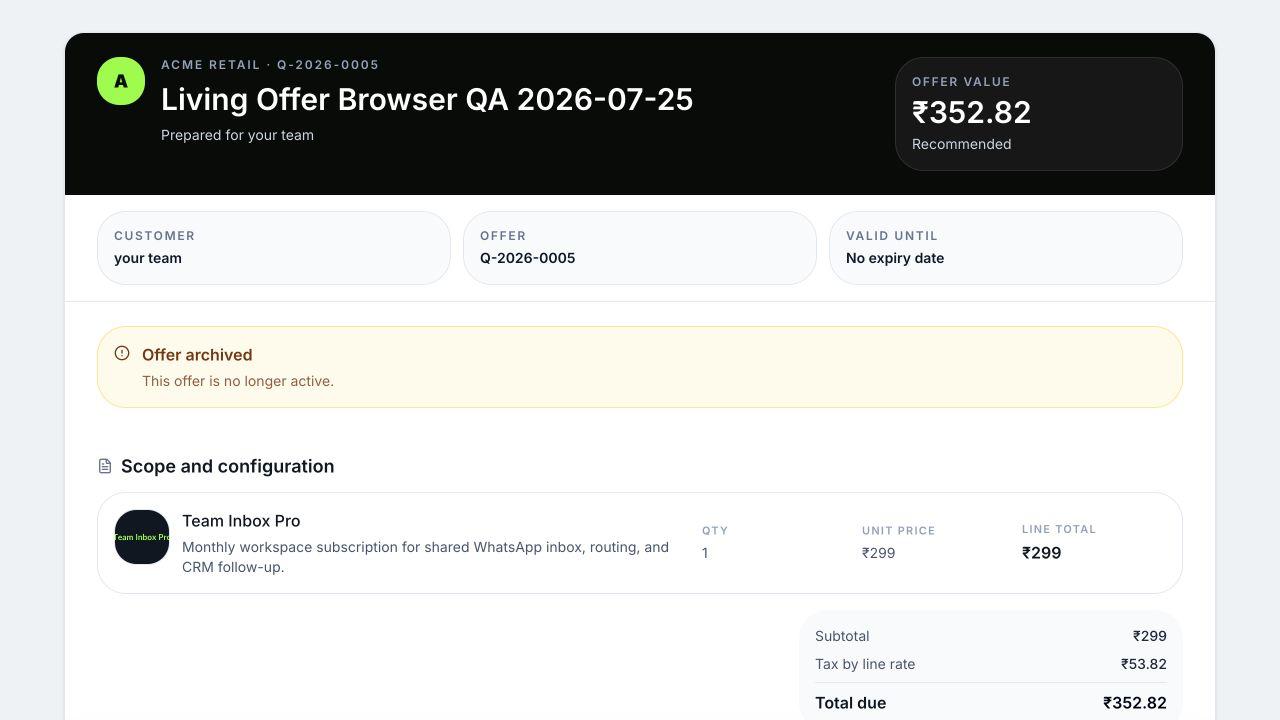
The generated PDF is a customer-readable rendering of the saved quote content: applicable workspace brand, quote number, dates, recipient, title, line items, packages where supported, subtotal, discount, tax, total, notes, and terms according to the quote’s design. Its filename is derived safely from the quote number. If workspace branding changes, a PDF regenerated later can render the current applicable brand details; keep the delivery evidence or retained artifact when an exact earlier rendering matters.
A PDF is not the full workflow record. It does not by itself prove who downloaded it, whether a channel delivered it, which secure link was active, or how the buyer responded.
 Open full size
Three histories answer different questions
| Evidence | Question answered |
|---|---|
| Quote and PDF snapshot | What commercial content was rendered? |
| Revision lineage | Which issued offer preceded or superseded this version? |
| Activity timeline | When was it created, published, viewed, responded to, revised, or otherwise changed? |
| Delivery history | Which channel, recipient, provider, message, timestamps, and errors were recorded? |
| Buyer response | What package, quantities, total, verification, and response did the buyer submit? |
Review a quote’s evidence
- Open the quote from Quotes.
- Confirm quote number, revision, status, effective public state, and validity.
- Open the buyer preview and download the PDF; compare totals and terms.
- Open the activity timeline. Repeated noisy events such as views or delivery changes may be grouped; expand when exact event detail matters.
- Open Delivery history for the provider-specific attempt.
- Follow the linked contact, conversation, and deal to understand the resulting work.
Revisions preserve what the buyer could act on
When scope or terms change after sharing, WRKZY creates a revision rather than rewriting the sent offer. The new draft records its source, parent lineage, revision number, reason, and differences. The older public state can become superseded, while its PDF and events remain evidence.
Evidence governance
Restrict PDFs and buyer links to people authorized for the customer and offer. Follow workspace retention policy for downloaded artifacts, and use the WRKZY activity, delivery, and revision records as the operating audit trail. A locally renamed PDF or forwarded attachment should not replace the governed quote record.
Example: resolve a pricing dispute
Identify the exact quote number and revision the buyer opened. Compare its PDF and accepted selection with the current catalog and deal. Current catalog price does not rewrite an old quote. If the accepted offer differs from the deal, use deal reconciliation and record the intended commercial value without altering the immutable acceptance.
Troubleshoot a missing or stale PDF
First verify you are viewing the current revision and that the quote saved successfully. Check logo accessibility and design sections if presentation is incomplete. Regenerate from the same quote after a transient failure; do not create a duplicate quote just to obtain a PDF. If support is needed, provide the quote identifier, revision, approximate time, and a redacted example—not an unredacted customer document.
- Exact quote number and revision identified
- PDF matches saved commercial snapshot
- Activity and delivery history reviewed separately
- Buyer response tied to the correct version
- Catalog changes not confused with historical offer
- Sensitive PDF shared only through approved paths