
- A sent or scheduled campaign in the intended workspace
- Access to recipient-level delivery and engagement evidence
- A named owner for failures, replies, and customer follow-up
Monitor status before metrics
In Campaigns, first confirm whether the campaign is Draft, Scheduled, Sending, Sent, Failed, Cancelled, or has Issues. During Sending, totals can still change. Do not treat partial counts as final or launch a duplicate campaign to “finish” the send.
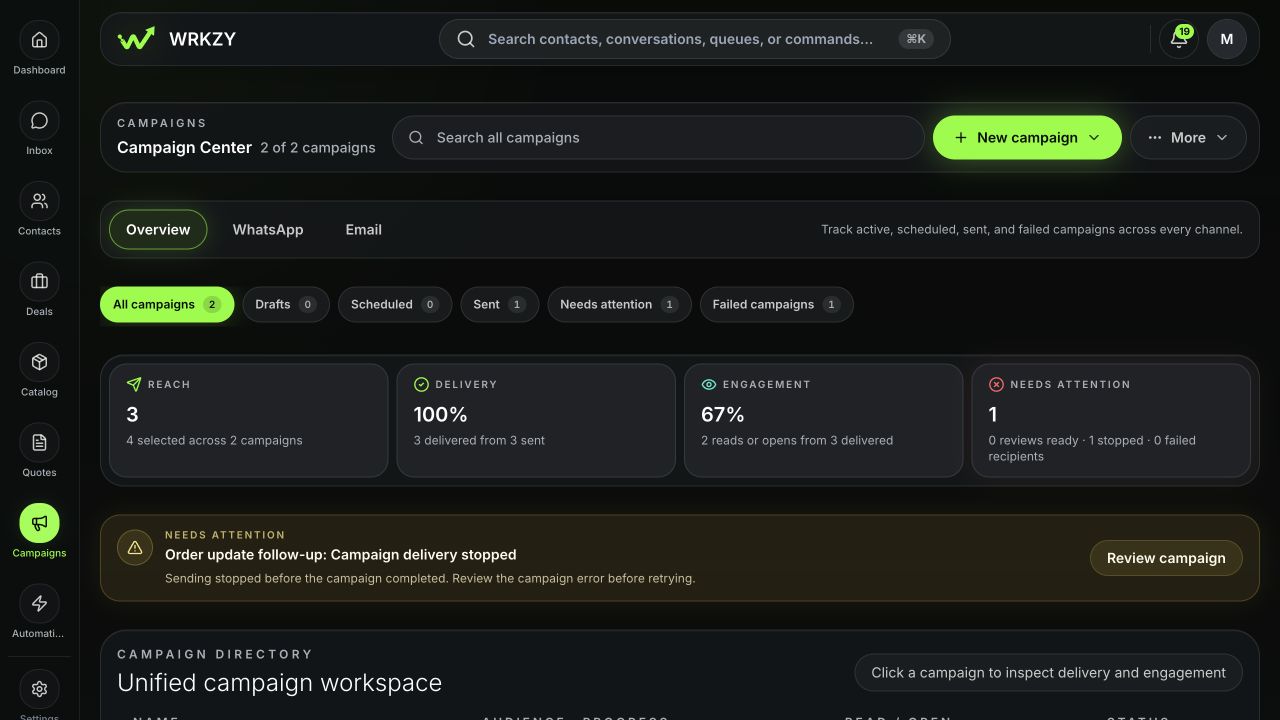 Open full size
Interpret metrics by channel
| Metric | Interpretation |
|---|---|
| Selected | Contacts included by the audience decision |
| Excluded or skipped | Contacts removed by eligibility, suppression, invalid data, duplicates, or guardrails |
| Sent | Provider submission recorded |
| Delivered | Provider confirmed delivery |
| Read or opened | Channel-specific engagement signal with measurement limitations |
| Clicked | A tracked email link was used |
| Replied | A response reached the linked workflow |
| Failed or bounced | Delivery exception requiring root-cause review |
| Unsubscribed | Future email marketing eligibility changed |
Email recipient reporting can show Sent, Delivered, Opened, Clicked, Replied, Failed, Skipped, or Unsubscribed and exposes the latest 200 recipient rows. WhatsApp reporting centers on provider delivery, read, failure, and response evidence. Opens and reads are not equivalent across channels and should not be compared as if measured identically.
Work the exception queue
- Filter campaign recipients by Failed, Skipped, or other issue state.
- Read the exact error or skip reason.
- Group failures by cause: sender health, invalid method, template, suppression, provider, or content.
- Correct the root cause.
- Use the supported failed-recipient retry only; do not resend to successful recipients.
- Confirm retry evidence appears on the same campaign record.
Own responders
Open the responder queue and assign each meaningful reply to a teammate. Continue from the linked Inbox conversation or customer record so the response remains contextual. Record follow-up status and due time. A reply count without ownership is unfinished campaign work.
Review the primary outcome
After the declared review window, inspect the outcome snapshot and campaign learning. Compare with recent similar campaigns only when the cohort and measurement are sufficiently comparable. Review overdue follow-ups and unresolved delivery issues, then mark results reviewed when the decision is complete.
Verify and govern completion
Confirm final recipient totals reconcile, each retry is limited to failed recipients, every meaningful responder has an owner, and overdue follow-up is visible. Only authorized teammates should export or share recipient-level evidence, and screenshots must not expose the rest of the audience.
Example: high opens, low replies
Do not immediately rewrite the subject. Check whether the email asked for a reply, whether clicks represent the intended action, whether the audience was qualified, and whether replies arrived in linked conversations. The correct iteration may be a narrower audience or clearer offer—not more urgency.
- Final status confirmed
- Channel metrics interpreted within their limits
- Failures grouped and corrected before retry
- Responders assigned in linked workflows
- Primary outcome reviewed after its window
- Learning and next iteration recorded