
- An individual company work mailbox supported by the available provider connection
- Authority to connect that mailbox to WRKZY
- Understanding of the organization's email retention and sharing policy
When to use Private Mail
Use Private Mail for owner-scoped work correspondence that should remain private by default: an individual's customer relationship, executive correspondence, or work email that is not operated as a team queue.
Use a team email inbox when messages belong to a group identity such as support@ or sales@ and need shared routing, assignment, SLA, and resolution from the start.
Owner-scoped mail and team-managed work
- 01PrivatePrivate Mail account
Mailbox connection belongs to its individual owner.
- 02PrivateOwner-only message
Content remains invisible to the workspace by default.
- 03BoundaryControlled context share
The owner deliberately shares only what teammates need.
- 04SharedTeam-visible work item
Shared context becomes accountable customer work.
- 05ControlRevoke when no longer needed
Remove access when the operational purpose ends.
What the owner can see and control
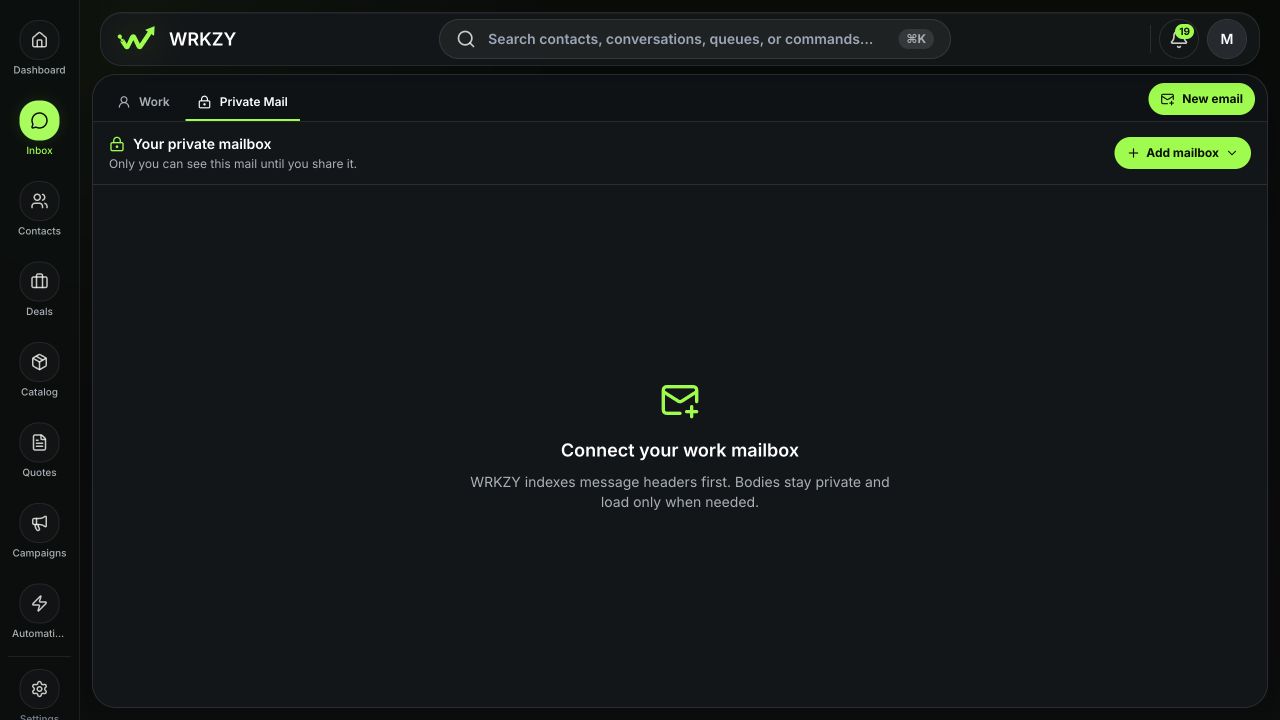
Private Mail provides mailbox accounts, inbox/search, unread and folder views, CRM association and visibility filters, messages and attachments, reply drafts, archive/trash controls, and deliberate sharing options. The owner can connect supported Google Workspace or Microsoft 365 work mailboxes through the available Add mailbox flow.
 Open full size
Visibility states
| State | Meaning |
|---|---|
| Private | Only the mailbox owner can access the unshared thread in Private Mail |
| Snapshot shared | The owner shared selected approved context while the original thread remains private |
| Team managed | The owner moved future replies into Work using a verified shared sending identity |
A CRM link does not change visibility. It associates the private thread with a contact, company, deal, quote, or outcome without sharing subject, participants, message content, or attachments.
Sync policies
Private Mail settings apply to the selected mailbox:
- CRM-focused — recommended: indexes recent metadata privately, fetches bodies when needed, includes current inbound mail, and matches known CRM contacts. The owner can choose a recent metadata window such as 30, 90, 180, or 365 days.
- CRM contacts only: keeps threads whose participants match CRM contacts. Unknown senders may not appear until the policy changes.
- Full private mailbox: explicit opt-in for Inbox and Sent metadata while content remains outside team search and team AI.
Provider Spam, Junk, Trash, and Deleted folders remain excluded by these described policies. Review the in-product explanation before changing a mailbox policy.
Attachment and AI controls
Load attachments on demand fetches attachment bytes only when opened, shared, or promoted. This reduces unnecessary content retrieval.
Private AI for this mailbox lets the mailbox owner's AI use private content according to the configured controls. Results stay private until the owner approves sharing. This is distinct from team AI, which receives only active, owner-approved snapshots.
Work a private thread
- Select Inbox → Private Mail.
- Choose the intended mailbox account and folder.
- Filter by CRM association, unread state, or visibility when useful.
- Open the thread and verify participants and mailbox account.
- Reply from the personal work identity if the commitment remains owner-scoped.
- Link a CRM record when the relationship should be discoverable without exposing content.
- If the team must act, choose the narrowest approved sharing scope or move future replies to Work.
- Review the Privacy audit after sharing.
Connection lifecycle
Mailbox status can require refresh or reconnect. Disconnecting a mailbox stops provider access; the UI warns that unshared cached mail is permanently deleted after 30 days. Resolve the exact mailbox and retention consequence before disconnecting.
Decision guide
| Situation | Best action |
|---|---|
| Team needs to know contact occurred, not content | Link CRM and/or share Activity only |
| Team needs your interpretation | Share an Approved summary |
| Team must deliver a result without seeing source mail | Delegate outcome |
| Team needs specific evidence | Share selected messages/attachments intentionally |
| Future correspondence belongs to a shared operation | Move future replies to Work |
| No legitimate team need | Keep private |
Measurable privacy success
Private Mail is successful when owners can use customer context without default team exposure, shares are purpose-limited and auditable, and operational commitments move to Work before they become hidden dependencies.
- Individual work mailbox rather than shared address
- Sync policy intentionally selected
- CRM link not confused with sharing
- Private AI and attachment settings understood
- Team context shared only for a defined need
- Privacy audit reviewed
- Hidden operational commitment moved or delegated