
- A lawful, authorized source of customer data
- A data owner who can define required identity and consent fields
- A small representative sample containing expected edge cases
- A backup of the original source before cleaning
Start with the WRKZY template
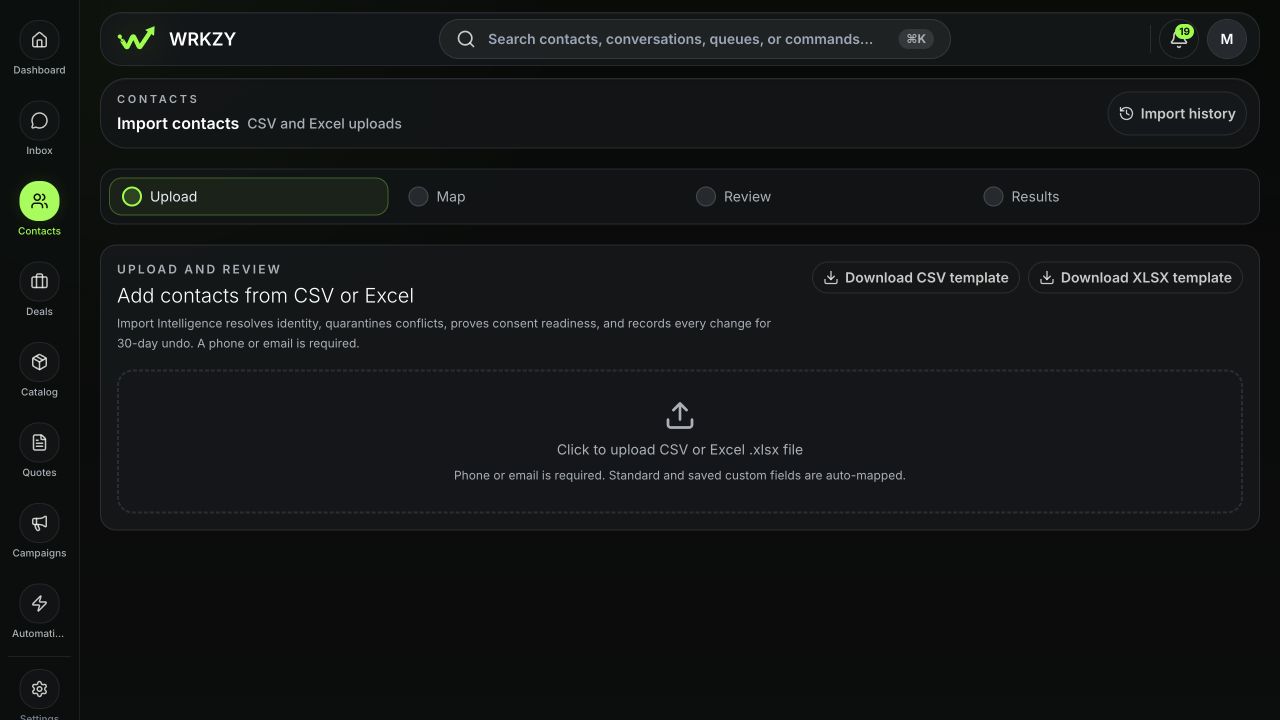
Open Contacts → Import contacts and download the CSV or XLSX template. WRKZY accepts CSV and spreadsheet files up to 8 MB and 5,000 rows per run. Split larger migrations into meaningful batches so each result can be reviewed and, when eligible, undone independently.
 Open full size
Prepare identity fields
- Every row needs a phone number, an email address, or both.
- Normalize country codes and remove placeholder phones or shared fake addresses.
- Keep one person per row. Additional phone and email columns are for methods belonging to that same person.
- Preserve stable external source and external record ID values when migrating from another system; they improve future matching.
- Search or export existing WRKZY contacts before deciding whether the run should add only or update matching records.
Prepare relationship and segmentation data
Use the exact company and list names you intend to link. Decide whether WRKZY may create missing companies or lists; when that option is off, rows referencing unknown records will be skipped. Standardize lifecycle, source, owner, tags, and custom-field formats before upload.
Prepare consent evidence
An opted-in value must be supported by the channel, source, timestamp, consent text, version, and categories you actually collected. WhatsApp and email marketing evidence are separate. Use Unknown when evidence is unavailable; do not convert “has an email” into “email opted in.”
Preflight the file
- Remove blank rows and repeated header lines.
- Check duplicate phones, emails, and external IDs inside the file.
- Sample at least ten rows, including non-English names and boundary values.
- Confirm date and number formats do not depend on local spreadsheet display.
- Save a read-only copy of the approved source file and record who approved it.
- Test the mapping with a small representative batch before a major migration.
Decide update policy in advance
For existing matches, define whether blank cells should preserve current data and which groups—identity, company, consent, or other fields—may be overwritten. Identity and consent should normally be protected. Assigning a default owner can prevent thousands of unowned new records, but only when that owner is truly accountable.
Example and verification
For a migration from a previous CRM, keep its stable source and record ID, protect current WRKZY phone, email, and consent values, and allow approved company or lifecycle updates only after sampling matches. Upload a small representative file, inspect WRKZY’s row plan without running it, and verify known new, existing, duplicate, and consent-gap records receive the expected classification.
- File is CSV or XLSX within size and row limits
- Every row has phone or email
- In-file duplicates reviewed
- Company, list, lifecycle, and custom values standardized
- Consent evidence is channel-specific and supportable
- Automation and overwrite policy agreed